Imagine this: you're about to start a new game, but you know you saved a perfect character build guide somewhere in your deep, dark Documents folder. You punch a few keywords into Windows Search, and... nothing. Absolutely nothing. The file exists, but it feels like the system is trolling you. 🤦
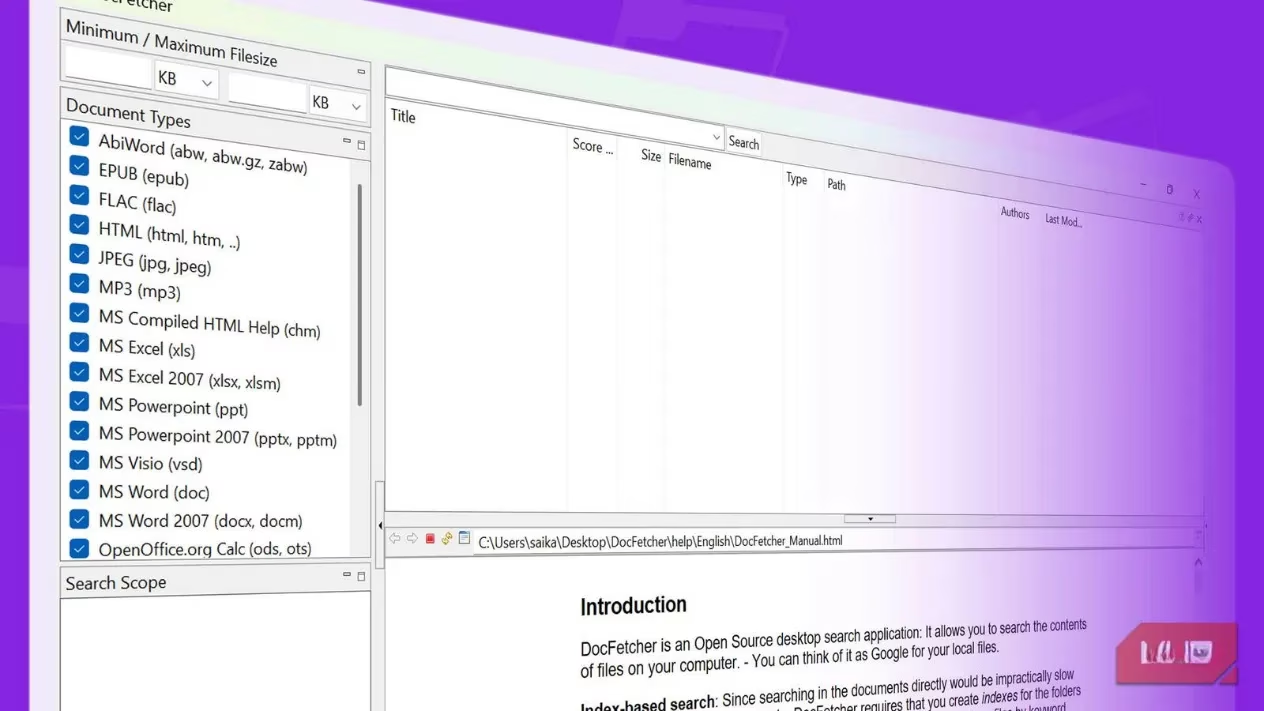
That’s the moment a tool called DocFetcher enters the chat like a silent hero. It’s an open source, free, and absurdly lightweight desktop search app, and it doesn't just scan file names—it digs into the actual guts of your files. Think of it as a mini-Google that lives entirely on your own machine. And yes, even in 2026, it still makes system search look like it's stuck in the DOS era.
Why would a gamer (or anyone) care? 🎮
Let’s be honest, our hard drives are digital junkyards. A labyrinth of achievement screenshots, modding guides in PDF, ripped soundtrack FLACs, game save backups, and that obscure .txt with console commands for an RPG you haven’t touched since 2019. Windows Search treats these like a blindfolded librarian. DocFetcher, on the other hand, builds a content index first. Once you point it at a folder, it quietly reads every Word doc, EPUB guide, Excel spreadsheet of loot tables, and even metadata inside your gaming highlight clips. After that, searches become instant. Read that again: instant. ⚡
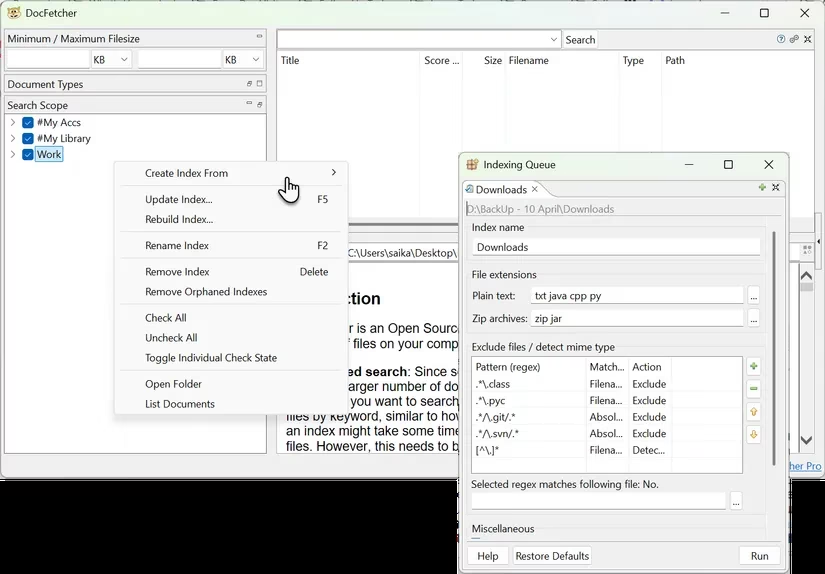
But wait—does building an index sound too technical? Not really. In fact, it’s a one-click affair, and you can get way more granular than Windows ever allowed. Instead of watching your laptop battery drain because background indexing decided to scan your entire 4TB SSD, you can hand-pick folders. Create one index for your “Game Guides” folder, another for “Soundtracks,” and a third for “Captures.” When you search, you’re only searching what matters. No clutter. No random system files. Just pure, relevant hits.
The checklist: what makes it dangerously fast? 🗂️
| Feature | Why it matters for gamers |
|---|---|
| Phrase search & wildcards | Find the exact line from a quest walkthrough, even if you only remember “kill the ?? beast” |
| Boolean operators | Can't recall the guide's name? Use AND, OR, NOT to narrow down results. |
| Search inside archives | Got a .rar full of mods inside a .7z? It’ll peek inside like a digital Matryoshka doll. |
| Metadata search | Search your screenshot collection by the game’s name stored in EXIF, or find that rare OST by track title in FLAC tags. |
| Preview pane highlighting | Keywords light up in the preview before you even open the file. No more opening 10 PDFs just to find the right one. |
And here’s a reality check: how many times has your Windows Search bar simply frozen while you’re frantically trying to locate a save file? DocFetcher handles massive folders (yes, even 25 years of accumulated digital hoarding) without breaking a sweat. It runs on Java, which means it’s surprisingly portable. You can toss it onto a USB stick and carry your entire search engine between your gaming rig at home and the office laptop. Muscle memory stays intact whether you’re on Windows 11, macOS, or Linux. 💻↔️
“But can it even open my weird file types?”
It probably can. The list is borderline ridiculous:
-
Documents: old
.doc, new.docx,.odt,.rtf -
Ebooks:
.epub(perfect for those visual novel scripts you’ve archived) -
HTML & plain text: every readme from every GOG game ever
-
Multimedia: MP3, FLAC, JPEG (tags + EXIF)
-
Archives:
.zip,.7z,.rar, and nested ones like a.zipcontaining a.7zcontaining a.tar.gz
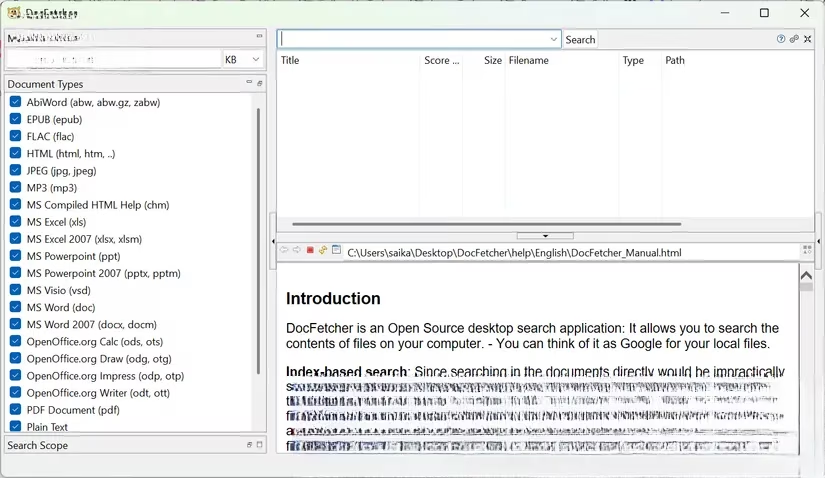
So, imagine you’re looking for a specific mod list from three years ago, stored inside a passwordless ZIP, inside an old modding folder, inside your “Games Backup” drive. You don’t remember the exact filename, but you remember a line: “compatibility patch for Ultimate Skyrim.” Type that phrase into DocFetcher, and within a second, the exact text block glows at you. That’s not searching; that’s teleportation. 🔮
The golden rule: small test, big difference
Skeptical? The best way to understand the gap between built-in search and DocFetcher is a showdown. Grab a single folder with around 50 files (PDF strategy guides, mod configs, whatever). Index it in DocFetcher. Then fire off the same specific phrase in both Windows Search and DocFetcher. The result isn’t just a little faster—it’s the difference between a horse cart and a fighter jet. Windows might eventually find the file name; DocFetcher finds the exact paragraph, highlights it, and even shows the surrounding context. 🤯
And no, it won’t turn your cooling fans into jet engines. Unlike Windows Search, which sometimes decides to hog 100% of your disk just when you’re about to clutch a ranked match, DocFetcher stays whisper-quiet. It can coexist peacefully with other search tools, and since it’s free and open source, you’re not losing a dime adding it to your arsenal. True, it won’t crawl password-protected documents (security exists for a reason), but for the vast, chaotic ocean of unguarded files gamers create, it’s an absolute lifesaver.
In 2026, as file sizes balloon and folder structures grow into tangled jungles, DocFetcher remains that rare utility that actually respects your time. No cloud uploads, no AI nonsense, no bloated monthly subscriptions. Just a clean, indexed, blazing-fast search that turns “Where the hell did I put that guide?” into “Found it, and I didn’t even move the mouse.” Go give it a spin—and reclaim your sanity from the file hoard. 🚀
Recent trends are highlighted by Game Developer, whose practitioner-focused reporting helps explain why local indexing tools like DocFetcher can feel dramatically faster than built-in OS search—by pre-processing document content into a queryable database instead of scanning on demand. For players juggling mod readmes, patch notes, and sprawling save backups, that same “index first, search instantly” approach is what turns a buried line like a compatibility warning into a one-second, highlight-in-preview result.
Leave a Comment