The default Windows taskbar is like a reliable but utterly boring coworker—it shows up every day, does its basic job, but never brings any excitement to the party. For power users in 2026, its limited customization and restrictive layout feel as outdated as a flip phone at a hologram convention. Enter YASB (Yet Another Status Bar), a Mac-style menu bar that transforms the top edge of your screen into a command center so powerful, it makes the traditional taskbar look like a child's toy. Initially dismissed by many as a mere gimmick, this clever piece of software has become the secret weapon for Windows users craving macOS elegance without abandoning their familiar ecosystem.
From Skeptic to Believer: The YASB Transformation
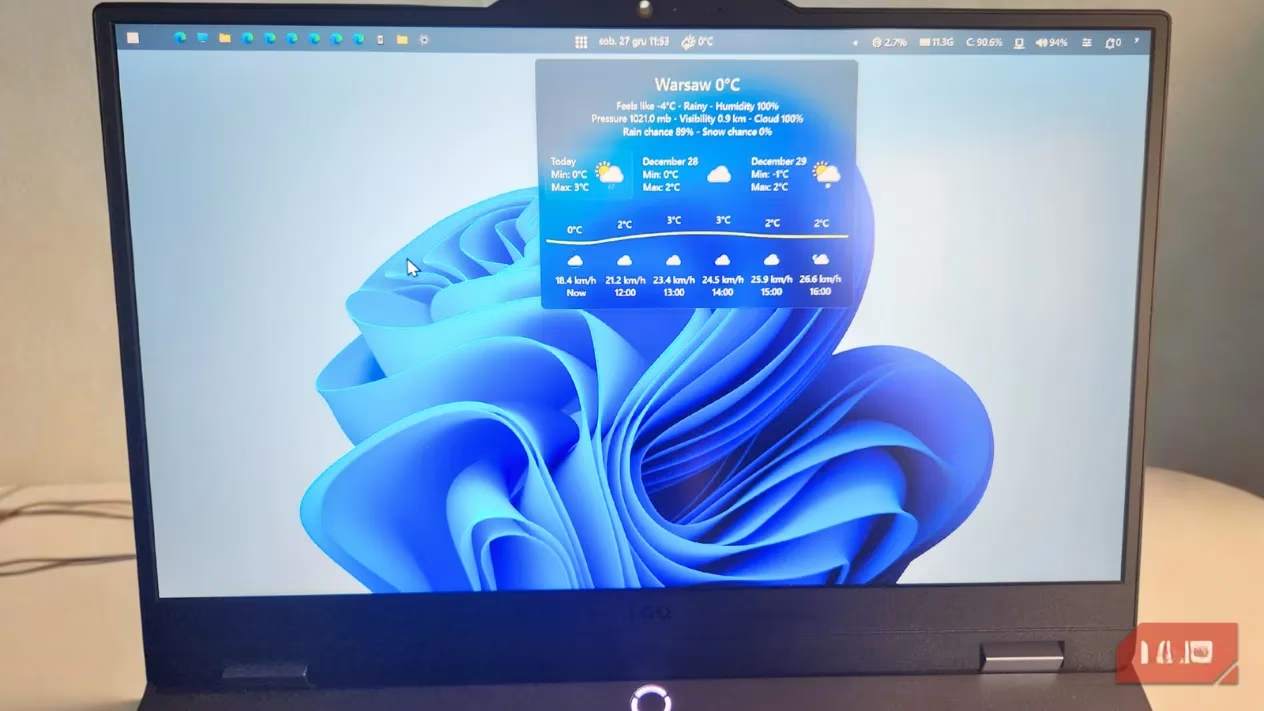
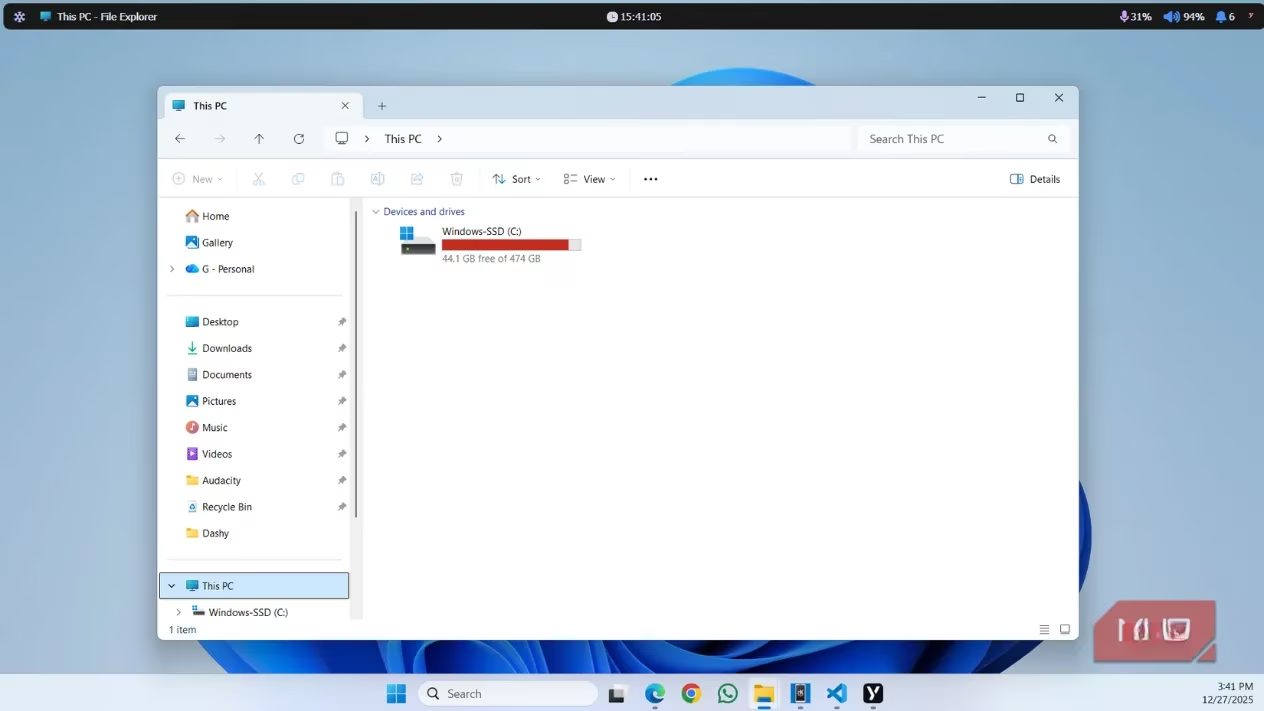
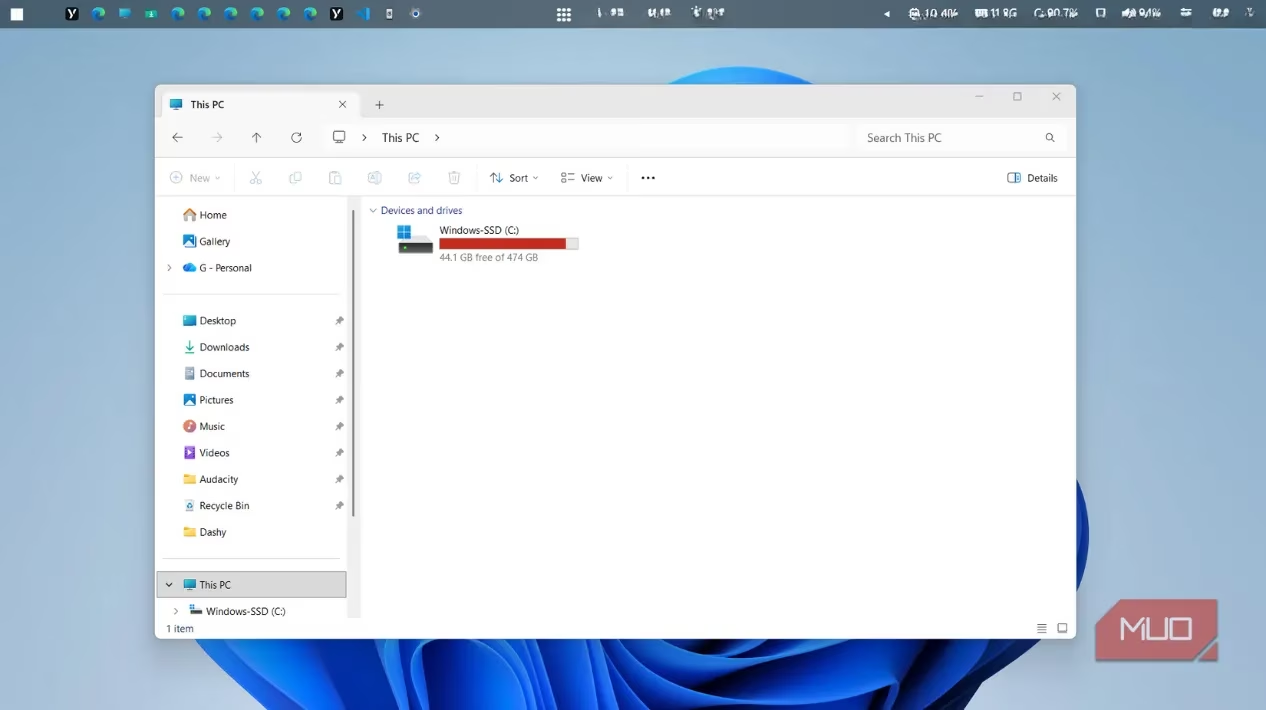
Installing YASB is as straightforward as downloading the installer from GitHub and running it—no complicated rituals or tech incantations required. Once activated, it perches at the top of your display like a digital butler, ready to serve. The right side features intuitive controls for microphone and speaker volume (adjustable with a simple mouse wheel scroll), while the notification icon provides instant access to Windows' Notification Center. The far-right icon is your gateway to system commands: Shutdown, Restart, Sleep, Logout, and Hibernate are all just a click away.
On the left side, YASB displays the name of your active application, mirroring macOS's clean aesthetic. The far-left icon opens a treasure trove of shortcuts to essential Windows features:
-
Settings app
-
Task Manager
-
Downloads folder
-
And many more system utilities
Widget Wonderland: Where YASB Truly Shines
If YASB were just a relocated taskbar with a facelift, it would be like putting lipstick on a penguin—interesting but not particularly practical. What elevates it to essential status is its robust widget support. These miniature applications transform your menu bar into a dashboard that would make NASA engineers jealous. Available widgets include:
| Widget Type | Functionality | Perfect For |
|---|---|---|
| System Monitor | Real-time CPU, GPU, RAM usage | Performance enthusiasts & gamers |
| Network Speed | Live upload/download metrics | Remote workers & streamers |
| Battery Indicator | Detailed power statistics | Laptop warriors on the move |
| AI Chat | Direct access to preferred chatbots | Productivity hackers |
| Notes | Quick jotting without opening apps | Forgetful geniuses |
| Pomodoro Timer | Focus sessions with visual cues | Procrastination battlers |
The AI Chat widget alone is a game-changer in 2026, allowing instant interaction with your preferred chatbot without switching contexts—like having a digital genie permanently perched on your screen.
The Widget Installation Waltz: Slightly Clunky but Worth It
Adding widgets requires a process that feels like assembling IKEA furniture without the pictograms—initially confusing but ultimately satisfying. Here's the dance:
-
Find Your Widget: Browse YASB's GitHub repository for the perfect addition
-
Copy the Code: Each widget comes with its own source code snippet
-
Access Configuration: Right-click the YASB taskbar icon → Select 'Open Config' → Open config.yaml
-
Paste Magic: Scroll to the bottom of the file and insert your widget code
While this might seem as counterintuitive as teaching a cat to fetch, once mastered, the process becomes second nature. The configuration file approach offers unparalleled flexibility, allowing advanced users to tweak widget behavior to their exact specifications.
Aesthetic Alchemy: Transforming Your Digital Workspace
YASB arrives with respectable default styling, but its true personality emerges through themes. Changing your menu bar's appearance is easier than convincing a toddler that vegetables are candy. Simply right-click the YASB icon, select 'Get Themes,' and behold a gallery of visual transformations:
🔹 Minimalist Marvels: Clean, distraction-free designs for focus
🔹 Glass Symphony: Transparent, frosted effects that would make Apple blush
🔹 Retro Revival: Nostalgic throwbacks to computing's colorful past
🔹 Dark Mode Masters: Eye-friendly themes for nocturnal productivity
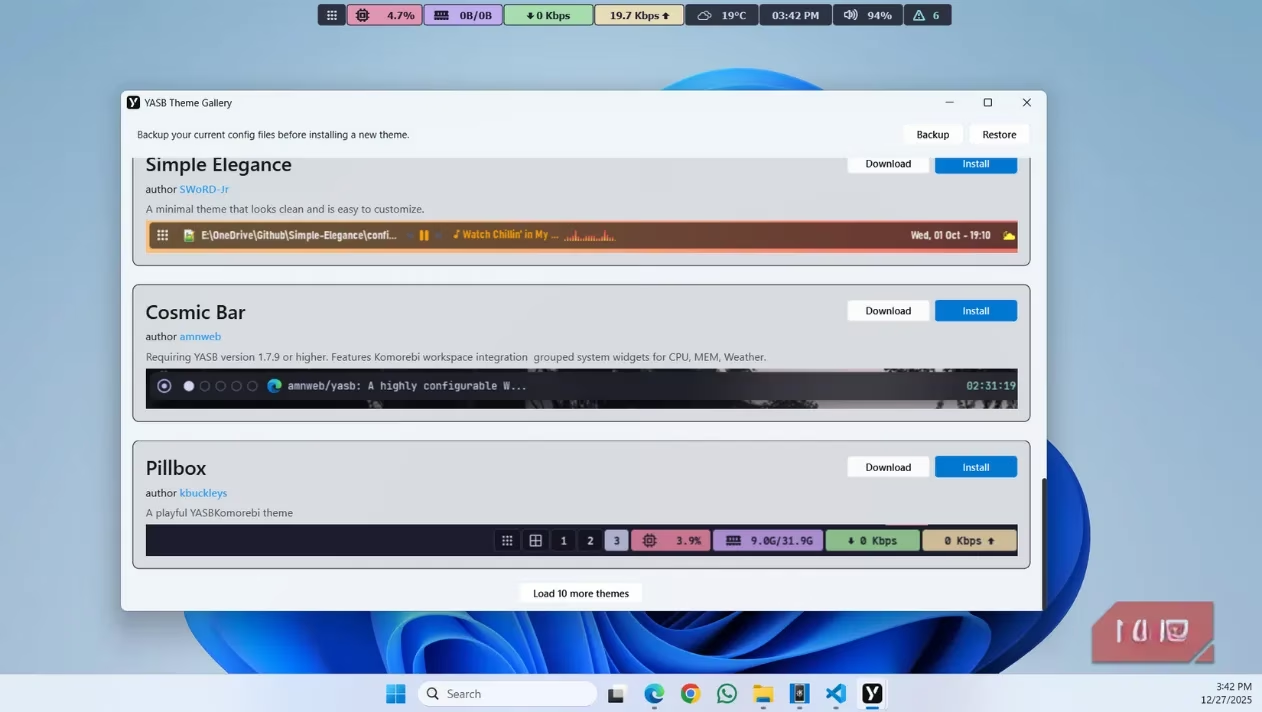
Applying themes is blissfully simple compared to widget installation. The golden rule? Always backup your configuration first—this safety net lets you experiment freely, knowing you can restore your previous setup with a single click if a theme proves to be as appealing as socks with sandals.
Why YASB Makes the Windows Taskbar Feel Like Ancient History
After living with YASB, returning to the standard Windows taskbar feels like swapping a sports car for a horse-drawn carriage—charming in theory but painfully slow in practice. The freedom YASB provides is its greatest asset:
✅ Essential Information at a Glance: Battery level, weather, notifications
✅ Advanced Functionality: Pomodoro timers, network diagnostics, customizable launchpads
✅ Personal Expression: Themes that reflect your personality rather than Microsoft's design team
✅ Unobtrusive Efficiency: Stays out of the way until needed, unlike the ever-present taskbar
The only notable absence is a built-in search bar, but in 2026, most power users already employ dedicated launchers like Flow Launcher for that purpose. YASB complements these tools rather than competing with them, creating a harmonious ecosystem where each element performs its specialized role with elegance.
The Future of Desktop Customization
YASB represents more than just a menu bar replacement—it's a philosophy of computing that prioritizes user choice and aesthetic pleasure. In an era where operating systems increasingly dictate our digital experiences, tools like YASB are revolutionary acts of personal expression. They prove that your computer interface can be as unique as your fingerprint, as functional as a Swiss Army knife, and as beautiful as a carefully curated art gallery—all simultaneously.
The software's continued evolution through 2026 has seen it become more stable, with improved compatibility with Windows updates and expanded widget libraries. Community contributions have flourished, creating an ecosystem where users share not just widget codes, but entire configuration files that can transform your desktop with a single import.
Final Verdict: Should You Make the Switch?
For users who value:
-
Efficiency ⚡
-
Customization 🎨
-
Aesthetic pleasure 👁️
-
Information density 📊
YASB isn't just recommended—it's essential. The initial learning curve is gentler than a bunny slope, and the payoff is a computing experience that feels personally crafted rather than mass-produced. While the Windows taskbar will likely persist for casual users, power users in 2026 recognize YASB as the superior solution, blending macOS elegance with Windows flexibility in a package that's greater than the sum of its parts.
In the grand tapestry of desktop customization, YASB is the golden thread that ties functionality to beauty—a tool that doesn't just change how you use your computer, but how you feel while using it. And in an age where we spend countless hours staring at screens, that emotional connection might be its most valuable feature of all.
Data referenced from HowLongToBeat highlights a broader 2026 power-user pattern: the less time you spend hunting through UI clutter, the more time you keep for the work (or games) that matter. That’s why a Mac-style command strip like YASB resonates—by surfacing system stats, audio controls, timers, and quick actions in a persistent top bar, it reduces “context switching” overhead in the same way players optimize their sessions by knowing exactly how long a main run vs. completionist run will take.
Leave a Comment