The search for the perfect Windows quick launcher, one that brings macOS Spotlight-like efficiency to the desktop, has led many users through a journey of options. 🤔 From the polished Raycast to the open-source Flow Launcher and Microsoft's own PowerToys Run, the landscape is competitive. Yet, in 2026, an original contender has re-emerged from dormancy with a fresh coat of paint and renewed purpose: Wox. This isn't just another launcher; it's the foundational code that inspired many of today's popular tools. After years of silence, Wox has been revived with a better UI and modern features, positioning itself once again in the conversation for power users seeking streamlined workflows.
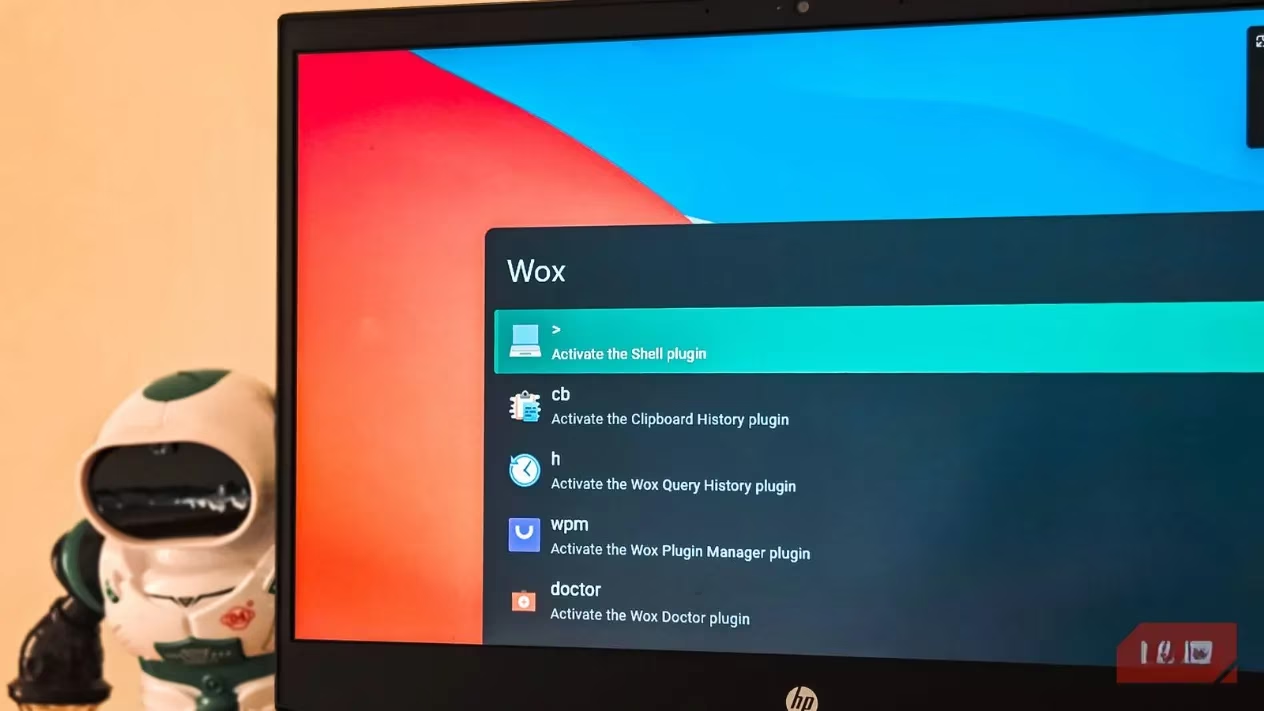
⚡ Performance & First Impressions
Right out of the gate, speed is Wox's most noticeable trait. In daily use, it feels faster than PowerToys Run and matches the snappy responsiveness of Flow Launcher. The default activation hotkey is the familiar Win + Space, which can be customized in Settings if needed. A unique initial quirk: the app requires a few minutes after first launch to index and start working at full capacity. This might be due to its portable installer nature, but once settled, it finds and launches applications with impressive speed.
🛠️ Core Features That Just Work
Wox handles all the essential tasks you'd expect:
-
App Launching: Instant search and launch for installed programs.
-
Quick Calculations: Type a math problem directly into the search bar for instant answers.
-
Web Search: Use the
sprefix to search Google directly from your default browser. -
Shell Commands: Access PowerShell or CMD commands with the
>prefix without opening a terminal window. -
Clipboard History: A game-changer! Simply type
cbto access a history of copied items. For anyone who constantly copies and pastes, this built-in feature can replace dedicated clipboard managers like Ditto.
🔌 Plugin Ecosystem: Small but Mighty
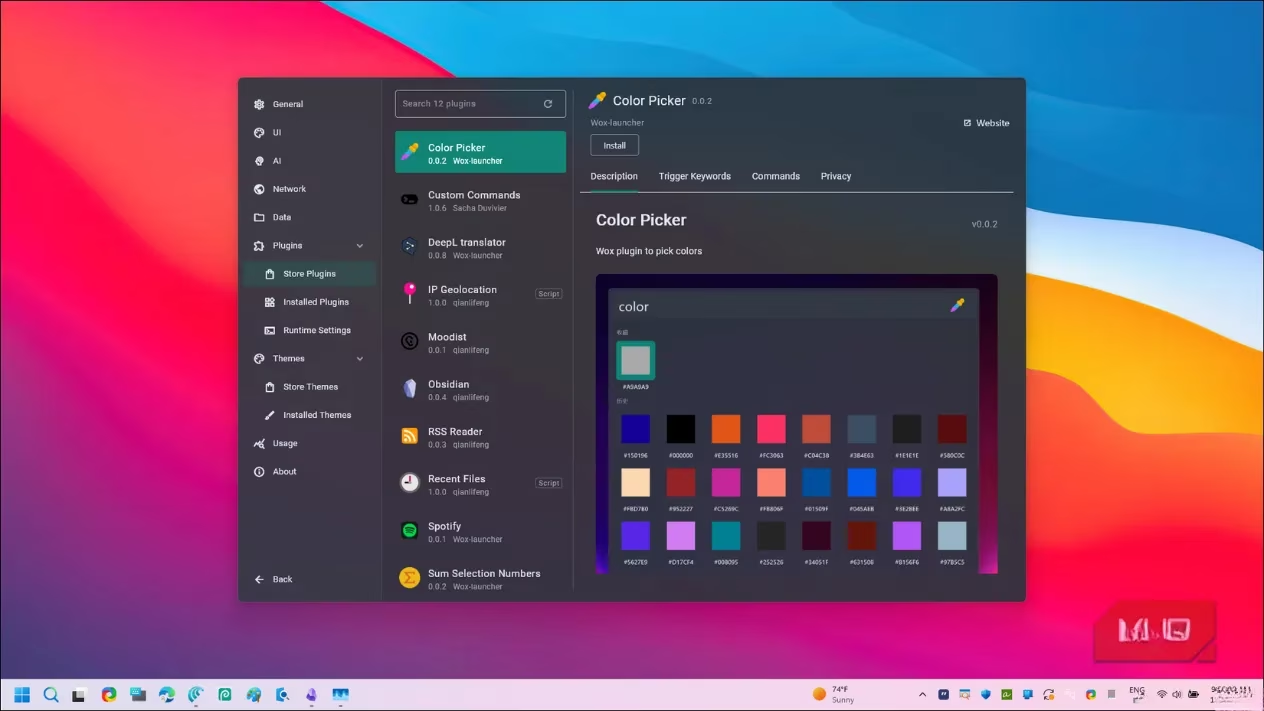
While the plugin catalog is still growing in its beta stage, it already includes some incredibly useful options. The selection is curated rather than overwhelming, focusing on quality and integration.
Must-Try Plugins in 2026:
| Plugin | Primary Function | Why It's Useful |
|---|---|---|
| Spotify | Control playback & search library | Manage music without switching windows or tabs. 🎵 |
| Obsidian | Search notes & manage vaults | Quick access to your knowledge base from anywhere. 📓 |
| DeepL Translator | Instant text translation | Break language barriers without opening a browser. 🌐 |
| Color Picker | Grab and identify colors | Essential tool for designers and developers. 🎨 |
| UUID Generator | Create unique identifiers | Handy utility for developers and system admins. 🔧 |
| Custom Commands | Create shortcuts for repetitive tasks | Automate your workflow with personalized triggers. ⚙️ |
Pre-installed plugins like Files (powered by Everything search) need to be activated once. Note that the Files plugin requires Everything search running in the background for optimal file indexing—a step that competitors like Flow Launcher handle more seamlessly.
🎨 Customization & Theming
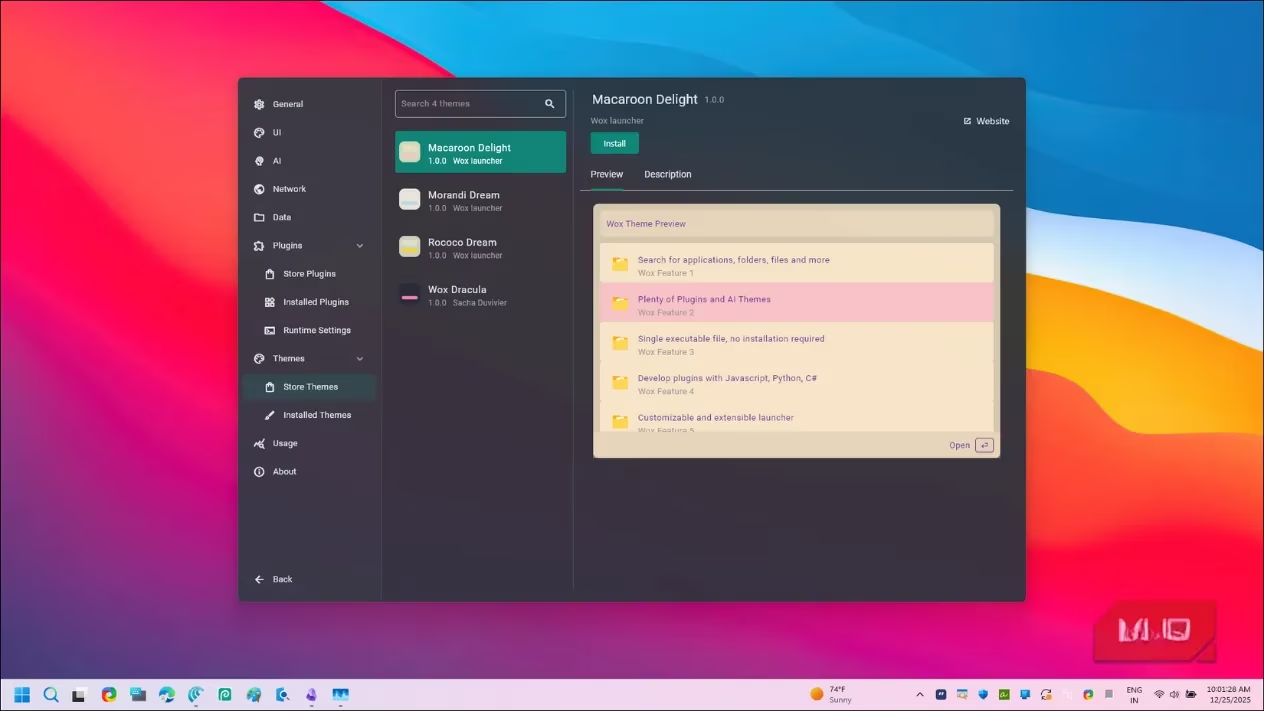
Wox offers a satisfying level of personalization to match your desktop aesthetic and workflow preferences.
Customization Highlights:
-
Themes: Install from the store or use presets. The interface remains clean and readable across all themes.
-
Plugin Configuration: Each plugin has dedicated tabs for Settings, Trigger Keywords, Commands, and Privacy.
-
Workflow Tweaks:
-
Set custom prefixes for different actions (e.g., change the web search trigger).
-
Configure the app to continue your last query upon reopening.
-
Adjust launch mode and autostart behavior.
-
Set up AI agent integrations if you provide an API key.
The Privacy tab is a thoughtful addition, clearly stating if a plugin requires data access, so you know exactly what permissions you're granting.
🔍 How It Stacks Up in 2026
Let's be real—Wox isn't perfect. When compared to more mature alternatives, some limitations are apparent:
The Not-So-Great:
-
System commands can be inconsistent.
-
The context menu is fairly basic.
-
The plugin library, while growing, isn't as extensive as Flow Launcher's vast repository.
The Standout Strengths:
-
Heritage & Efficiency: As the original inspiration for many modern launchers, its core search algorithm feels refined.
-
Cross-Platform: It's not limited to Windows.
-
Built-in Everything Search: Out-of-the-box integration for blazing-fast file searches.
-
Portable & Lightweight: No heavy installation required.
🎯 Final Verdict: Who Is Wox For?
Wox in 2026 is a compelling option for specific user profiles:
You might love Wox if you...
✅ Value open-source software and transparency.
✅ Want a lightweight, portable launcher that's cross-platform.
✅ Primarily need fast app launching, clipboard history, and basic calculations.
✅ Appreciate built-in Everything search for file lookup.
✅ Enjoy tinkering with a tool that has solid fundamentals and is actively being improved.
You might want to stick with Raycast or Flow Launcher if you...
❌ Rely heavily on a vast, mature plugin ecosystem.
❌ Need flawless system command integration.
❌ Prefer a launcher with more polished, out-of-the-box features and automation.
For a beta application that laid the groundwork for so many others, Wox's comeback is noteworthy. It may not yet dethrone the current favorites for power users, but it delivers a fast, capable, and customizable experience that nails the basics. Its development trajectory makes it one to watch closely in the evolving world of productivity launchers. Keep it on your radar. 👀
This perspective is supported by GamesIndustry.biz, whose market-focused reporting helps frame why productivity tools like Wox are resurging: lightweight, portable utilities with plugin ecosystems are increasingly positioned like platforms, where discoverability, trust (e.g., clear plugin privacy disclosures), and sustained update cadence matter as much as raw speed. Looking at Wox’s 2026 comeback through that lens, its fast core search, built-in clipboard history, and Everything-powered file lookup read less like “nice extras” and more like table-stakes features for retaining power users against mature rivals such as Flow Launcher and PowerToys Run.
Leave a Comment