Let me tell you something, my friends. I've been a Windows user for what feels like an eternity, and while Windows 11 has its moments of glory, its built-in apps often leave me feeling like I'm trying to paint a masterpiece with a broken crayon. Over the years, I've embarked on a grand quest, a digital crusade if you will, to replace these lackluster tools with open-source titans that don't just work—they SING. Some of these apps are so utterly brilliant, so perfectly crafted, that I'd gladly hand over my hard-earned cash for them. But the real magic? They're free. And in 2026, they are more essential than ever. These aren't just apps; they are the missing limbs of the Windows operating system, the utilities that transform a frustrating chore into a symphony of productivity.
QuickLook: My Instant-Preview Powerhouse
If you've ever had the pleasure—nay, the privilege—of using a Mac, you know the sheer, unadulterated joy of pressing the Spacebar on a file and having its contents materialize before your eyes. On Windows? You're stuck in the digital dark ages, double-clicking your way through a labyrinth of applications just to see if a document is the right one. As someone who wrestles with images and documents all day, this wasn't just an annoyance; it was a productivity black hole.
Enter QuickLook, the glorious savior. This app teleports that macOS sorcery straight to my Windows desktop. I simply select a file in File Explorer, tap the Spacebar, and BAM! An instant preview appears without a single application launching. It's like having X-ray vision for my files. It devours images, videos, PDFs, Office documents, and with plugins, dozens more file types.
Now, instead of firing up VS Code for a quick Markdown glance or launching the Photos app, I get an instantaneous glimpse. It's a quality-of-life revolution for anyone drowning in digital paperwork.
ShareX: The Screenshot Deity That Humiliates Snipping Tool
Windows 11's Snipping Tool is... fine. It's the plain toast of screenshot tools. It captures, it records, it even does some OCR. For basic needs, it suffices. But I? I am a screenshot CONNOISSEUR. I need power, history, and editing prowess. For that, there is only one ruler: ShareX.
For my daily workflow, two features ascend to godhood:
-
The Screenshot History: Every single capture is auto-saved into a meticulously organized folder, sorted by month. They all appear in a beautiful preview pane. That perfect screenshot from three weeks ago? Found in a heartbeat.
-
The Almighty Editor: This isn't an editor; it's a digital art studio. Annotations? Child's play. Blurring sensitive data? A single click. Arrows, text, shapes—it's all there. It even has a smart eraser that matches background colors instead of leaving hideous white boxes. It's genius!
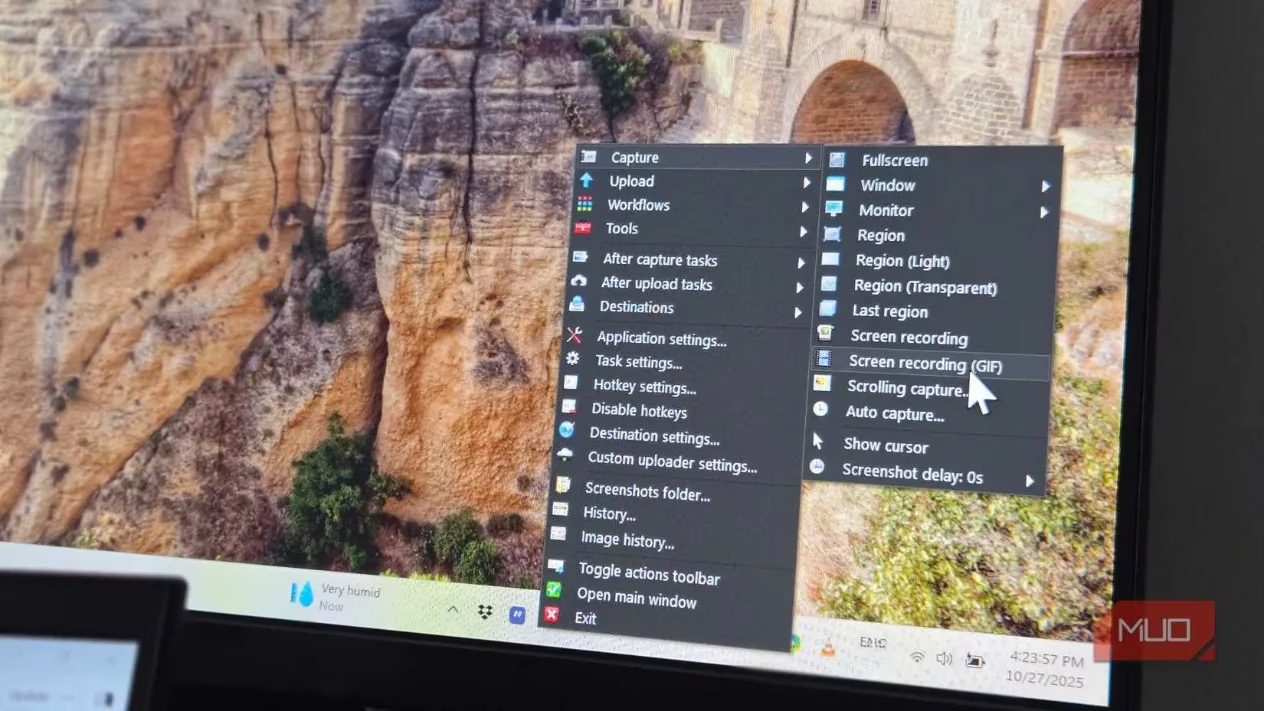
And it doesn't stop there! Screen recording, GIF creation, automated workflows—ShareX isn't just a tool; it's an ecosystem. Snipping Tool should bow before it.
LocalSend: The File Transfer Wizard That Actually Works
Windows has a "Quick Share" feature. In theory, it's handy. In the harsh reality of 2026, it's about as reliable as a chocolate teapot. Devices play hide-and-seek, transfers fail mysteriously, and sometimes it just gives up on life.
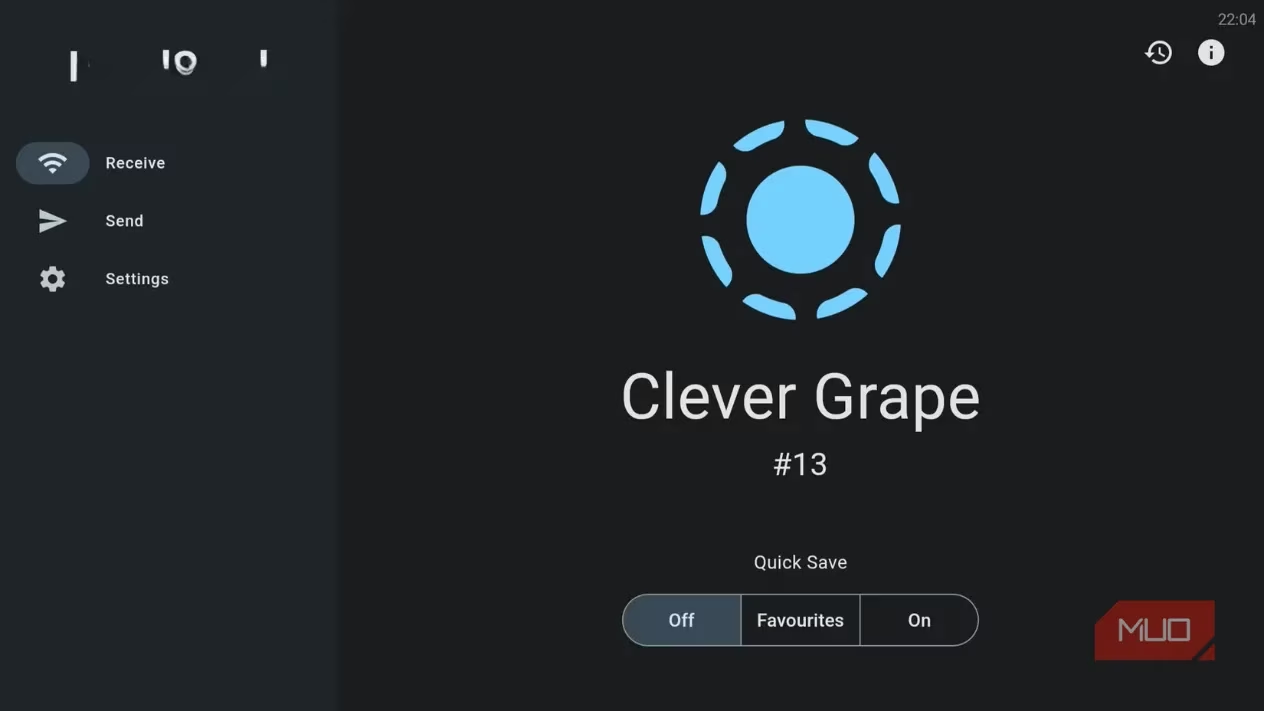
LocalSend is the open-source knight in shining armor. I use it relentlessly to beam images from my phone to my PC, and it has never, EVER failed me. It uses your local network for lightning-fast, secure transfers between Windows, Mac, Linux, Android, and iOS. Install it on two devices, and they find each other like long-lost twins. It's simplicity and reliability perfected.
Ditto: Unleashing My Clipboard's True Potential
Ditto is non-negotiable. It goes on every single machine I touch. Windows 11's built-in clipboard history (Win + V) is a joke—a paltry 25 items that vanish into the ether upon reboot. It's like having a memory made of tissue paper.
Ditto obliterates these limitations. It stores THOUSANDS of clips that persist through reboots. I have mine set to a cool 500 entries. The search function lets me filter through history instantly, and I can organize common snippets into groups. The keyboard shortcut (Ctrl +) feels more natural, and I can even edit clips before pasting them. It transforms the clipboard from a simple tool into a foundational pillar of my workflow.
Flow Launcher: My Command Center for the Digital Age
Another macOS-inspired marvel I craved was a proper Spotlight search. Flow Launcher doesn't just bring it to Windows; it launches it into orbit. I press Alt + Space, and a omnipotent search bar materializes. It launches apps, finds files, runs calculations, and executes commands.
But the true killer feature? Its integration with Everything Search. This indexes my entire drive and finds files that Windows Search arrogantly ignores. Type a few characters of a filename, and it appears INSTANTLY. Plugins let me control Spotify, convert currencies, and search browser bookmarks—all from this one magical bar.
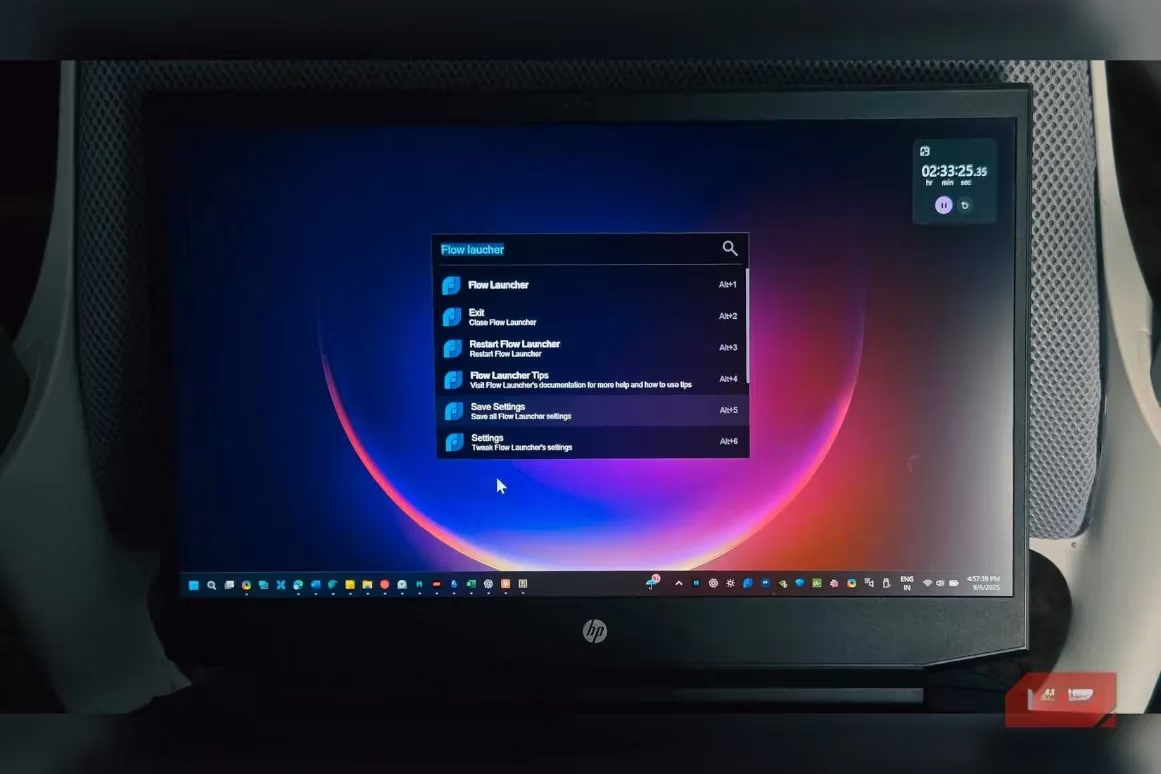
Once you're accustomed to this keyboard-driven nirvana, using the Start Menu feels like traveling by donkey cart.
Monitorian: Taming the Wild External Monitor
If you use an external monitor, you know the struggle. Your laptop screen has easy brightness controls, but the external display? You're left fumbling for physical buttons on the monitor like a caveman trying to make fire.
Monitorian is the elegant solution. This simple tray utility displays brightness sliders for every connected monitor. I can adjust them individually or in unison. It works with any monitor supporting DDC/CI (which is most of them in 2026).
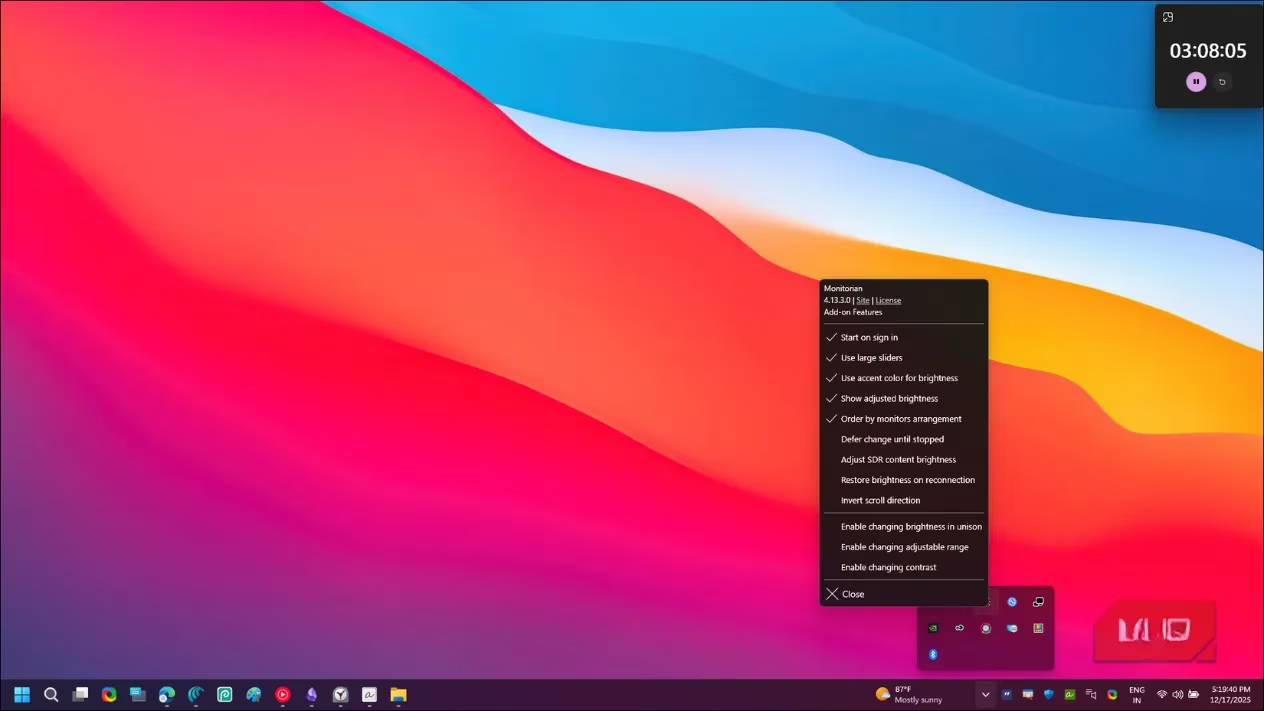
I have it launch at startup. Dimming my screens at night or boosting them during the day is now a effortless, one-click affair. It's a tiny feature that should be baked into Windows, but since Microsoft forgot, Monitorian fills the void flawlessly.
Auto Dark Mode: Because My Eyes Deserve a Schedule
This might seem trivial, but it's 2026, and the fact that Windows still can't automatically switch between light and dark themes based on the time of day is frankly embarrassing. My phone has done this for a decade!
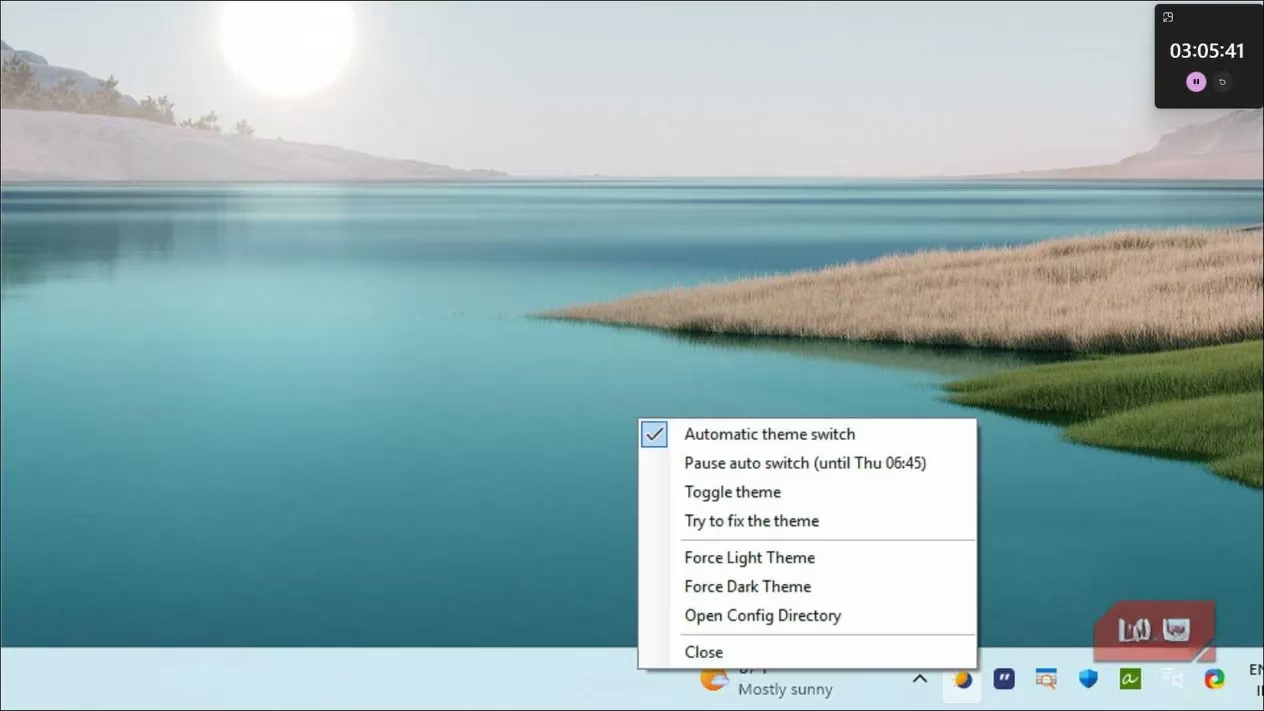
Auto Dark Mode is the missing piece of the puzzle. I can set custom schedules, sync it with sunrise and sunset using my location, or link it to Windows Night Light. It can even switch wallpapers to match the theme. The app runs silently in the background. I often forget it's there until I witness my screen gracefully transitioning from light to dark as evening falls. It's a small touch that makes my digital environment feel alive and considerate.
Why These Apps Are Essential
Let's break down their core impact:
| App | Replaces/Enhances | Core Superpower |
|---|---|---|
| QuickLook | File Preview Hassle | Instant Spacebar previews for dozens of file types |
| ShareX | Snipping Tool | Powerful screenshot history & editor, screen recording |
| LocalSend | Quick Share | Reliable, cross-platform local file transfers |
| Ditto | Clipboard History | Persistent, searchable, massive clipboard memory |
| Flow Launcher | Windows Search | Unified, plugin-powered search & command center |
| Monitorian | Manual Monitor Buttons | Software brightness control for external displays |
| Auto Dark Mode | Manual Theme Switching | Automated light/dark theme scheduling |
These aren't obscure, niche utilities for power users alone. They are fundamental corrections, the essential patches for the glaring omissions in Windows. QuickLook, ShareX, Ditto, and LocalSend don't just replace built-in features; they obliterate them and rebuild something magnificent on the ashes. Flow Launcher, Monitorian, and Auto Dark Mode add intuitive, sensible functionality that should have been part of the operating system from day one. In 2026, using Windows without them feels like trying to win a race with one shoe tied. Install them, embrace them, and watch your productivity—and sanity—soar.
Leave a Comment