In 2026, Windows 11's built-in widgets panel still behaves like a chatty news kiosk that wandered onto the desktop. It is eager to show headlines, sports scores, and Microsoft's preferred content, but it is not exactly a toolbox. Widget Launcher, a free app, takes a different route: it lets users place individual widgets directly on the desktop—weather, clock, calendar, notes, CPU meter, calculator, converters, RSS, and even a slideshow—without a sidebar or ecosystem lock-in. The desktop stops being a wallpaper holder and becomes a quiet dashboard.
A desktop that finally earns its keep
Widget Launcher does not try to reinvent widgets. It simply gives users the ones they need, where they need them. The app is installed from the Microsoft Store, and its clean interface presents a library of widgets that can be added to the desktop. Pick a widget, adjust its appearance, and place it anywhere on the screen. That is the whole ritual—no sidebar, no feed, no wrestling match with a content algorithm.
It also understands that people are messy. Multiple instances of the same widget are allowed, which is handy for clocks in different time zones or separate note widgets for separate projects. Each widget can be customized with different skins, transparency, and background, border, accent, and font colors. Minimalists can dial down the opacity. Fans of high-contrast desktop drama can go bold. Changes apply instantly, and the app quietly minds its own business in the background while using around 90 MB of memory.
There are convenience features too: widget positions can be locked so they do not wander off, the app can launch on startup, and users can choose light, dark, or default themes. Developer mode is available for anyone who wants to build custom widgets. For a free utility, that is a surprisingly full little bag of tricks.
The widgets that actually pull their weight
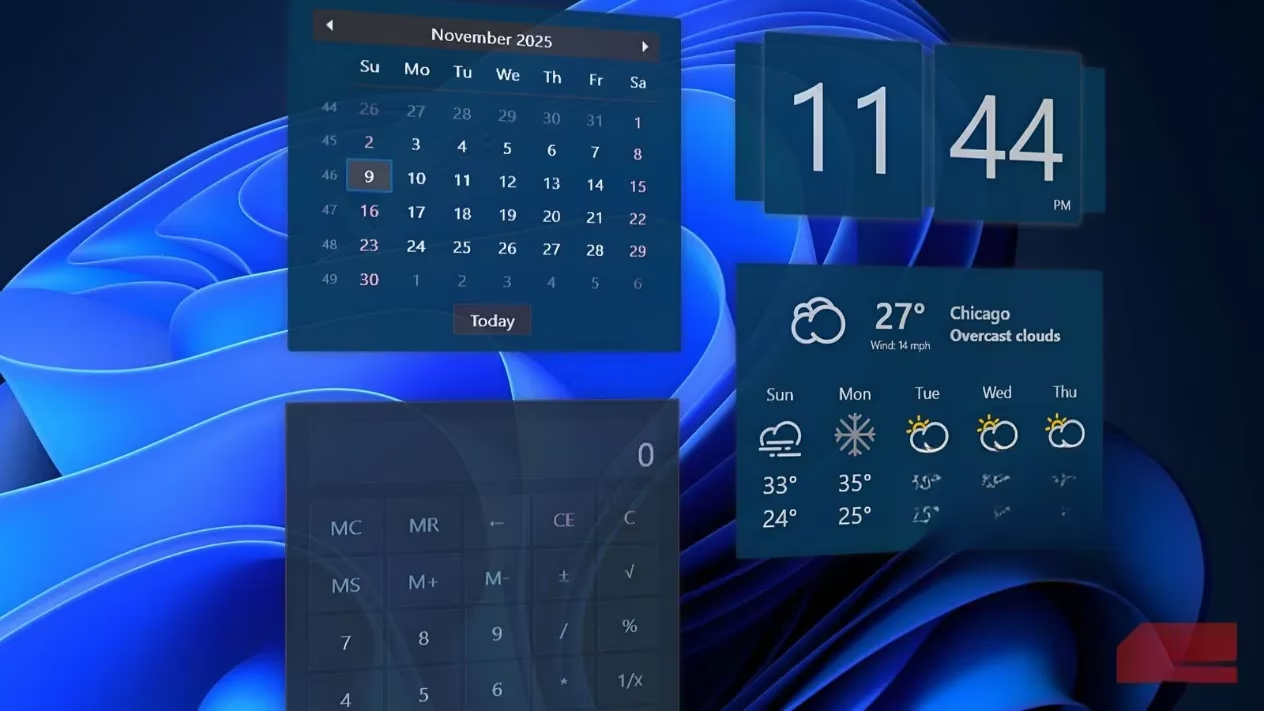
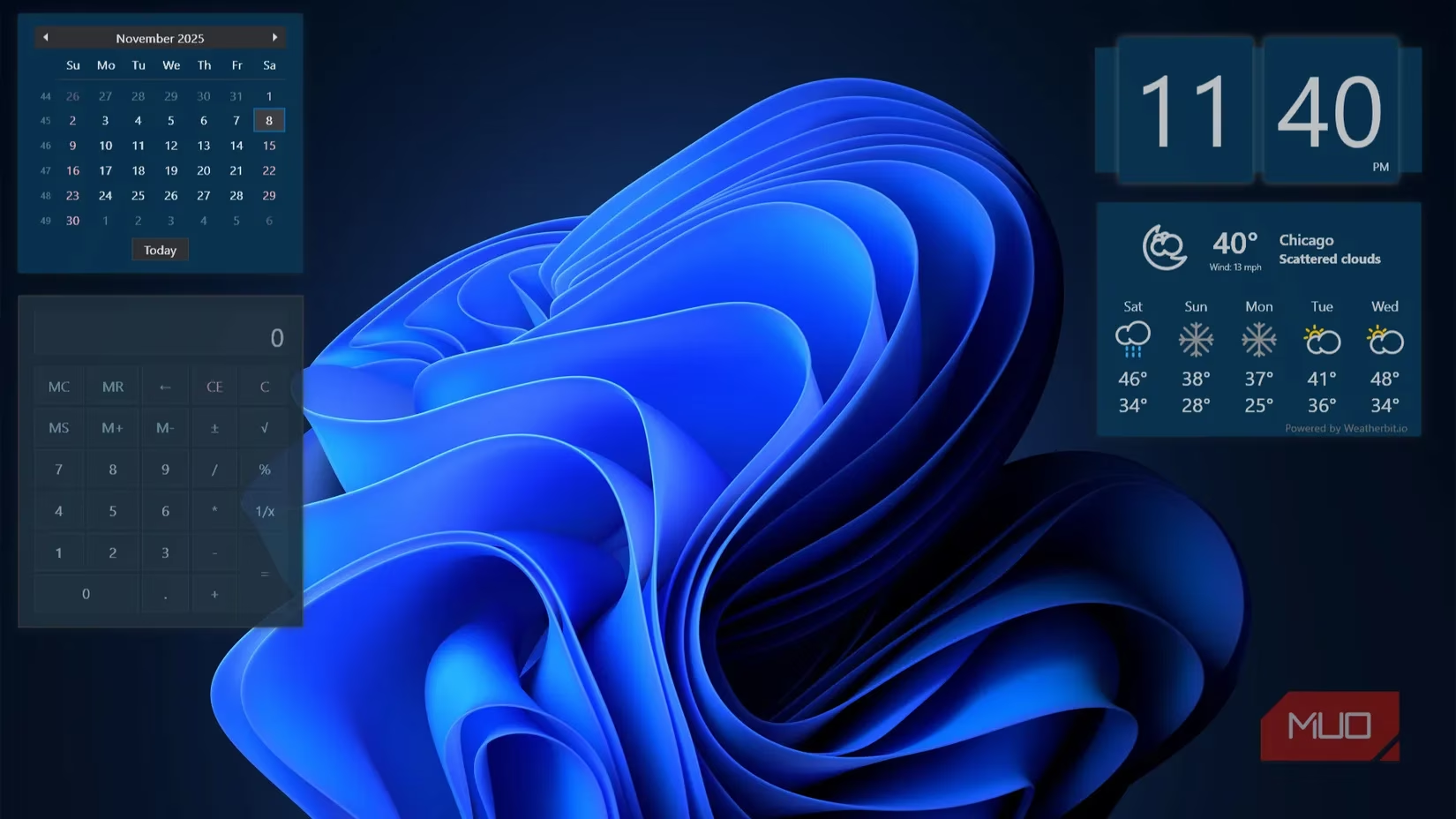
The calendar widget is one of the most useful. Unlike the tiny taskbar calendar that demands a click, this one sits on the desktop as a full monthly view. The current day is clearly highlighted, and the week's layout is visible at a glance. It is a passive visual reminder, like a sticky note that went to finishing school.
The clock widget is similarly humble but effective. Windows already has a taskbar clock, yet a larger, always-visible time display is surprisingly helpful. Format, size, and style can be adjusted to fit the desktop setup. The calculator widget is basic, but that is all it needs to be: quick math without opening the full Windows calculator app. The weather widget shows current temperature, highs and lows, and conditions for a set location. No ads, no news feed—just weather, pulled from Weatherbit and updated automatically.
System monitoring is where tastes diverge. For detailed performance metrics, OEM software such as AMD Adrenalin's Radeon overlay or Process Explorer may be more informative. Widget Launcher's system widgets are fine for a glance, but power users may still keep their favorite monitoring tools nearby.
| Widget | What it does | Verdict |
|---|---|---|
| 📅 Calendar | Full monthly view with current day highlighted | Quietly excellent |
| 🕒 Clock | Large, always-visible time display | Simple and handy |
| 🧮 Calculator | Basic quick math | Fine for small sums |
| 🌤️ Weather | Current temperature, highs, lows, conditions | No clutter, no ads |
| 📝 Notes | Desktop notes for projects | Useful in multiples |
| 📊 CPU meter | At-a-glance system info | Good for casual checks |
Quirks: charming? Not quite
Widget Launcher has a few bruises. The biggest is that widgets disappear when the Show Desktop button is used in the taskbar. Anyone who frequently clears the workspace will have to click again to bring them back. It is a minor annoyance, but it can interrupt a workflow. There are also no alignment guides, snap-to-grid, or alignment lines, so users who care about symmetry will have to eyeball their arrangements. Let's be honest: eyeballing is not a precision sport.
Some individual widgets are not as feature-rich as dedicated apps. The calculator cannot increase the size of numbers and operators, which can be awkward on a high-resolution display or during fast clicking. The weather widget is simple and informative, but it does not offer hourly forecasts or severe weather alerts. Your mileage may vary depending on how much detail is needed.
The bottom line
In 2026, Widget Launcher remains a straightforward answer for Windows 11 users who want glanceable information without a news feed disguised as a widget panel. It runs smoothly, does not hog resources, and asks for no subscription. The desktop finally does something besides holding icons. If the goal is a full-blown Rainmeter-style project, this is not it. If the goal is a calendar, clock, calculator, and weather widget that behave themselves, it is a tidy little win. No big deal—just a desktop that finally earns its keep.
Leave a Comment