Let's be honest, we've all been on that wild goose chase for the perfect productivity system. Over the last seventeen years, I've watched trends flare up and fizzle out faster than a cheap firework. I've flirted with AI-powered note-taking behemoths, meticulously color-coded to-do list apps, and even some beautifully obscure open-source tools. You name it, I probably gave it a whirl for a week before the novelty wore off. But through all that digital restlessness, a tiny, unassuming yellow square has stubbornly clung to the corner of my screen like a loyal digital barnacle. That's right, I'm talking about Windows Sticky Notes. It has never promised to 10x my workflow or unlock the hidden genius inside me, and frankly, it's never had to. Its superpower is simply staying out of my way, and in 2026, that's a rare kind of magic.
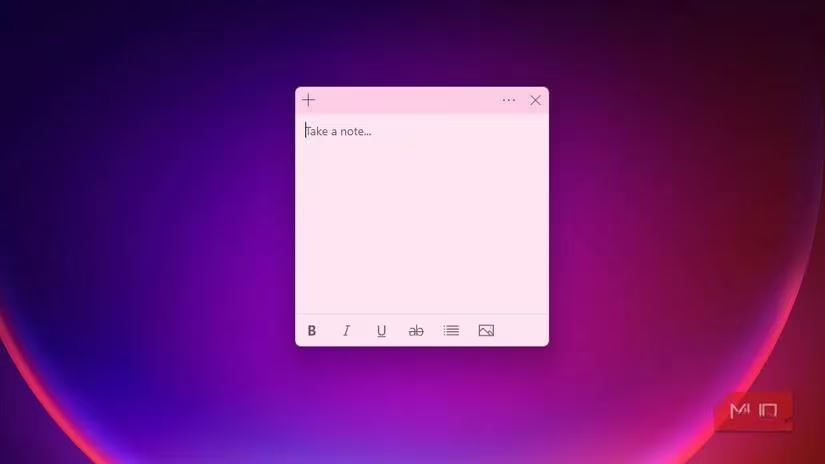
The greatest idea in the world is worthless if it evaporates before you can pin it down. Good thoughts are like slippery fish—they don't clock in on a 9-to-5 schedule. They ambush you mid-shower or while you're zoning out in a meeting. If I had to wait for some bloatware to load, fumble through nested menus, or heaven forbid, give a note a fancy title before typing, the thought would be long gone. Sticky Notes is just… there. It's the digital equivalent of a patient friend holding out a notepad. There's zero ceremony. I don't create categories or set up a workspace; I just slam Ctrl + N and start brain-dumping. This has been a savior during countless meetings where I need to snag a crucial detail without breaking eye contact or my train of thought. It's this talent for letting me capture the raw, messy, unpolished stuff without any friction that has kept it king. Plenty of slick apps do a lot, but they're often all hat and no cattle when it comes to that one critical, fleeting moment.
Now, you'd think something so simple would be unreliable, but that's where this little app grew up. It saves everything. Automatically. I'm not mashing Ctrl+S like a paranoid novelist, and I never trawl through menus hunting for a save button. I can reboot my machine on a whim, and my scattered little brain-bytes are all right there, completely intact. It removes every possible excuse for not writing things down. But the real beauty, the genius that most of my expensive productivity suites hide inside a tab I forget exists, is that Sticky Notes lives directly on my desktop. My screen becomes a constantly visible, quiet information board. I've got a top-right square for my three daily non-negotiables, and a couple at the bottom with reference codes and quick links I need all day long. After a reboot, they recall their exact positions as if the computer had a memory of my own scattered mind, perfectly framing my workspace every single morning. It's a subtle visual anchor, guiding me without a single distracting pop-up or notification. It's a light structure so elegant that no other note app has come close to replicating it.
Don't let the humble paint job fool you; this thing has a few neat tricks up its sleeve. It's not trying to be a full-blown automation engine like some solutions that require a PhD in programming to set up, but it dabbles in tiny, brilliant conveniences. If I type a phone number, it becomes a clickable action to make a call. Scribble down an address, and with one click, it's open in Maps. Jot a date and time, and it can whisper to my Outlook calendar to create an event. These aren't earth-shattering features, but they're the kind of small graces that shave off the little friction points throughout my day. I don't have to enable a single plugin, manually sync anything, or build a workflow. It just works, and it has performed these same neat tricks with the stoic consistency of an old guard for as long as I can remember. It's like finding out your dependable old truck also has heated seats.
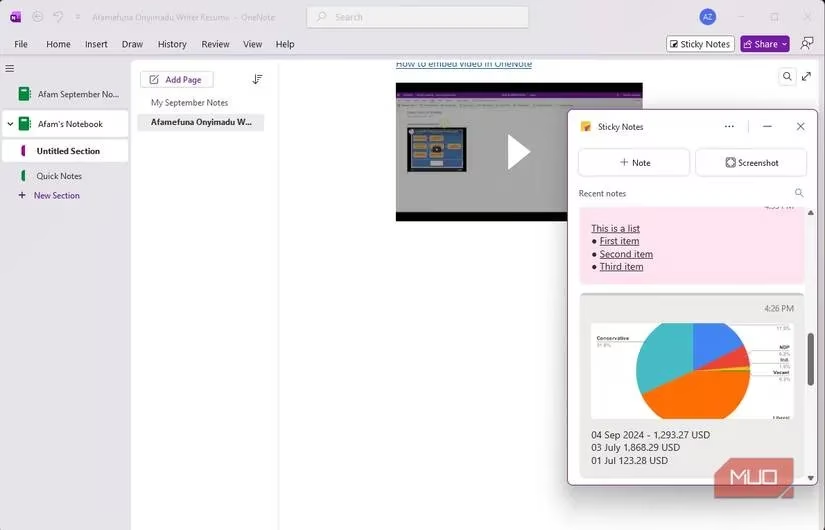
The old Sticky Notes, bless its soul, had a fatal flaw. If my PC kicked the bucket, my notes went down with the ship. It felt temporary, like a sandcastle built too close to the tide. But then it got rebuilt with real cloud sync, and buddy, that changed everything. It grew up from a scratchpad into a permanent, dependable database. Now, those same little yellow squares from my work PC show up seamlessly on the Sticky Notes web app when I'm at an airport check-in, or even integrated into OneNote on my tablet. I've fished out critical information while standing in a coworking space across the country, far from my main rig. The sync is dead simple—no sharing permissions, no notebook management, no folder architecture. You just sign in, and your thoughts follow you around like a faithful, non-judgmental shadow.
Here's the kicker in an age of subscription fatigue: it asks for nothing but a few pixels of screen real estate. No monthly fees, no "Pro" tier unlock request, and no overwhelming feature bloat that makes your eyes glaze over. Some beloved open-source alternatives are free and simple, sure, but they often demand a manual, multi-step process to set up sync, which is just another chore on the list. Sticky Notes just sits there with its rare and beautiful combination of zero cost and zero hassle.
So here I am in 2026, and after years of chasing the next big thing in productivity, the tool that has endured is less sophisticated than most of the alternatives I've abandoned. A few colored squares, scattered across my desktop, silently framing my day. It doesn't nag me to configure it, doesn't require a single minute of maintenance, and the colors are my entire organizational framework. Sticky Notes proves one vital, enduring point: true simplicity is unbeatable. Sure, when I'm diving deep into research, I live in my massive cross-platform note repository. But the moment I'm back on my Windows workhorse, I still fall right into the old, familiar habit of scribbling my to-dos, core priorities, and fleeting thoughts onto those little digital squares. And honestly, I don't see that changing anytime soon.
Leave a Comment