Let me tell you something, fellow digital warriors – installing and managing apps on a PC used to be my personal nightmare. The Microsoft Store? Oh, don't even get me started! It feels slower than a dial-up modem on a bad day, and finding what I need is like searching for a needle in a haystack. And those traditional installers? They’re the digital equivalent of a door-to-door salesman who won’t leave until you’ve clicked 'Next' seventeen times and agreed to install some random toolbar. By 2026, I was ready to throw my PC out the window... until I discovered my new best friend: UniGetUI.
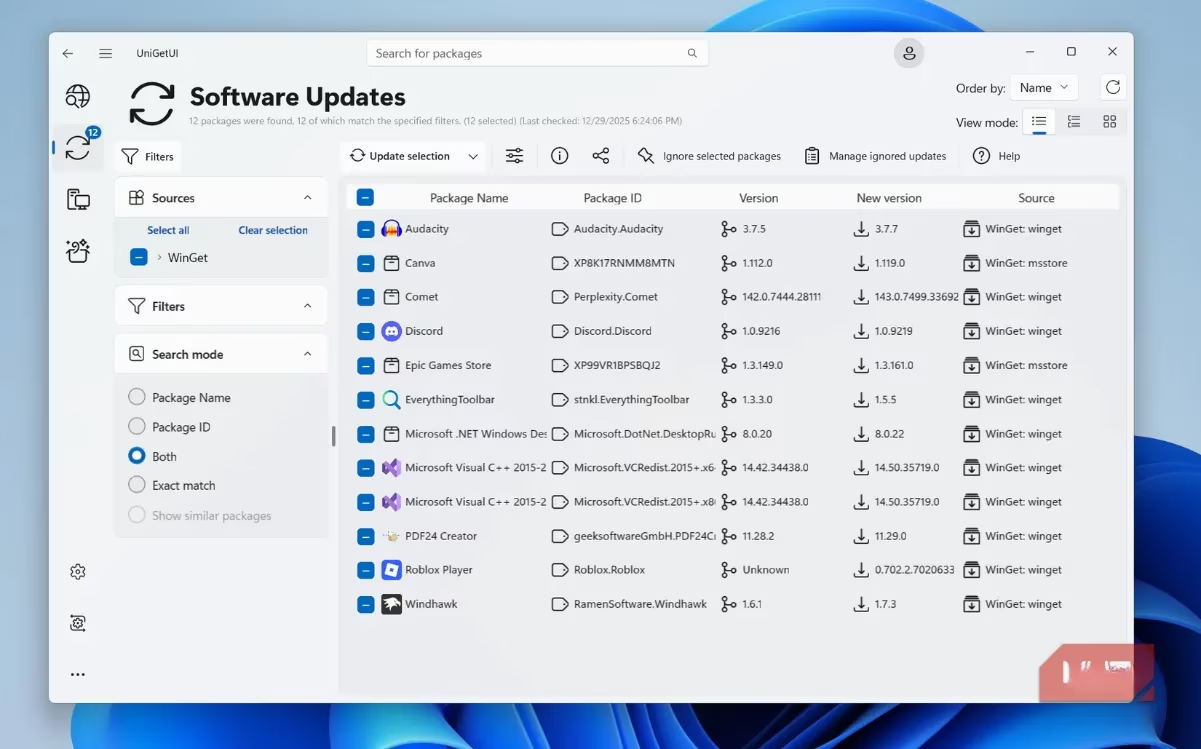
This little beauty is, hands down, the most revolutionary piece of software I've used since... well, ever. Think of it as the Microsoft Store on steroids, with a Ph.D. in user-friendliness. It's a package manager that doesn't just manage packages; it pampers them. The core magic is that it takes the raw, terminal-based power of Microsoft's own Winget and wraps it in an interface so slick, my grandma could use it. And she still thinks 'URL' is a type of fish!
But here’s the kicker – it doesn't stop at Winget. UniGetUI is like the ultimate party host, inviting all the cool package managers to the bash:
-
Chocolatey – The veteran
-
Scoop – The minimalist
-
pip & npm – For my coding homies
-
.NET Tool – The specialist
This means the app library is absolutely massive. The only time I even remember the Microsoft Store exists is to download UniGetUI itself (and even then, you can just use a simple Winget command: winget install --exact --id MartiCliment.UniGetUI). After that? It’s goodbye, bloatware installer hell!
How I Use It: A Day in the Life
Getting started is a piece of cake. I just open the 'Discover Packages' tab and type. Want a game? Type 'games'. Need a photo editor? You get the idea. The search is lightning-fast and pulls from all those package managers I mentioned, so I almost never get that soul-criving 'No results found' message. It’s like having a personal software sommelier.
The real game-changer for a power user like me is the bulk operations. I can select a whole bunch of apps – my essential toolkit of browsers, communication apps, media players, and utilities – and hit 'Install selection'. Then, I just sit back and watch the magic happen. No prompts, no ads, no 'Are you sure?' dialogues every five seconds. It just... works. It feels like cheating!
The Hidden Gems That Blew My Mind
Okay, let's talk about the features that made me do a literal spit-take.
-
Transparency is King: Before installing anything, I can see the exact app size, who published it, and any dependencies. No more guessing if that 'free' tool is going to eat 5GB of my SSD. It’s all laid out, clear as day.
-
Export & Share My Setup: This is the killer feature for a serial PC upgrader like me. Once I've curated my perfect software suite, I can export it as a single file. New PC? Fresh Windows install? Just import the file, and UniGetUI rebuilds my entire digital workspace. I can even generate a QR code to share my setup with friends. Talk about futuristic!
-
Update Management That Actually Works: The Microsoft Store's auto-update is about as reliable as a chocolate teapot. UniGetUI, on the other hand, politely notifies me when updates are available. I can then go to the 'Software Updates' tab and update everything with one click. The first time I ran it, it found over 20 updates I had missed. My apps were basically living in the stone age!
-
Rollback Like a Pro: New update broke your favorite feature? No problemo. UniGetUI lets you easily install an older version of an app. No more scouring shady websites for ancient installers.
And Wait, There’s More!
-
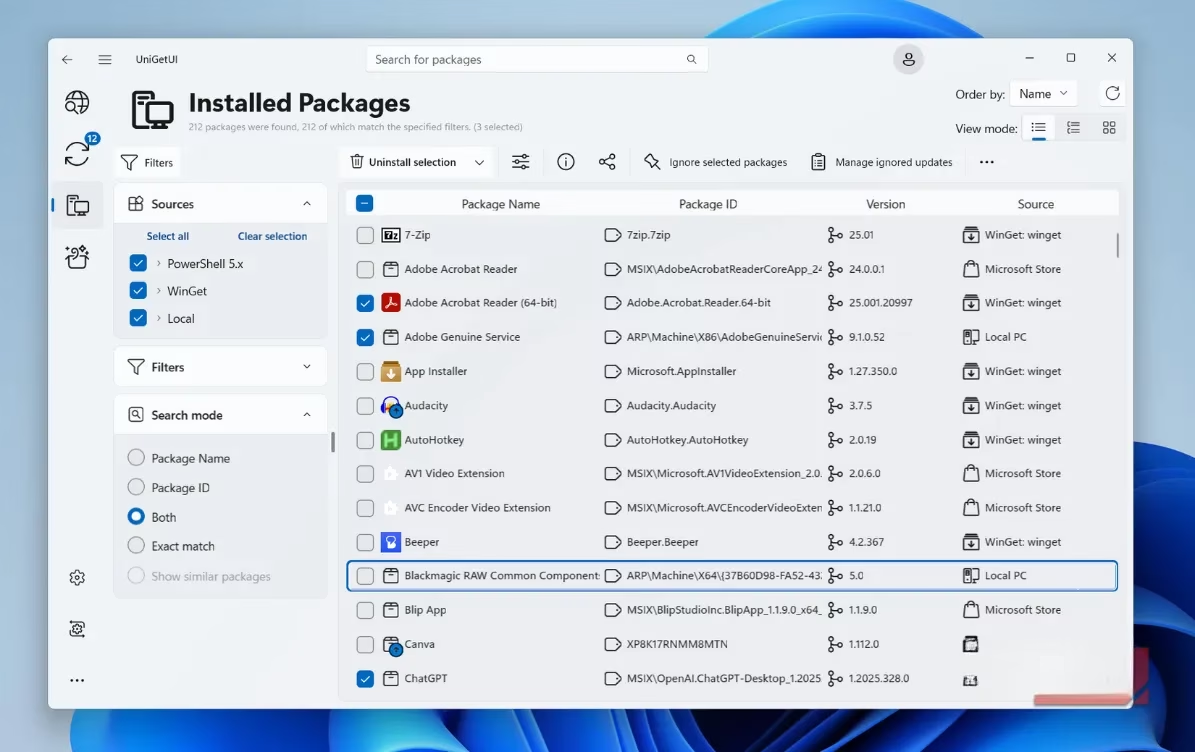
Bulk Uninstall: Remember that time you went on an app-testing spree and your PC felt slower than a snail? Cleaning up used to be torture. Now, I just select all the junk and banish it to the digital void in one go. So satisfying.
-
The Widget: Yep, there's a Windows 11 widget. I can check for updates right from my desktop without even opening the main app. It's the little things, you know?
-
Automatic Updates (But Smarter): You can set it to auto-update everything, but tell it to ignore specific apps you want to keep on a certain version. The control is... chef's kiss.
The Bottom Line
Look, I’ll level with you – UniGetUI might not be for the casual user who just needs Word and a browser. But for anyone who values their time, hates digital clutter, or frequently sets up new machines, this tool is an absolute revelation. It has fundamentally changed my relationship with my PC. Managing software went from a chore I dreaded to a process that feels... almost fun. In 2026, where efficiency is everything, UniGetUI isn't just an app; it's my secret weapon for a streamlined, powerful, and stress-free digital life. If you're still wrestling with installers, you're doing it wrong, my friend. Seriously, give it a try. Your future self will thank you.
Leave a Comment