In the vast, glittering galaxy of Windows 11 features, the Widgets panel once orbited in a distant, lonely orbit, a forgotten celestial body ignored by most users. For the author, its initial launch was as impactful as a feather dropped in a hurricane—tried once and immediately banished to the digital abyss for its perceived uselessness. Yet, in the year 2026, a remarkable transformation has occurred. Through a series of meaningful changes by Microsoft, this once-maligned panel has shed its cumbersome shell and emerged as a surprisingly indispensable part of the daily workflow, evolving from a ghost in the machine to a vibrant, living command center.
The Panel's Rocky Start: A Tale of Two Flaws
The Widgets panel, present since Windows 11's debut, was conceived with a simple, clean idea: a dedicated space for quick information, accessible via a taskbar icon or the Windows + W shortcut, eliminating the need for desktop clutter. However, its first impression was disastrous, primarily due to two colossal anchors dragging it down.
The News Feed Fiasco: The panel's default heart was the Microsoft Start feed, a news aggregator that felt less like a sharp, intuitive tool and more like a rusty, outdated compass compared to the precision of Google Discover. Users were subjected to irrelevant stories, dull recommendations, and, most frustratingly, a complete lack of control—unable to change the news source to their preferred provider. For many, this made the feed as welcome as a telemarketer call during dinner.
The Phantom Menace of Control: The second, perhaps more infuriating, issue was the panel's stubborn persistence. There was no true 'off' switch. Hiding its icon from the taskbar was merely cosmetic surgery; the panel's underlying processes continued to lurk in the system's shadows, consuming resources like a digital tapeworm. Accidentally pressing Windows + W would make it erupt onto the screen like a jack-in-the-box, feeling less like a helpful tool and more like an uninvited, system-hogging guest.
The Metamorphosis: How Microsoft Salvaged the Ship
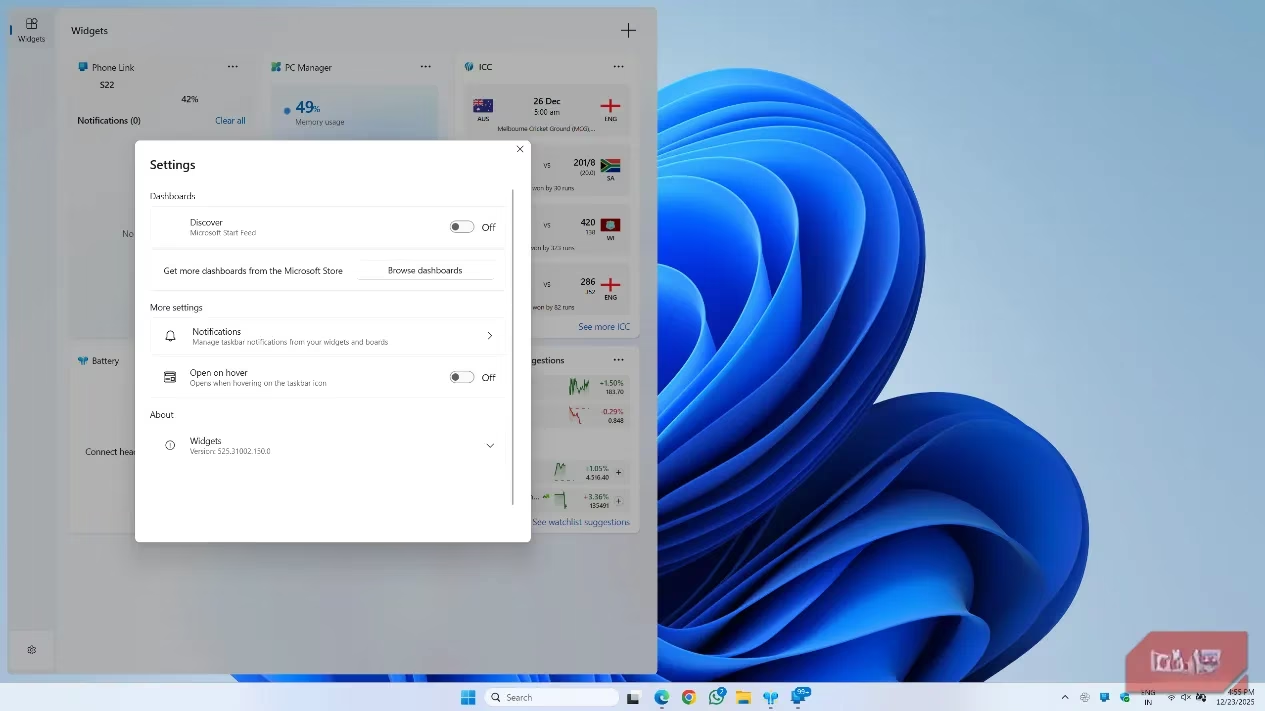
Microsoft, however, did not abandon its creation to the feature graveyard. They executed a series of surgical improvements that fundamentally reshaped the panel's utility and user experience, turning it from a liability into an asset.
1. The Great Separation: The most significant change was architectural. The initial design was a chaotic, monolithic scroll—a digital Jackson Pollock painting where news and widgets were haphazardly mixed. Now, they reside in separate, dedicated tabs. This clean segregation allows users to focus purely on their widgets without the visual noise of an unwanted news feed. Even better, users can now completely disable the Microsoft Start feed, transforming the panel into a pristine canvas solely for functional widgets.
2. The Ecosystem Explosion: At launch, the widget selection was as barren as a desert, limited mostly to system tools and Microsoft apps. By 2026, the Microsoft Store has become a thriving marketplace for third-party widgets. This expansion has been the panel's lifeblood, offering tools and information that users genuinely want to access at a glance.
A Power User's Paradise: The 2026 Widget Workflow
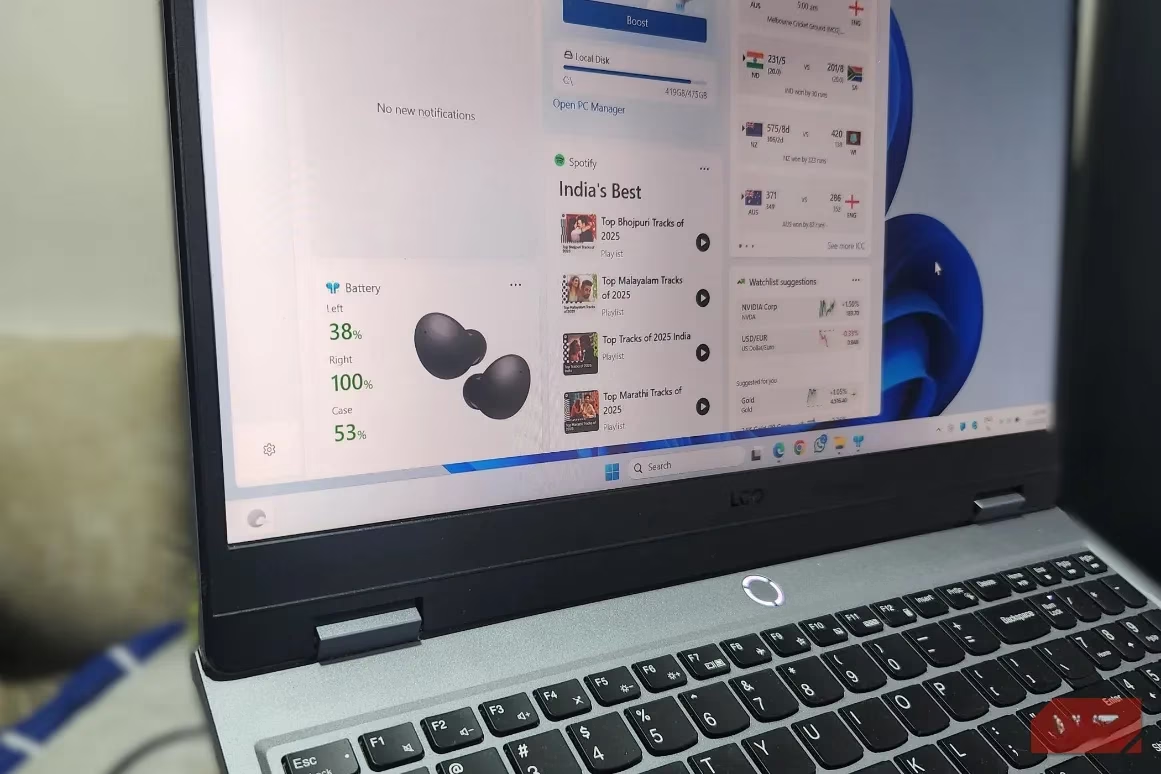
The author's personal journey mirrors this transformation. No longer is the panel a source of news; it has been repurposed into a hyper-efficient dashboard of daily essentials. Here’s a breakdown of a modern, optimized setup:
| Widget | Primary Function | Benefit |
|---|---|---|
| Live Sports Scores | Displays real-time scores for followed teams. | Monitor games without switching contexts; perfect for multitasking. 🏈⚽🏀 |
| Stocks Watchlist | Tracks favorite stock prices and indices. | Instant financial pulse-check, more convenient than a browser tab. 📈 |
| Spotify Music Control | Browses playlists and controls playback. | Quick music selection without opening the full app. 🎵 |
| PC Manager | Accesses system 'Boost' feature to free up RAM/CPU. | One-click performance rescue when the system feels sluggish. ⚡ |
| MagicPods | Shows battery levels of connected wireless earbuds. | Never be caught with dead headphones again. 🎧 |
This configuration turns the panel into a Swiss Army knife of productivity and leisure, acting as a silent concierge that anticipates needs. It's more than just a panel; it's a digital nervous system that connects disparate streams of information into a single, coherent flow.
Beyond the Basics: The Expanding Universe of Widgets
The possibilities in 2026 extend far beyond this core setup. The panel's utility is now limited only by the widgets available:
-
Productivity: Countdown timers, Calendar glances, To-Do list snippets.
-
Connectivity: Phone Link widget for instant access to smartphone notifications and messages.
-
Entertainment: Casual game widgets, streaming service status updates (e.g., Twitch).
-
Information: Traffic maps, package delivery trackers, currency converters.
Clicking 'Find more widgets' launches a user into the Microsoft Store, a treasure trove where developers continuously add new and innovative mini-applications. The panel has evolved from a static feature into a dynamic, user-curated platform.
The Verdict and The Future
Somewhere on the road to 2026, the Widgets panel completed its journey from tolerated nuisance to relied-upon utility. It has become as essential as the system tray, a quiet powerhouse humming in the background. However, for it to ascend to true greatness, Microsoft must address its original sins:
-
Grant true news source customization, allowing integration with feeds like Google Discover.
-
Provide a genuine 'disable' option for users who want zero footprint.
-
Continue aggressively courting third-party developers to fill the Store with even more powerful and niche widgets.
With these final steps, the Windows 11 Widgets panel could shed its last vestiges of its awkward past and cement itself not just as a convenience, but as a cornerstone feature of the modern desktop experience, a shimmering control panel that makes the digital world feel instantly manageable. Its story is a testament to the power of iteration, proving that even the most ignored software can be reborn into something spectacular.
Leave a Comment