When a Windows user imagines storage hogs, they usually picture 120 GB game installs, 40 GB video editing suites, or professional CAD tools. Yet a quieter squadron of everyday apps can chew through free space like a termite colony converting floorboards into sawdust. These are not programs anyone wants to uninstall—they are the apps people open before their first coffee. By 2026, high-resolution media, endless update caches, and years of chat history have turned many “lightweight” tools into secret hoarders. The silver lining is that most of the bloat is cache data, installer leftovers, and hidden media that can be cleared without losing the app itself.
🎵 Spotify: The Streaming App That Hoards Like a Glacier
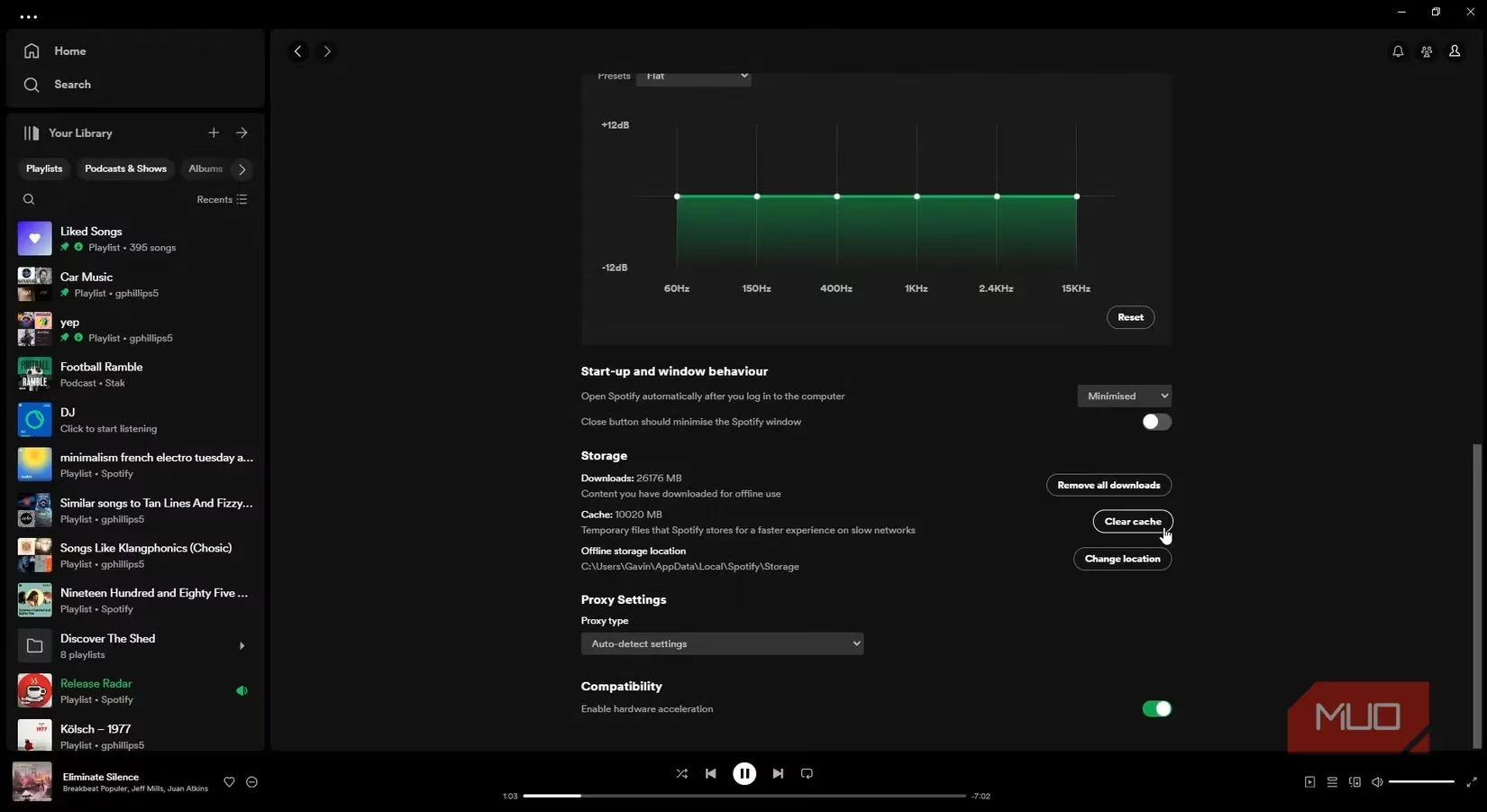
Spotify feels like it weighs nothing because it streams. But its cache can grow like a glacier calving icebergs into an already crowded fjord. Every song preview, playlist thumbnail, and album cover a person scrolls past adds another tiny file. Over weeks, those tiny files freeze into gigabytes. One test PC showed a 10 GB Spotify cache, and heavier listeners may see far more. The cure is simple: open Spotify's Settings > Storage and clear the cache. Offline downloads are separate, so a user can keep their favorite playlists while removing the streamed fluff.
📄 Adobe Acrobat: The PDF Reader With a Pack Rat Habit
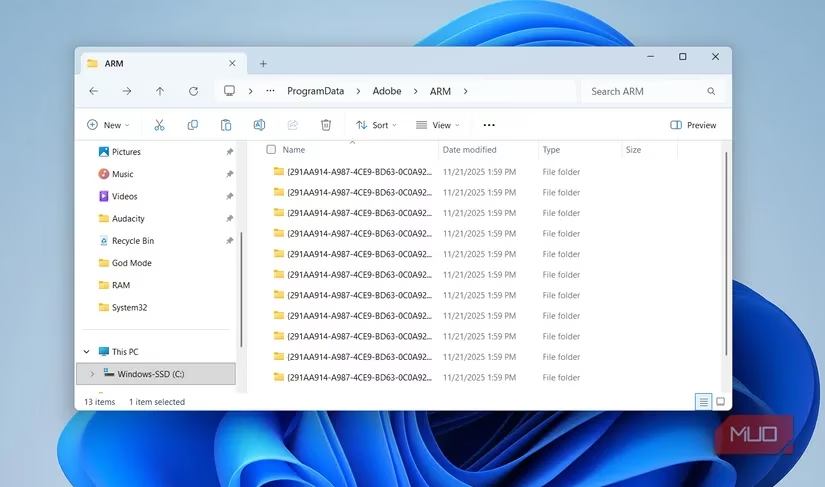
Adobe Acrobat is supposed to be a simple document viewer, but it has the storage discipline of a pack rat stuffing old receipts into a mattress. Every automatic update leaves behind an installer file on the system. A person who has used Acrobat for years may find 10 GB, 20 GB, or even more hidden away. The good news is that those old installers are safe to remove. Opening C:\ProgramData\Adobe\ARM reveals the pile, and deleting the outdated files reclaims space without affecting the current version.
💬 WhatsApp: The Hidden Media Hoarder
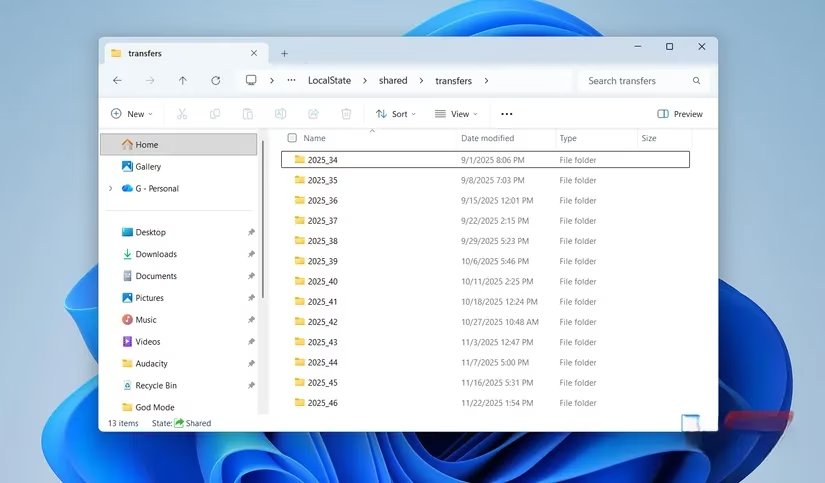
WhatsApp on a PC mirrors the mobile experience so well that people rarely check its storage footprint. Unfortunately, every photo, video, document, and voice note is stored locally in a hidden folder. These files never appear in the normal Downloads folder, so they vanish from a user's mental map. One daily WhatsApp user discovered nearly 15 GB in that folder. The path looks arcane, but it is easy to reach: C:\Users\UserName\AppData\Local\Packages\5319275A.WhatsAppDesktop_cv1g1gvanyjgm\LocalState\shared\transfers. Replace UserName with the actual Windows username, then review and delete the media that are no longer needed.
📧 Outlook: The Email Vault That Never Forgets
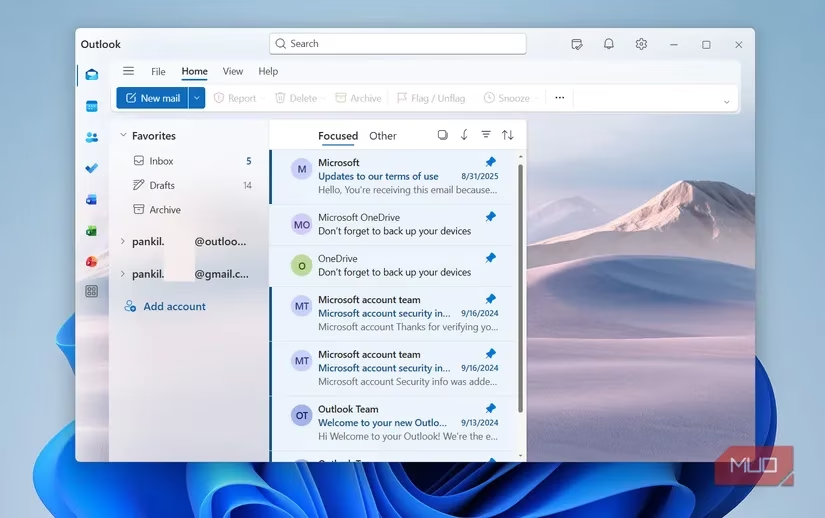
Since Microsoft retired its Mail app, Outlook has become the default email client on Windows PCs. That upgrade brought a surprising side effect: Outlook stores offline copies of emails, attachments, calendar data, and cached images. For a busy inbox, this can consume anywhere from 5 GB to 30 GB or more. It is like an archival library that insists on keeping a physical copy of every letter ever delivered. To reduce the load, a user can remove old email accounts they no longer use. Clearing the cache also helps: press Win + R, type %localappdata%\Microsoft\Outlook, hit Enter, and delete the files inside.
🗂️ Quick Reference for the Chronic Hoarders
| App | Main bloat source | Quick fix |
|---|---|---|
| Spotify | Streamed music and artwork cache | Clear cache in Settings > Storage |
| Adobe Acrobat | Leftover update installer files | Delete files in C:\ProgramData\Adobe\ARM |
| Hidden media files | Review the transfers folder under LocalState\shared\transfers |
|
| Outlook | Offline email and attachment data | Remove old accounts and clear %localappdata%\Microsoft\Outlook |
🧹 Other Digital Barnacles
Spotify, Adobe Acrobat, WhatsApp, and Outlook are not the only offenders. Discord, Microsoft Teams, OneDrive, and many other apps quietly store cache data. The best defense is a regular cleaning habit. Windows Storage Sense can help automate part of the process, but a manual cache clear for the worst apps every few weeks is even better. In 2026, a little digital housekeeping can keep a 512 GB SSD from feeling like a 120 GB relic.
Leave a Comment