Imagine gazing into the digital abyss of your Windows machine, only to discover a shadowy, forgotten vault consuming a staggering 22 gigabytes of your precious storage! This isn't a fragment of some forgotten game or a hoarded movie collection; this is the mysterious DriverStore—a hidden system directory that could be secretly hoarding ancient driver relics on your PC right now. While most users wisely avoid these digital catacombs like the plague, fearing the dreaded blue screen of doom, a brave few have ventured in and emerged victorious, reclaiming massive swathes of their hard drives without summoning a single system error. The year is 2026, and the secrets of taming this storage-eating beast are finally ready to be unleashed.
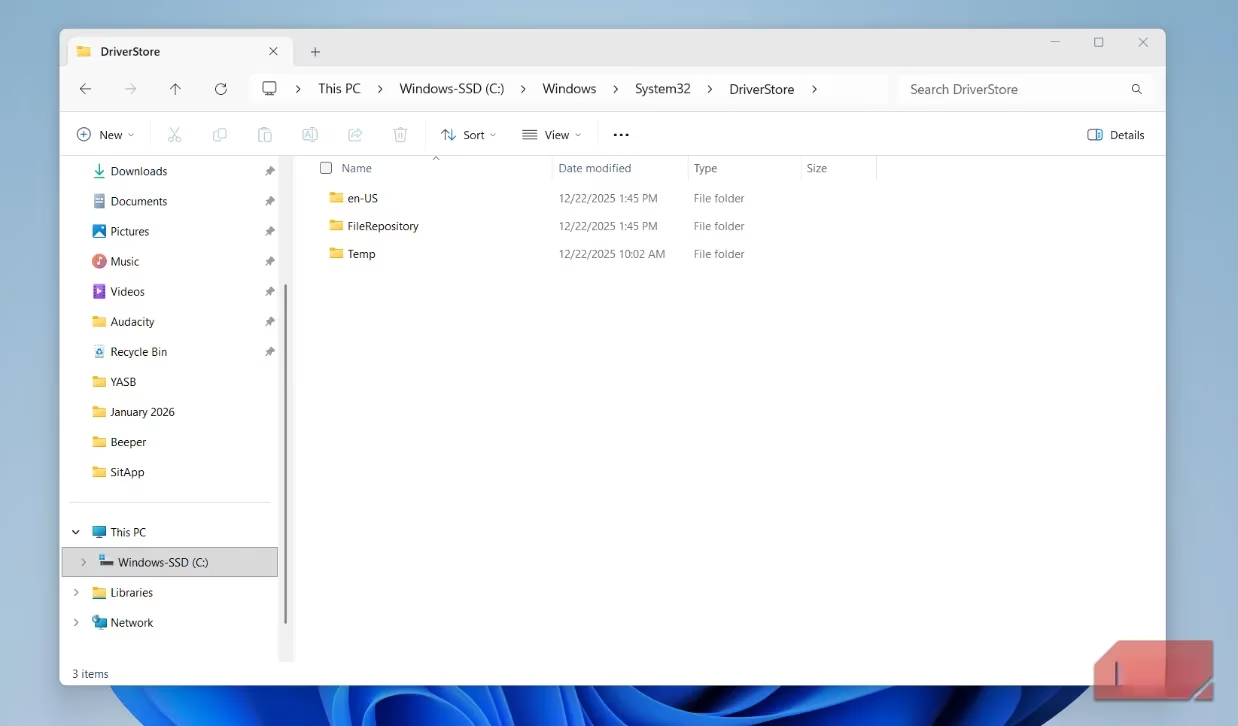
The DriverStore Dungeon: Windows' Backup Driver Vault 🤖
This enigmatic folder, located deep within the halls of C:\\Windows\\System32, performs a simple yet critical function. Acting as a robust repository and a safety net, it meticulously warehouses every single non-Microsoft driver package that has ever graced your system. Each time you connect that snazzy new printer, upgrade your graphics card for the latest VR experience, or plug in a futuristic webcam, Windows doesn't just install the driver; it first secures a pristine, unaltered copy within the DriverStore.
But why? The rationale is ingeniously simple. If a new, cutting-edge driver for your network adapter turns out to be a glitchy mess, Windows needs a trustworthy rollback option. The DriverStore provides an instantaneous, built-in fallback mechanism, allowing the system to revert to a known-stable version without frantic online searches for old software. It's also the first line of defense for repairing corrupted installations or resurrecting drivers you might have whimsically deleted through the Device Manager.
Why the Gigantic Feast of Space? 🍽️
That's the million-dollar question in 2026. Your PC's DriverStore size isn't a fixed number; it's a dynamic, ever-growing digital ecosystem shaped by three primary forces:
-
Hardware Variety: The more devices you add and upgrade, the larger the repository grows. A machine with a dedicated GPU that sees frequent driver updates is a prime candidate for a bloated DriverStore, as each graphics driver package can weigh in at over 1GB.
-
System Longevity: How long has this Windows installation been running? An ancient, venerable PC that's survived multiple hardware generations and driver updates will naturally harbor more obsolete digital artifacts.
-
Update Frequency: Those automated, seemingly innocent driver updates, especially through third-party tools or optional Windows Updates, are the primary culprits. Each new installation often leaves its predecessor behind, meticulously archived just in case.
Warning: NEVER Delete This Folder! ⚠️
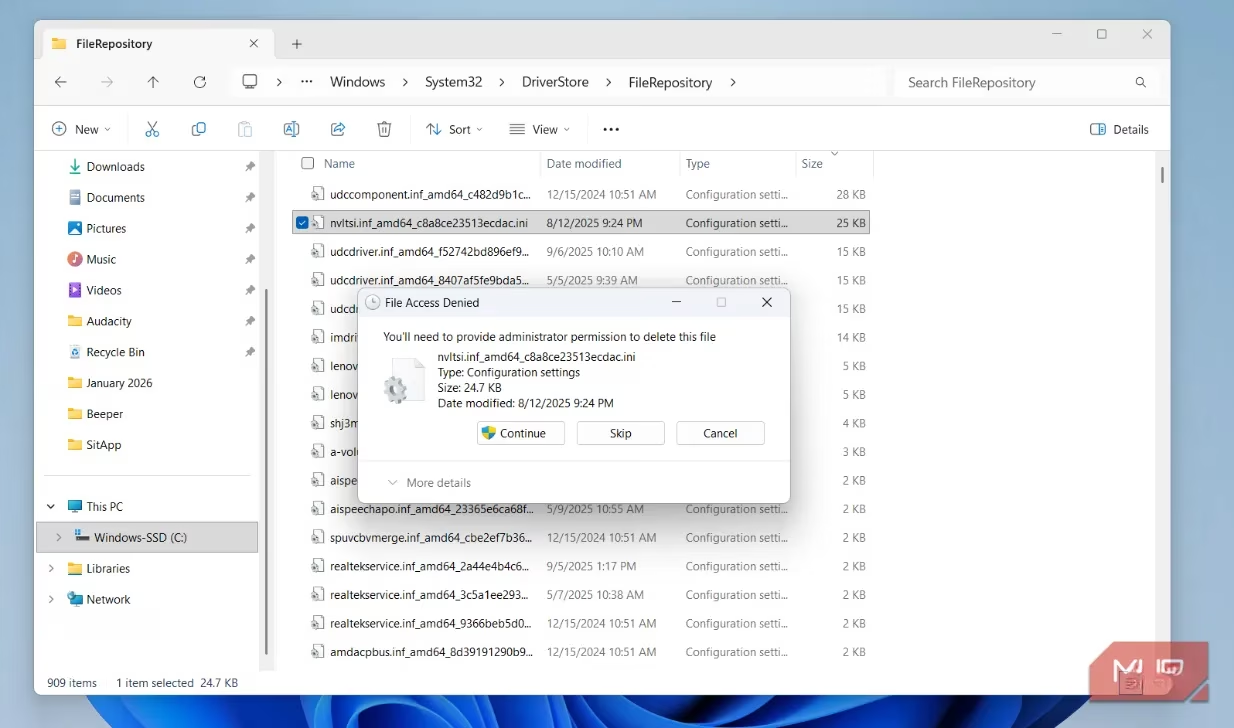
Before you get any wild ideas of storming the citadel with your digital delete key, hold your horses! The DriverStore is a core system component. Attempting to delete it manually will only summon the infamous, soul-crushing "Folder Access Denied" error—a clear sign from the OS itself that you're about to destroy its primary safety harness. For many lightly-used PCs, the footprint might be a modest 3-5GB, which isn't worth the apocalyptic risk. However, for power users, gamers, or veteran systems, its growth can become a legitimate space crisis.
The Ritual of Safe & Sanitized DriverStore Purification ✨
Fear not! There is a lawful, safe, and incredibly effective path to liberation. Ditch the notion of manual file hunting—that's the digital equivalent of performing brain surgery with a chainsaw. The solution comes in the form of a free, open-source magical artifact known as Driver Store Explorer. This lightweight tool, a favorite among IT shamans, is your surgical scalpel.
**How the Wizardry Works:
**
-
Scanning the Archives: Launch the tool, and it will automatically scan the entire DriverStore, presenting you with a detailed, sortable list of every single driver package.
-
The Information Trove: For each entry, you'll see crucial metadata:
-
Driver Name & Provider (e.g., NVIDIA, Intel, Logitech)
-
Version & Installation Date
-
File Size (to pinpoint the biggest offenders)
-
-
Smart Selection: The tool's true power lies in its "Select Old Drivers" button. With a single click, it intelligently analyzes the list and automatically checks the boxes for older, superseded driver packages that are perfectly safe to obliterate from existence.
-
The Purge: At the bottom, a tally shows the total liberated space you stand to gain. A confident click of "Delete Drivers" and the ancient digital clutter is vaporized, returning precious gigabytes to your storage pool.
Prophylactic Practices: Keeping the Beast at Bay 🛡️
Reclaiming space is fantastic, but preventing the bloat in the first place is the true mark of a 2026 PC master. Here are some preventative incantations to slow the DriverStore's insatiable hunger:
| Practice | Reason | Pro-Tip |
|---|---|---|
| Ignore Optional Updates | Many "optional" driver updates in Windows Update are non-critical. | Stick to security and core system updates unless a device is malfunctioning. |
| Banish Third-Party Driver Updaters | Tools from GPU vendors often install complete driver packages for even minor changes, forcing Windows to keep the old one as backup. | Let Windows Update handle drivers, or update directly from the manufacturer's support page. |
| Schedule Regular DriverStore Audits | A little preventive maintenance goes a long way. | Run Driver Store Explorer every 3-6 months to prevent bloat before it becomes a crisis. |
The Grand Finale: A Lean, Mean, Reliable Machine 🏆
Mastering the DriverStore is more than just a clever storage trick; it's a symbolic step toward taking conscious control over your PC's digital health. In this age of bloated software and constant updates, understanding these hidden sanctuaries empowers you to maintain a system that is not just functional, but lean, efficient, and gloriously under your command. So, arm yourself with Driver Store Explorer, embrace these smart practices, and never let a hidden folder hold your digital kingdom hostage again!
Leave a Comment