Notifications are the digital heartbeat of modern computing, alerting users to crucial events like impending meetings or critical security warnings. Yet, Windows 11 in 2025 continues its notorious habit of bombarding users with notifications for everything under the sun, transforming helpful alerts into a relentless stream of interruptions. From the persistent 'Complete your setup' nags that survived the Windows 10 to 11 migration to baffling prompts suggesting you turn off notifications for apps you just opened, the OS often feels like it's working against user focus rather than facilitating it. Enter Winhance, a free optimization powerhouse cutting through the notification noise without requiring users to navigate Windows' labyrinthine settings menus. It’s become the go-to tool for reclaiming control over the notification deluge.
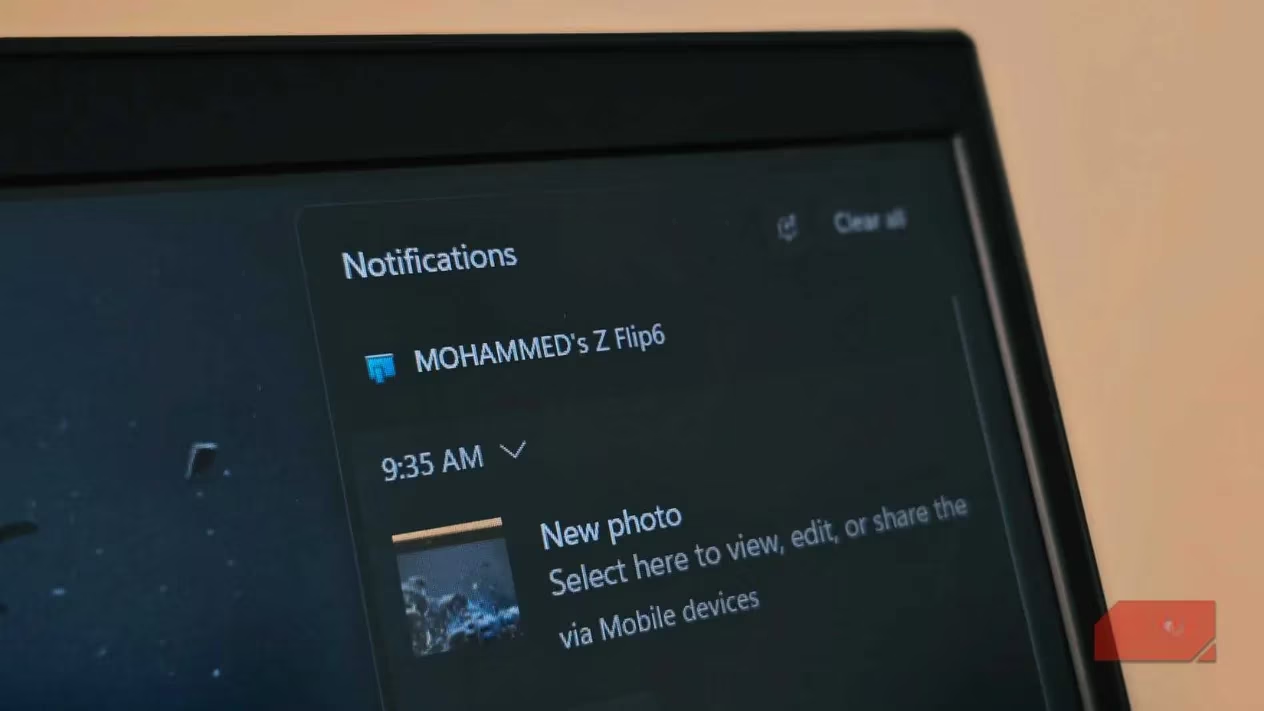
The Usual Suspects: Windows' Most Infuriating Alerts
Even in 2025, certain notifications remain the bane of users' existence:
-
The "Complete Your Setup" Ghost 👻: This phantom notification, haunting users since Windows 10, inexplicably persists. Despite meticulously configuring settings during installation, Windows periodically insists the job isn't done, pushing Microsoft account linking, OneDrive, or Microsoft 365 trials—options users have consciously declined. It’s like a door-to-door salesman who won’t take 'no' for an answer.
-
The Meta-Irony Alert 🤦: Windows itself triggers notifications about notifications, popping up messages like "Turn off notifications from Settings? We noticed you haven't opened these in a while" – even for the Settings app! This happens with frustrating regularity, often disrupting critical workflows. While Microsoft has tweaked the logic, these interruptions are still far too common.
-
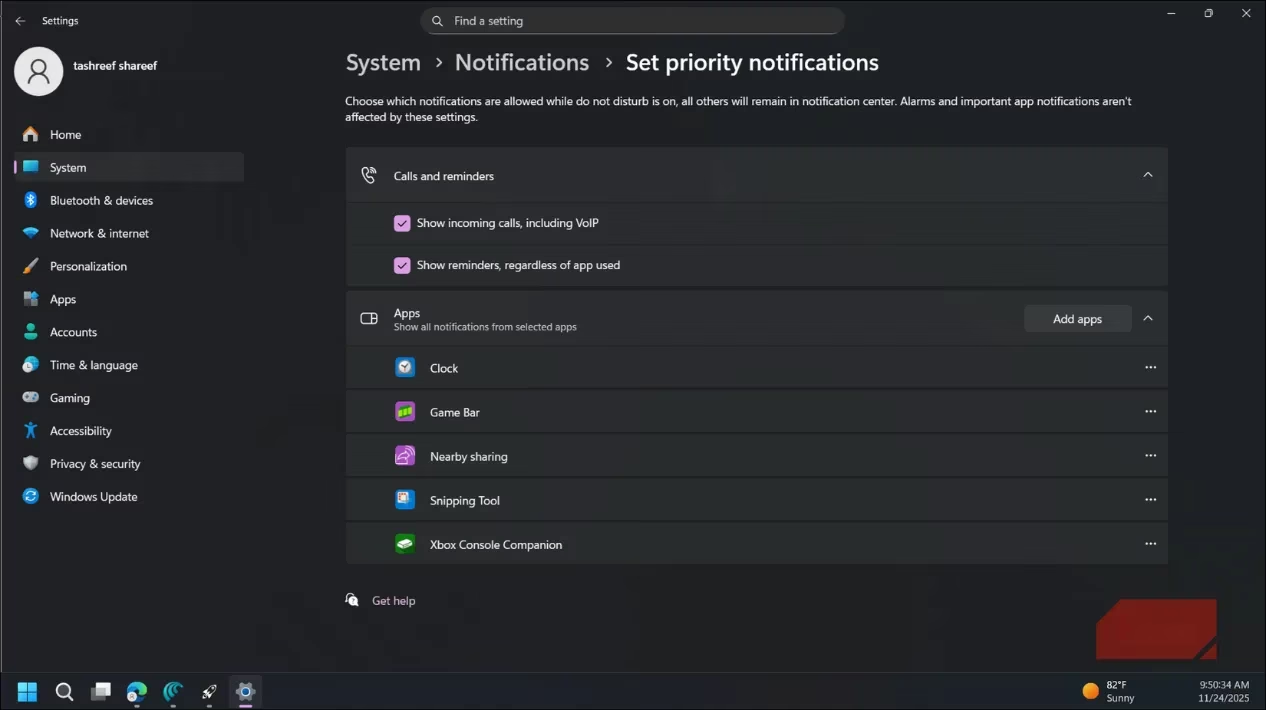
The Unwanted Xbox Invasion 🎮: For non-gamers, the constant Xbox Game Bar and companion app notifications are pure digital clutter. The real kicker? Windows sneakily adds these apps to the Priority notifications list. So, even when activating Do Not Disturb mode to buckle down and focus, Xbox alerts brazenly break through the silence. Talk about missing the memo!
Windows' Native Controls: A Maze, Not a Solution
Microsoft does provide notification management tools, but they're scattered and complex:
| Setting Location | Function | Complexity |
|---|---|---|
| Settings -> System -> Notifications | Main toggle & broad app controls | Moderate |
| Individual App Settings | Per-app customization (sound, banners, notification center) | High |
| Additional Settings (Tips/Suggestions) | Controls for Windows' own 'helpful' nudges | Buried |
| Priority Notifications | Defines which apps bypass Focus Assist/Do Not Disturb (often pre-populated) | Very Buried |
Finding and adjusting every single annoying notification source feels like searching for a needle in a haystack. It’s a comprehensive system, sure, but it’s hardly user-friendly or efficient. Users need a better way to just get it done.
Winhance: Your Notification Command Center 🚀
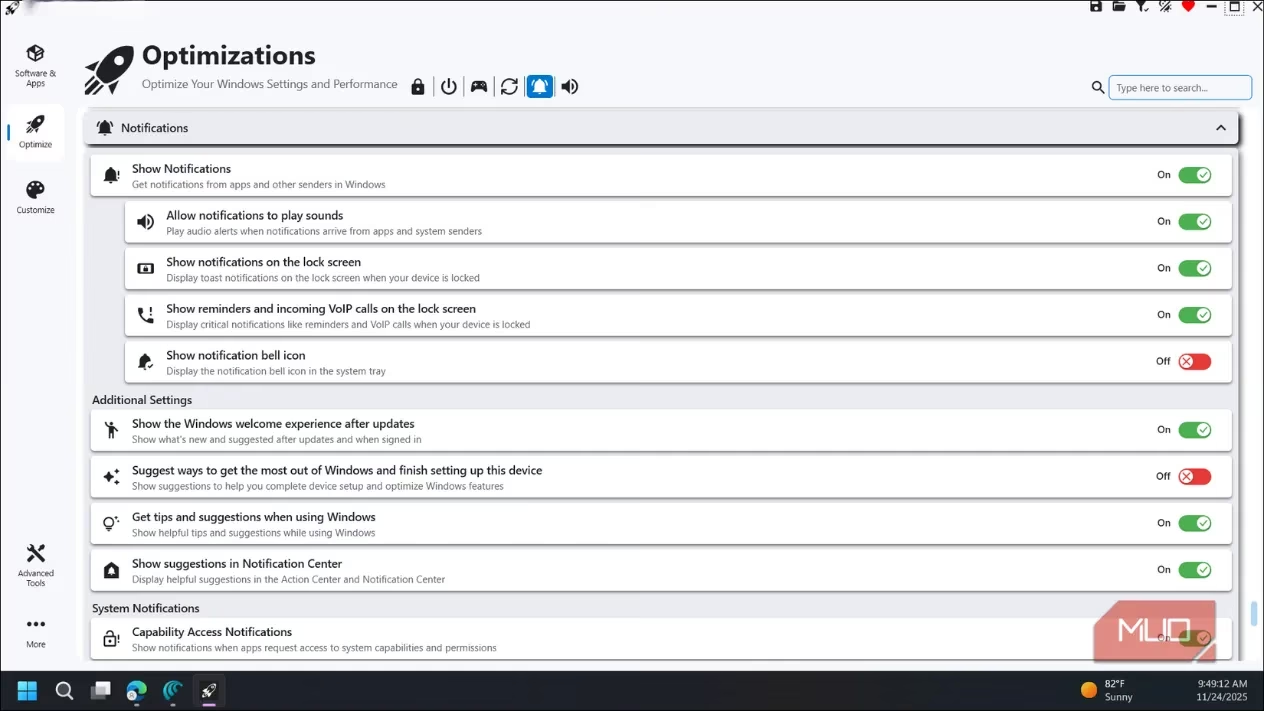
Winhance cuts through the complexity, offering a centralized hub for taming the notification beast. Its Optimization tab presents all relevant settings in one clean, intuitive interface. Forget the scavenger hunt; here’s what you can achieve in seconds:
-
Lock Screen Silence: Disable lock screen notifications with a single toggle. Goodbye, prying eyes seeing your alerts!
-
System "Engagement" Shutdown: Turn off those unsolicited suggestions about features Microsoft thinks you might like. No more pop-ups trying to sell you on things you don’t need.
-
Bell Icon Obliteration: Want complete, utter silence? An option exists to disable the notification bell icon entirely. Out of sight, out of mind.
-
Deep Dive Control: Winhance expertly handles buried settings:
-
Disable Startup app notifications
-
Silence Windows Security threat alerts
-
Mute maintenance notifications from the Action Center
-
-
Smart Management: Crucially, Winhance isn't a blunt instrument. It intelligently preserves critical alerts:
-
Calendar reminders stay visible
-
VoIP calls still ring through
-
Security warnings get your attention
-
Small warning icons clearly indicate if a registry tweak is needed or a restart is required to apply a change, ensuring users are never left in the dark. It’s about filtering the noise while keeping the signal loud and clear.
Beyond Notifications: Winhance's Full Arsenal ⚙️
Winhance isn't just a one-trick pony for notifications; it's a full Windows optimization suite:
-
Bloatware Be Gone! The Software & Apps tab scans for pre-installed cruft (Cortana, Xbox apps, unused Microsoft utilities) and lets you remove them cleanly. It even generates scripts to prevent Windows Update from sneakily reinstalling them later. That’s proactive cleaning!
-
UAC Simplified: Tired of the old Control Panel dance for User Account Control? Adjust UAC levels with a simple slider right within Winhance.
-
Privacy Protections: Take control of your data directly:
-
Disable Activity History
-
Turn off Personalized Ads
-
Stop Windows from collecting typing data
-
-
Performance Polish ✨: Give your PC a subtle speed boost:
-
Enable CPU priority for gaming/demanding apps
-
Optimize visual effects for smoother operation
-
Delay startup apps by 10 seconds post-reboot to reduce initial login lag
-
-
External Software Hub:
-
Clean Removal: Uninstall third-party apps without wrestling with their individual uninstallers.
-
Essential Batch Install: Perfect for new PC setups! Install curated essentials like 7-Zip, Notepad++, VLC, etc., in one go – no tedious separate downloads required.
-
The Bottom Line: Reclaim Your Digital Focus
While Windows 11's built-in Do Not Disturb mode offers a partial solution, it often feels like using a sledgehammer to crack a nut – silencing everything when users still need key alerts. The core issue remains: Microsoft continues to treat the desktop like a billboard for its services, pushing irrelevant Xbox Game Pass promotions and setup reminders long after users have made their choices. Until Microsoft fundamentally changes its approach, notification fatigue is real. Winhance provides the precise, user-centric control that Windows itself lacks, offering a clear path to silencing the digital cacophony and achieving genuine focus. For anyone tired of their PC constantly vying for attention with irrelevant pop-ups, Winhance in 2025 is the de facto solution to finally getting some peace and quiet. It’s the ultimate tool to make your Windows experience work for you, not against you.
Leave a Comment