I used to think my Windows 11 PC was a secure digital sanctuary, a cozy fort where I was the king. Turns out, it was more like a sieve with a hundred tiny holes, each one a secret passage for my data to slip out into the world without so much as a goodbye. Microsoft might call Windows 11 its "most secure OS," but out of the box, it's a chatterbox, constantly gossiping with servers about my every move. Telemetry, background updates, apps phoning home—it's a cacophony of digital noise I never signed up for. It's not just about privacy; it's about the unsettling feeling that my own computer is a backseat driver, reaching for the wheel without asking. That's when I discovered Simplewall, a tiny, 2MB guardian that turned my leaky sieve into a silent fortress.
Simplewall isn't your grandpa's firewall. It's more like a traffic conductor for the digital orchestra in your PC, or perhaps a hyper-vigilant customs officer at the border of your network. It's a lightweight, open-source interface for the Windows Filtering Platform (WFP)—the deep, underlying engine in Windows that processes all network traffic. Think of WFP as the powerful engine of a supercar. Microsoft gives you the keys, but the dashboard (Windows Defender Firewall) is cluttered with confusing, legacy dials and hidden toggles. Simplewall rips out that old dashboard and installs a sleek, transparent glass panel where you can see every single component trying to start the engine.
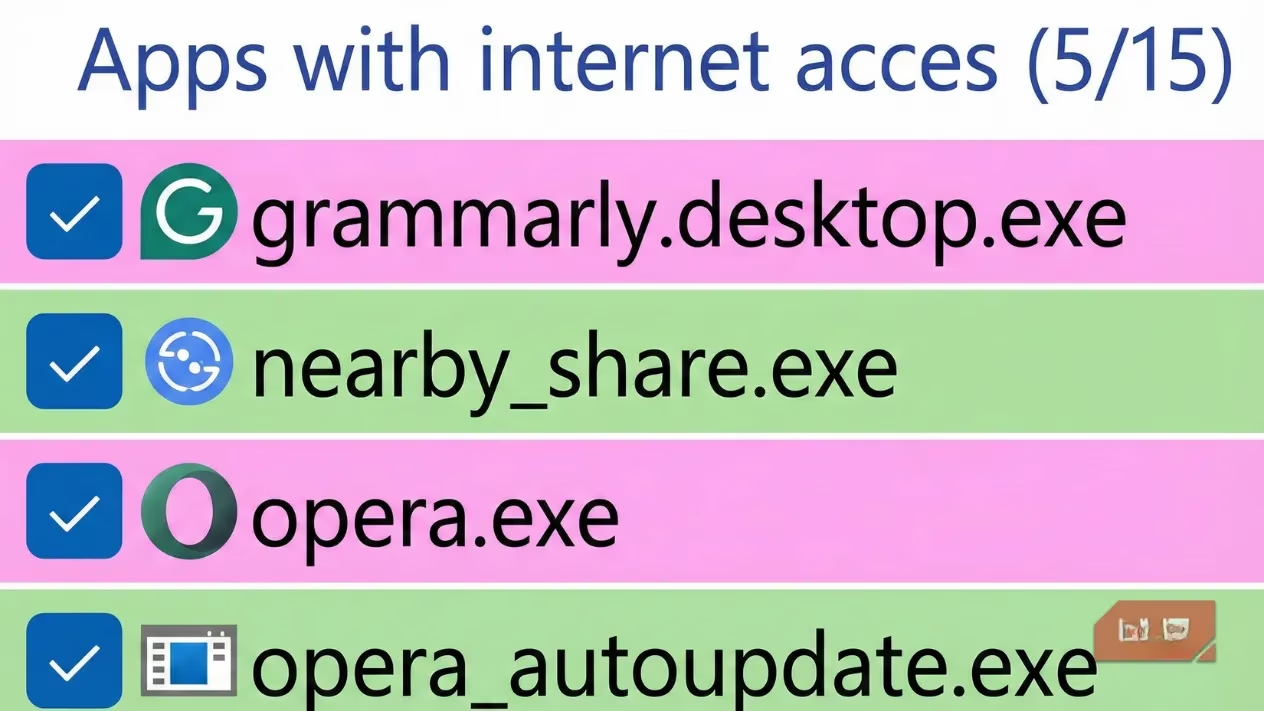
Here's the core philosophy shift: Windows Firewall operates on a blocklist model. It assumes, "Let everything through unless I say no." It's permissive by default. Simplewall flips the script with a whitelist model. It assumes, "Let nothing through unless I explicitly say yes." This is a game-changer. The moment you install it, your PC goes silent. Every app that wants to talk to the internet—from your browser to a sneaky background updater—has to raise its hand and ask for permission.
You might think, "That sounds tedious! I'll be clicking 'Allow' all day!" But it's surprisingly elegant. When you run a new app, a simple notification pops up. One click, and it's on the whitelist forever. That's it. No digging through nested menus. This one-time friction is the price of sovereignty. It’s like training a puppy; a little initial effort for a lifetime of good behavior.
Why This Matters More Than You Think
Many folks swear by the combo of Windows Defender Antivirus + Windows Firewall. And Defender is genuinely great at keeping incoming threats out—it's a sturdy front door. But it's practically blind to what's trying to leave your house. Defender can't stop Windows itself from bundling up your usage data (even with telemetry 'off') and shipping it off to Microsoft's servers 'to improve your experience.'
Here’s the scary part: if a piece of malware slips past Defender, it can freely exfiltrate your data because the outbound path is wide open. Simplewall slams that door shut. It's not a replacement for Defender; it's the perfect partner. Defender guards the gates, and Simplewall controls the drawbridge.
Simplewall's Secret Weapons: Silencing Microsoft and Hardening Your System
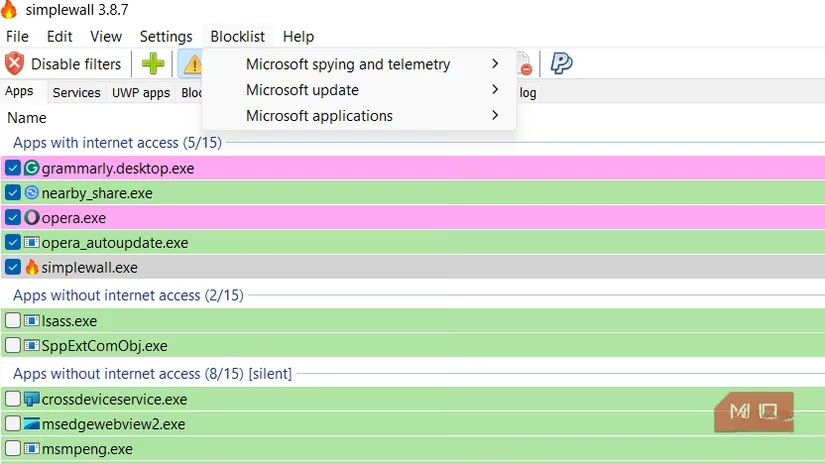
This app goes beyond just asking apps for permission. It has an internal blocklist designed specifically to gag Microsoft's telemetry chatter. Even when you've toggled every privacy setting to 'off,' Windows still tries to call home. Simplewall blocks those attempts at the packet level, physically preventing the data from leaving your machine. The result is a PC that finally respects the hardware you paid for.
But wait, there's more! Simplewall packs system-hardening features that usually require you to be a PowerShell wizard:
-
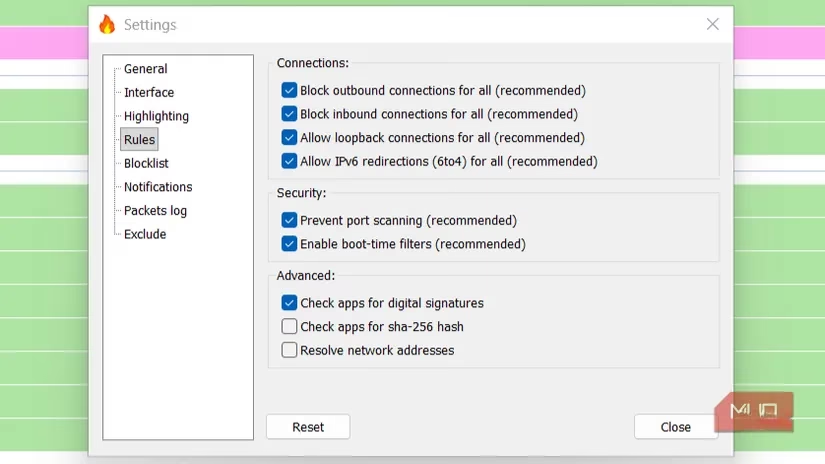
🛡️ Port Scanning Protection: Makes your PC invisible to network snoops.
-
🎯 IP Range Filtering: Block traffic to or from specific countries or suspicious IP blocks.
-
🔁 Asymmetric Filtering: You can allow uploads but block downloads system-wide, or vice-versa. This is a powerful anti-exploit measure.
Enabling these is as simple as checking a box. It's like having an enterprise-grade security suite, but free and open-source.
Addressing the Elephant in the Room: "Will It Break My Apps?"
The skepticism is real. Messing with Windows' internals can feel like performing open-heart surgery with a spoon. But Simplewall's genius is in its immediacy. If an app breaks because it's blocked, you get a notification instantly. You click 'Allow,' and it works. You're not sifting through cryptic log files; you're having a real-time conversation with your firewall. The minor friction is a feature, not a bug—it's the digital speed bump that prevents data from racing out the door unnoticed.
My Verdict in 2025
We live in an era where software is increasingly hostile to user privacy. Windows 11, for all its polish, is a participant in that trend. Relying on default settings is choosing to trust Microsoft with every byte that leaves your machine. Simplewall gives you back that control. It transformed my PC from a device that worked on me to a tool that works for me. It’s not for everyone—it requires a moment of intentionality for each new connection. But for anyone who values digital sovereignty, it's a non-negotiable essential. It’s the 2MB download that finally made me feel like the true administrator of my own computer.
Leave a Comment