Alex had a ritual every time he unboxed a new laptop. Before restoring backed-up folders or signing into cloud drives, he would open a browser, navigate to the official VideoLAN site, and download VLC Media Player. For nearly two decades, that orange traffic cone had been his unshakeable companion—the one app that would chew through corrupted AVI files, strangled MKVs, and everything in between. But lately, the ritual came with a heavy sigh. Windows 11 booted up in all its translucent, rounded-corner glory, and there sat VLC, looking like an intern from the Windows XP era who had accidentally wandered into the wrong office. It was functionally perfect, yet its cluttered toolbars and gray menus stuck out like a sore thumb. Every time Alex saw it, he couldn’t help but mutter, “Man, do I really have to stare at this fossil every day?”
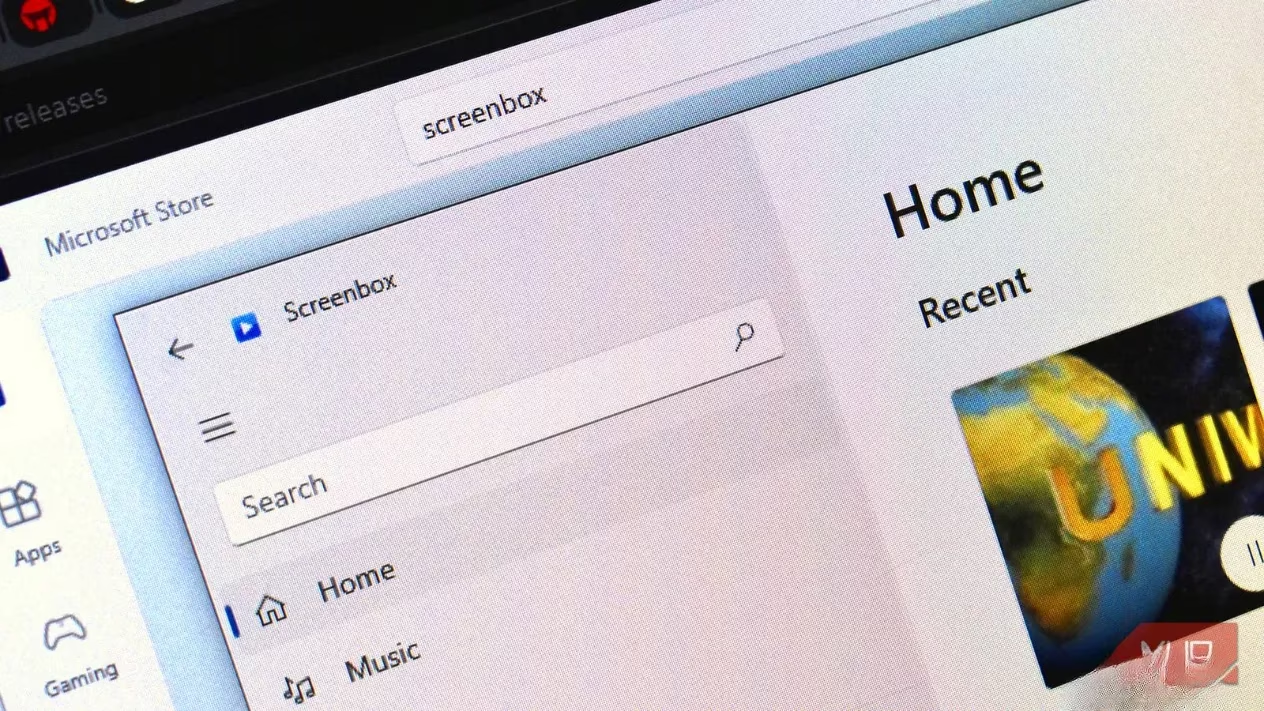
That quiet grumble led him down a rabbit hole one rainy afternoon. The mythical VLC 4.0 redesign was still nowhere to be found, so Alex began searching for something that could marry VLC’s bulletproof compatibility with a modern look. He stumbled onto Screenbox, a free, open-source media player that answered a question many had asked: what if VLC actually dressed for the decade? Installing it felt like walking into a room where the lights finally matched the furniture.
The first thing that hit Alex was how the interface flowed. Screenbox embraced Microsoft’s Fluent Design language, which meant smooth animations, intuitive controls, and a layout that never screamed for attention. Where VLC bombarded him with drop-down menus and tiny buttons, Screenbox offered an almost meditative calm. Playback controls appeared only when he hovered near the bottom; they would then fade away, leaving just the video. “Well, well, well—what have we here?” Alex thought, his mood brightening immediately. The left sidebar held his media library, recently played files, and network sources, all organized with album art and metadata that made browsing feel like a Saturday morning at a record store. He could even add extra directories through the settings menu, but the default Windows Music and Videos folders were picked up right away. Honestly, it just worked—no tinkering required.
Gesture support added a layer of polish Alex hadn’t expected. On his Surface device, a two-finger swipe up or down adjusted the volume, while a horizontal swipe scrubbed through the video. The keyboard shortcuts, shamelessly borrowed from YouTube’s muscle-memory layout, felt like home. F for full screen, J and L to skip backward or forward by ten seconds, K and the space bar for play/pause, and M to mute. Alex could tweak every binding in the settings, but the defaults were so intuitive he never bothered. It was like Screenbox had peeked into his brain and said, “We got you.”
What really sealed the deal, however, was the Picture-in-Picture mode. Working on a tutorial while keeping a video floating in a resizable window felt almost magical. A quick Ctrl+M or a click on the playback controls, and the video detached, hovering obediently above browser tabs and documents. No hunting through system settings, no third-party tweaks—just a smooth, no-brainer experience that made him wonder why other players made multitasking feel like a chore.
The moment of truth arrived when Alex threw his “torture test” folder at Screenbox. This was the graveyard where lesser players went to die: h.265 HEVC files, ancient FLV clips, MKVs with multiple subtitle tracks, and high-bitrate 4K HDR footage. VLC had always chewed through them without complaint, and Screenbox, built on the same LibVLC foundation, did exactly the same. Every file played instantly, with no codec pack prompts. Hardware acceleration and advanced upscaling—bilinear, point, super-resolution—kept even the most demanding footage buttery smooth. Alex leaned back, arms crossed, and muttered, “Well, I’ll be a monkey’s uncle. It didn’t even break a sweat.”
Under the Network tab, another delight waited: Chromecast support. Alex could beam local videos straight to his TV without fumbling with HDMI cables. Screenbox also remembered exactly where he left off, politely asking whether to resume from the last timestamp. That tiny touch, ripped straight from VLC’s own playbook, felt like an old friend who had finally gotten a stylish haircut.
For music lovers, the app held its ground too. Volume could be boosted up to 200% for whisper-quiet tracks, and the library sorted songs, albums, and artists with enough grace for casual listening. It didn’t replace a dedicated audio player, but it didn’t need to. The ambition was clear: be a true all-in-one media hub, not just a video tool.
Of course, fairness demanded a nod to the giant still standing in the corner. VLC still had its edges—an audio equalizer, a video converter, the ability to stream from URLs, and an encyclopedic settings panel that could satisfy the most obsessive tinkerer. Screenbox’s settings were intentionally light; if Alex ever needed to transcode a file or apply a ten-band EQ, VLC would still be the go-to. But for the 95% of his days when he just wanted to double-click a file and enjoy the show, Screenbox felt like the version of VLC that VideoLAN might have built if they had chased modern design with the same ferocity they poured into codec compatibility.
It wasn’t a perfect app—it was still young, and Alex did bump into a quirk here and there, a feature that felt halfway finished. Yet somehow, that rawness was part of the charm. Screenbox was actively growing, a living thing rather than a dusty monument. If anyone had been clinging to VLC out of habit, or settling for the built-in Windows Media Player because it was “good enough,” Screenbox deserved a look. It nailed the fundamentals and whispered a promise that the future of media players didn’t have to look like a Windows XP artifact. In many ways, it was the VLC Alex had always hoped for—modern, responsive, and free.
Details are provided by ESRB, and while Screenbox isn’t a game, the same media ecosystem that powers trailers, cutscenes, and capture clips benefits from clear content context—especially when families move between game footage, streamed videos, and downloaded files on Windows 11. Pairing a modern LibVLC-based player with consistent rating literacy can help users quickly understand what kind of content they’re about to watch or share, making a polished player experience feel not just smoother, but more responsible across mixed entertainment libraries.
Leave a Comment