I think we've all become numb to it. The software on our devices feels less like a tool and more like a tenant—one that's constantly trying to sell us something, collect our data, or keep us scrolling. My apps felt like they had a second job, and I was the product. So, I decided to take a leap and explore the world of Free and Open-Source Software (FOSS) on my Windows PC and Android phone in 2026. I didn't expect much, maybe just some clunky, bare-bones alternatives. What I didn't anticipate was how these powerful, elegant, and privacy-focused applications would not only meet my needs but completely redefine my expectations, earning a permanent place in my digital life.
🛠️ Image Toolbox: The Swiss Army Knife for Visual Content
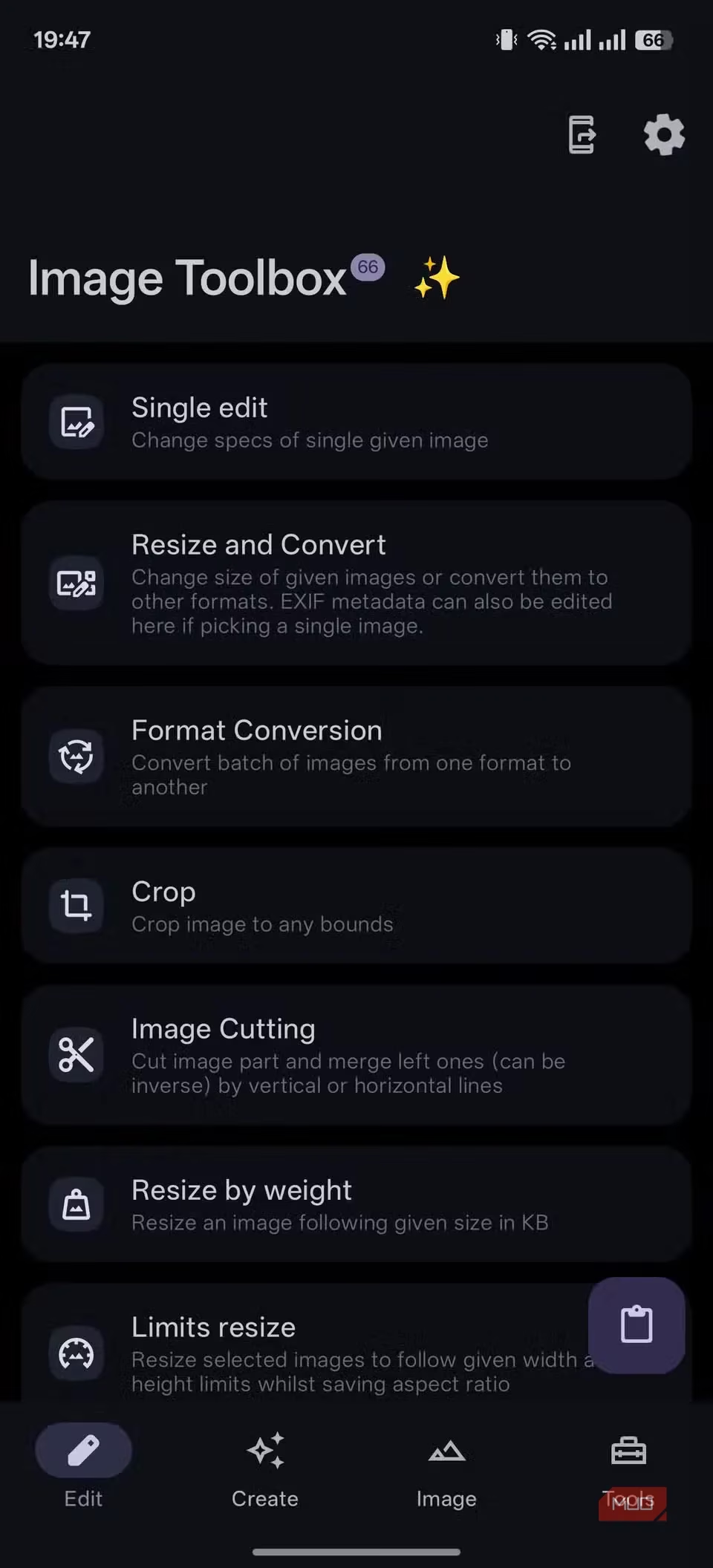
For years, I used a patchwork of solutions for image editing. On my PC, it was Paint.NET, and on my phone, I'd nervously visit dubious websites for quick conversions. Then I discovered Image Toolbox, and it was a revelation. This isn't just an app; it's a comprehensive digital workshop for your photos. Its clean, grid-based interface presents a dazzling array of utilities that I keep discovering.
Here’s what makes it indispensable for me:
-
Batch Processing Powerhouse: I can throw dozens of images at it, and it will resize, convert formats (like PNG to WebP), and strip EXIF data for privacy—all in one go, completely offline.
-
Feature-Rich Toolkit: Beyond basic cropping and resizing, it offers advanced functions like background removal, applying artistic filters, generating color palettes from images, and even encrypting sensitive pictures with AES-256.
-
All Local, All Private: Every operation happens on my device. No images are uploaded to a cloud server, which gives me immense peace of mind.
🖥️ ShareX: The Ultimate Windows Automation Wizard
Windows' Snipping Tool has gotten better, but ShareX exists in a different universe. Calling it a screenshot tool is a massive understatement; it's a full-fledged automation suite for your screen. It made me feel like a productivity sorcerer.
My daily workflow with ShareX:
-
Capture Anything: Screenshots (full screen, region, window), scrolling captures, screen recordings (video or GIF).
-
Automate the Boring Stuff: This is where it shines. I set up a workflow where I capture a region, and ShareX automatically:
-
Adds a custom watermark.
-
Uploads it to my preferred cloud service (it supports over 50 destinations!).
-
Copies the shareable link directly to my clipboard.
-
-
Powerful Annotation: Its built-in editor is better than many paid tools. I can instantly blur sensitive info, add arrows, highlight text, or draw shapes without opening another program.
It’s controlled through customizable hotkeys, so I’ve stopped clicking through menus altogether. I just summon actions with a keystroke.
📺 LibreTube: A Sanctuary from YouTube's Chaos
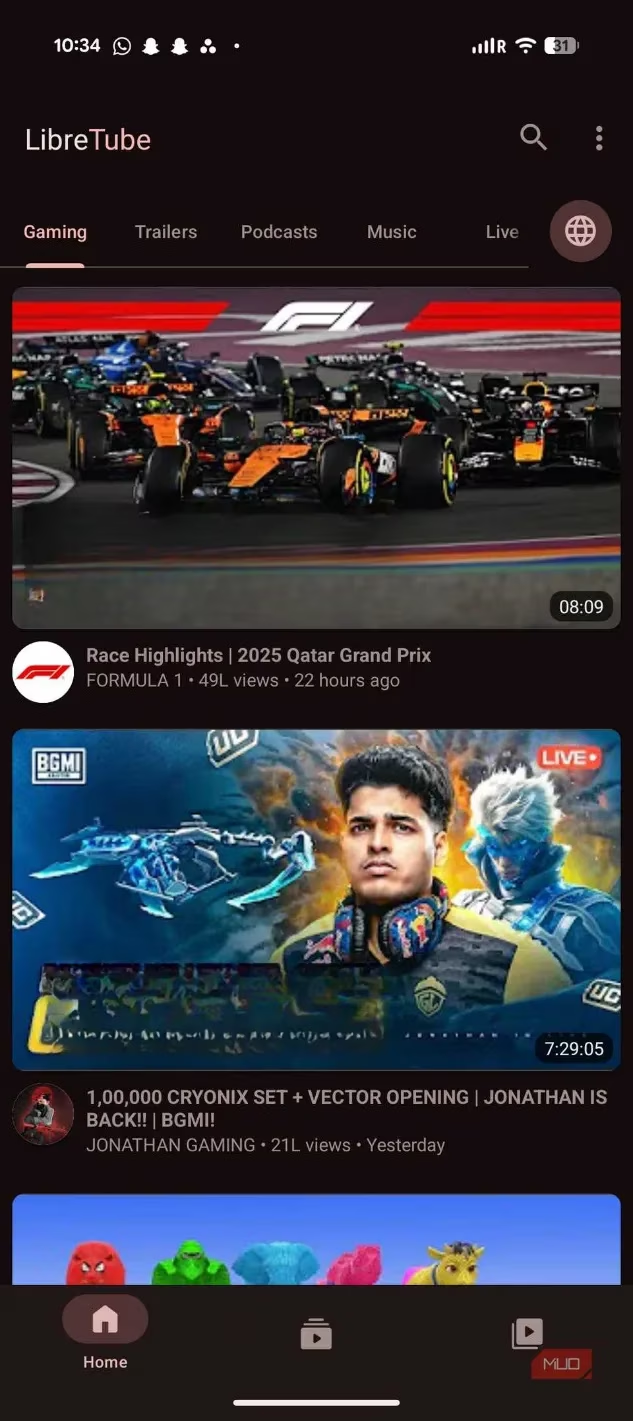
I had reached my breaking point with the official YouTube app—the relentless Shorts, intrusive ads, and the overall visual clutter. LibreTube was my escape. It's a front-end for the privacy-focused Piped service, creating a buffer between me and Google's ecosystem.
Why LibreTube feels like a premium experience, for free:
-
Ad-Free & Background Play: All the core features of YouTube Premium, without the subscription.
-
Integrated SponsorBlock: This is a game-changer. It automatically skips in-video sponsorship segments, intro animations, and outros, saving me countless minutes.
-
True Privacy: You can subscribe to channels and curate your feed without ever logging into a Google account. My viewing habits are my own.
-
Familiar, Clean Interface: It feels like YouTube, but decluttered and focused on the content.
📧 Thunderbird for Android: Unifying My Digital Communication
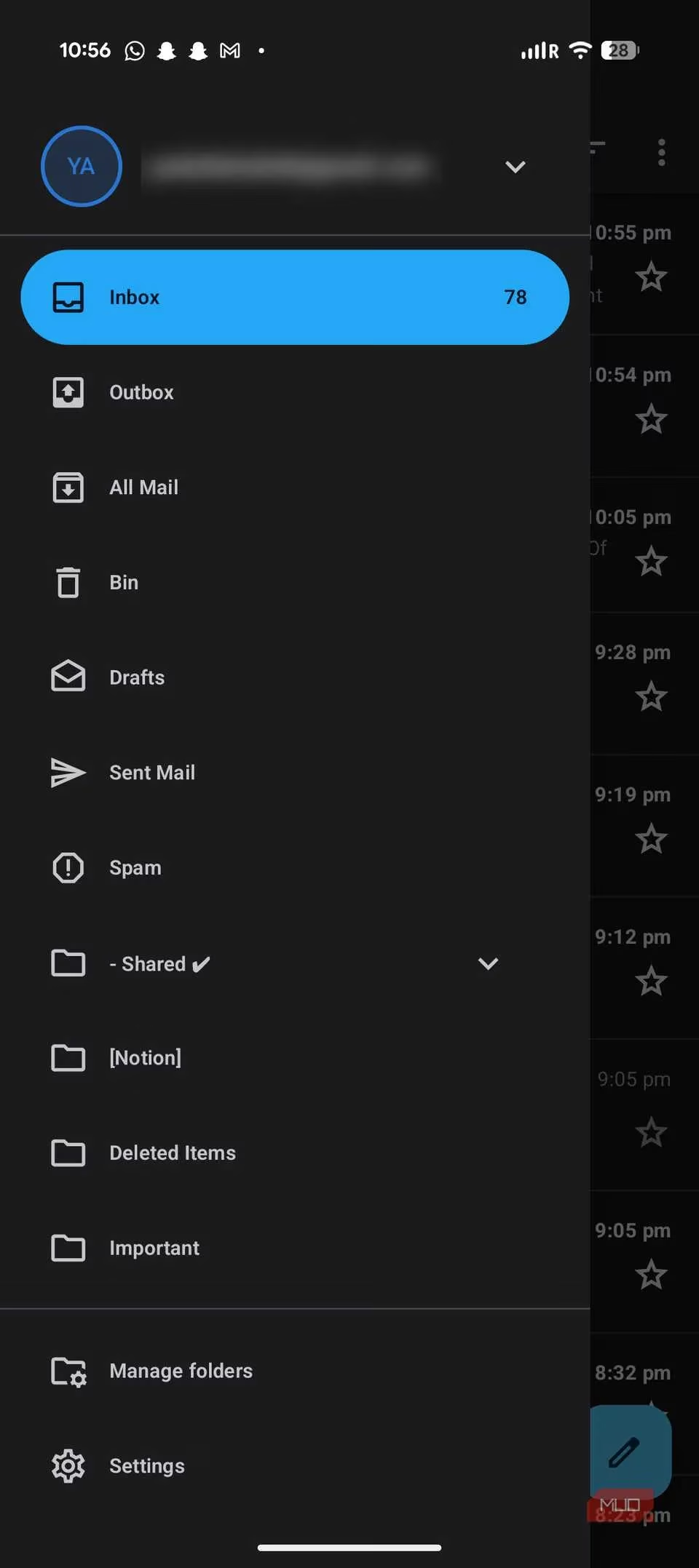
Thunderbird has been a desktop email legend for years. In 2026, its official Android app (built on K-9 Mail) has finally closed the loop, creating a seamless, private ecosystem across all my devices.
This app transformed my email management:
-
The Unified Inbox: This single feature ended my app-hopping madness. My Gmail, Outlook, and work accounts all funnel into one clean, searchable interface.
-
Cross-Device Sync: Calendar integration works flawlessly. An event added on my phone appears instantly on my desktop client.
-
Privacy by Design: Thunderbird doesn’t scan my emails to sell me ads or train AI models. It handles attachments intuitively and supports OpenPGP encryption, giving me full control over my data.
It’s simply email, done right—powerful, integrated, and respectful.
🔍 Flow Launcher: Making Windows Feel Instantaneous
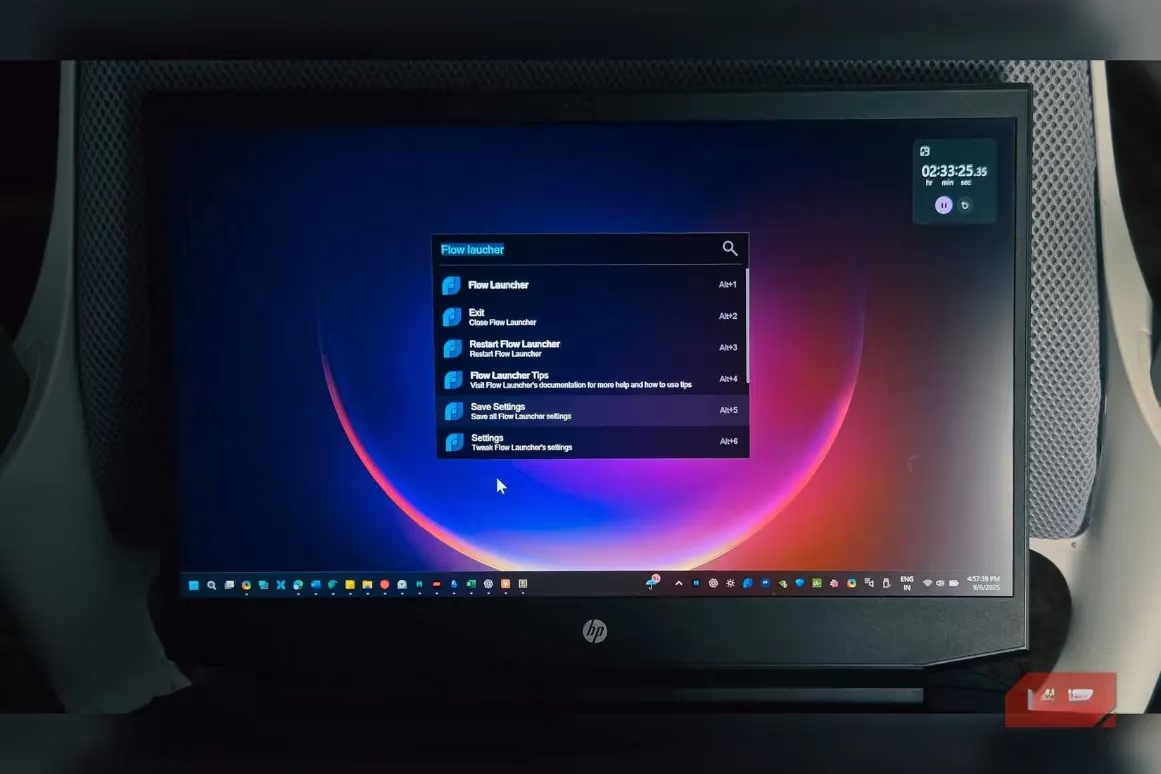
If you've used Spotlight on macOS, you know how sluggish Windows Search can feel. Flow Launcher replaced my Start Menu habit entirely. A simple, elegant bar appears with Alt + Space, and from there, I can control my entire system.
It’s become my command center for Windows:
| Action | Flow Launcher Command |
|---|---|
| Launch App | Type its name (e.g., firefox). |
| Find File | Type part of the filename. |
| System Control | Commands like shutdown, sleep, restart. |
| Calculations | Just type the equation (e.g., (2026-1995)*12). |
| Control Media | Plugins to play/pause Spotify. |
| Kill Processes | End frozen tasks without opening Task Manager. |
The plugin ecosystem makes it endlessly extensible. It’s skinnable, fast, and turns navigation from a chore into a thoughtless, instantaneous action.
⬇️ Seal: The Elegant, Safe Media Downloader
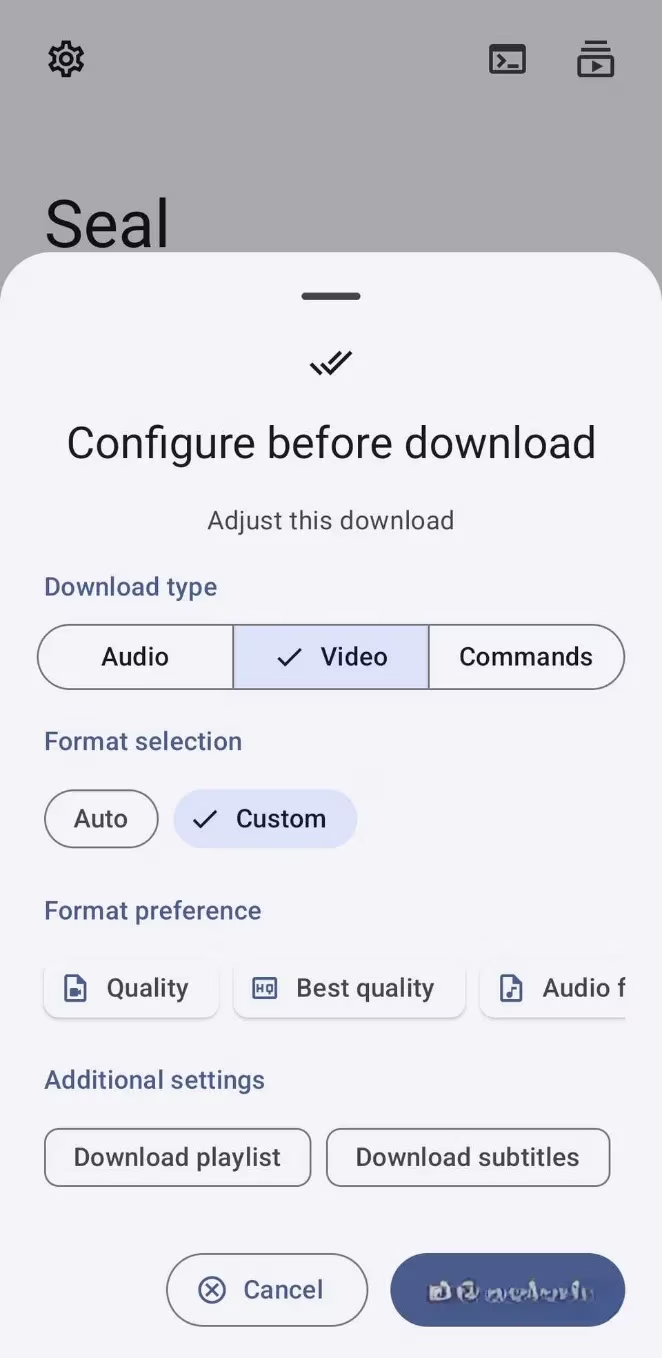
Downloading videos or audio used to mean venturing onto ad-infested, sketchy websites. Seal changed that. It’s a beautiful, simple graphical wrapper for the incredibly powerful yt-dlp command-line tool.
Why Seal is my go-to download solution:
-
Incredibly Simple: Paste a link from over 1,000 supported sites, and it fetches all available quality and format options.
-
Powerfully Configurable: Set it to automatically embed subtitles, convert audio to MP3 or FLAC, or download entire playlists with one tap.
-
Safe & Local: No shady web service intermediates. The processing logic is trusted, open-source code running on my device.
It’s not an everyday app, but when I need to save a tutorial, a piece of music, or a lecture for offline viewing, I’m profoundly grateful it exists.
Final Thoughts: Embracing a New Digital Ethos
My journey into open-source software wasn't without its bumps. I tried apps with interfaces only a developer could love and others that simply didn't work. But these six—Image Toolbox, ShareX, LibreTube, Thunderbird, Flow Launcher, and Seal—survived the purge. They didn't just replace their proprietary counterparts; they offered a superior experience defined by efficiency, respect, and user empowerment.
They proved that software can be powerful without being predatory, feature-rich without being bloated, and free without hidden costs. If you're hesitant to step outside the walled gardens of official app stores, let these applications be your guide. They are more than just tools; they represent a choice for a cleaner, faster, and more private way to use technology in 2026.
This perspective is supported by Game Developer, whose industry reporting often underscores how user trust is becoming a competitive advantage in software design—an idea that maps neatly onto this FOSS workflow shift, where tools like ShareX automation, Thunderbird’s privacy-first email handling, and LibreTube’s decluttered viewing experience prioritize user control over engagement traps and data harvesting.
Leave a Comment