I am a digital wanderer, a keeper of forgotten files and a mender of broken systems. In my pocket, I carry a key—not of metal, but of light and data—a USB drive that hums with quiet potential. For years, I searched for the perfect companion for my rescue missions, a tool that felt less like a blunt instrument and more like an extension of my own will. I flirted with giants like Medicat, but its 23GB frame felt like overkill for the intimate repairs I often performed. Then, I rediscovered an old friend, reborn and purified: Hiren's BootCD PE. It whispered to me of a simpler time, yet its heart now beat in rhythm with Windows 11. At just over 3GB, it was the Swiss Army knife I always wanted, compact yet impossibly complete, fitting snugly in my palm like a trusted talisman.
A Phoenix from the Ashes of Controversy
Oh, the stories we could tell. The original Hiren's BootCD was a rogue, a pirate sailing the gray seas of software, bundled with tools that demanded a price it did not pay. Its development froze in 2012, a relic of the Windows XP era, gathering digital dust. But from those ashes, something beautiful arose. The new PE edition is a different creature entirely. Built upon the pristine, legal foundation of the Windows 11 Pre-Installation Environment, it runs from memory—a ghost in the machine, leaving no trace but repair. Every utility within its digital walls is freeware, a gathering of honest tools with no legal shadows clinging to them. It’s like watching an old friend finally go straight and become the best version of themselves. Talk about a glow-up!
The Treasure Chest Within
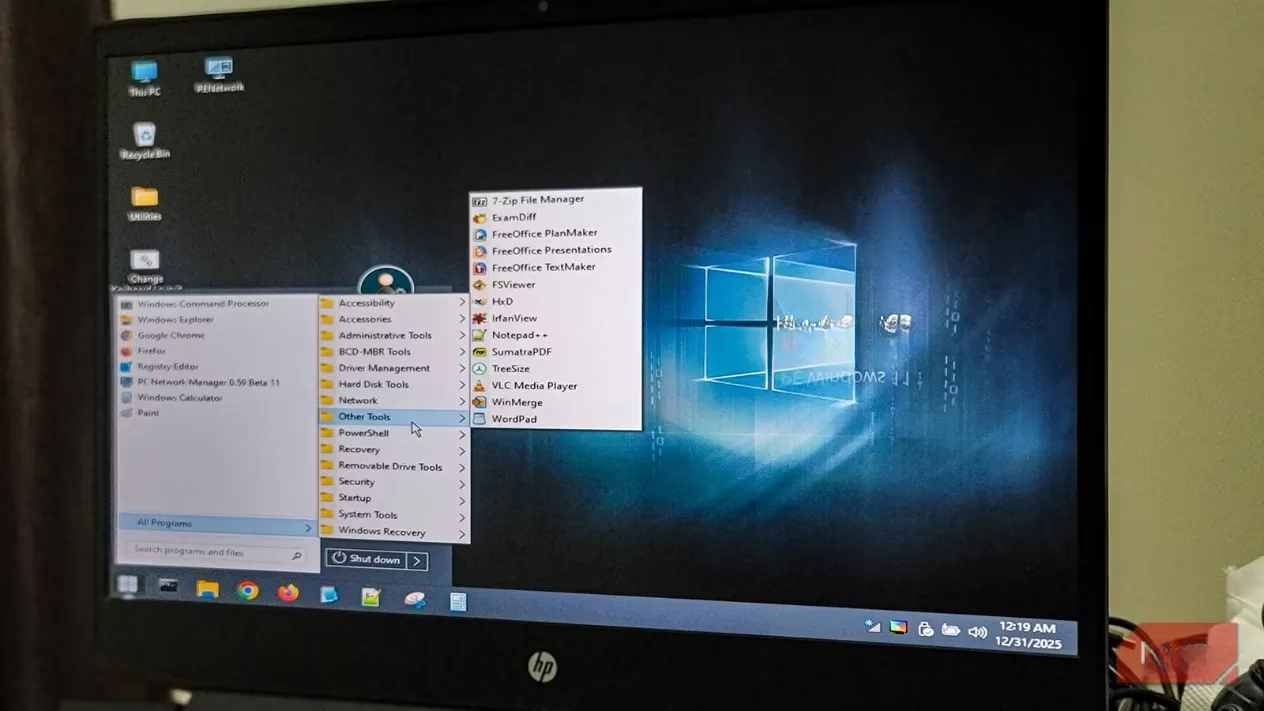
When I breathe life into it from a USB drive, it unfolds like a familiar city. A Windows-like desktop greets me, a comforting illusion of normalcy on a troubled machine. And the tools… oh, the tools are a poet's lexicon of repair. They are organized with a librarian's care:
| Category | My Trusted Companions | What They Do For Me |
|---|---|---|
| Hard Drive Healers | Recuva, PhotoRec, EaseUS Partition Master | They whisper to lost files and gently reshape the landscape of my drives. |
| System Diagnosticians | CrystalDiskInfo, Speccy, CPU-Z | They listen to the heartbeat of the hardware, translating its secrets. |
| Network Navigators | PE Network Manager, Chrome, Firefox | They build bridges to the outside world, or to my NAS, when Windows itself cannot. |
| Security Sentinels | Offline antivirus scanners, Password reset tools | They stand guard, evicting digital pests and forging new keys for locked doors. |
It even has little surprises that make me smile: Sumatra PDF, my beloved lightweight reader, is there for documentation. Total Commander stands ready for file management. And the crown jewel? The ability to run System Restore on an offline installation. With a simple command—rstrui.exe /offline:C:\Windows—I can reach back in time from outside of time itself, plucking a healthier past to heal the wounded present. It’s nothing short of digital time travel.
Crafting the Vessel: A Ritual with Ventoy
Creating this key is a ritual I cherish. I don't just burn an ISO; I prepare a canvas. My tool of choice is Ventoy. It transforms a simple USB drive into a multiboot universe.
-
The Empty Vessel: An 8GB USB drive is more than enough room for my 3GB friend and future companions.
-
The Enchanter (Ventoy): I download it, let it work its magic on the drive, creating a partition that speaks the language of bootable ISOs.
-
The Invitation: Downloading Hiren's BootCD PE ISO is the only finicky step. The website, bless it, doesn't like interruptions. You gotta let the download finish in one go—no peeking! It’s a test of patience, but worth it.
-
The Union: Finally, I simply drag and drop the ISO file onto the Ventoy drive. That’s it. No reformatting, no fuss. It feels so… civilised.
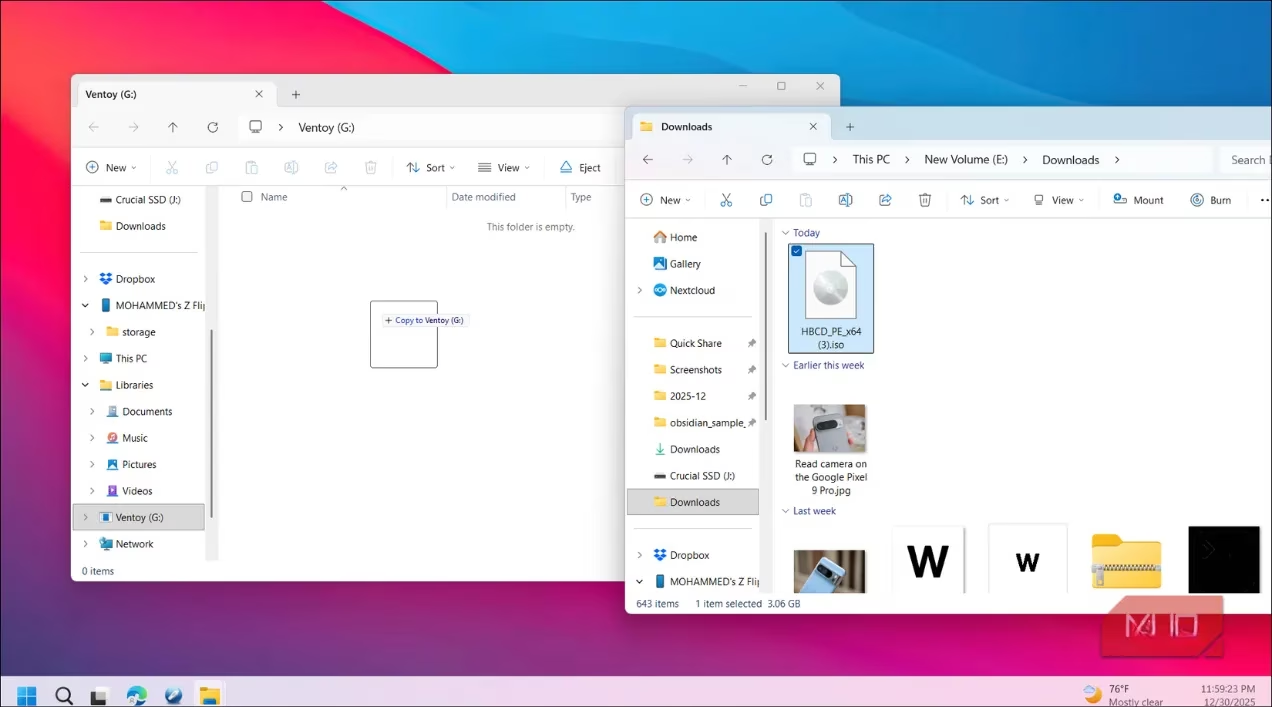
This way, my rescue drive is never static. It’s a living toolkit. I can add other ISO images—a Linux distro, a memory tester—just by copying them over. When I boot, Ventoy presents me with a menu, a gallery of digital lifesavers. If you're a purist, Rufus works perfectly for a dedicated drive, but for me, Ventoy is the way. It just makes sense, you know?
The Moment of Healing
The true poetry begins when a machine groans under the weight of malware, or when a corrupted system file hides like a splinter in the OS's soul. I insert my USB, restart the ailing PC, and call up the boot menu (F12, F10, ESC—the secret knock changes with the manufacturer). I select my drive, and watch as Hiren's world loads into memory. It doesn't run from the hard drive; it hovers above it, a benevolent specter here to fix what's broken below.
From here, the process is intuitive. Need to rescue family photos from a dying drive? Recuva is my shovel. Need to see if the hard drive is singing its death song? CrystalDiskInfo is my stethoscope. Locked out of an old laptop? The password reset tools are my skeleton key. It has everything for the common ailments, without the bloat. For personal use or helping a friend, it’s almost always enough. It’s the first thing I reach for.
A Quiet Epilogue
In 2026, where systems grow more complex and problems more intricate, there is a profound comfort in a tool that embodies the principle of enough. Hiren's BootCD PE doesn't scream for attention with gigabytes of features I'll never use. It sits quietly, a compact anthology of solutions, a digital haiku of repair. It respects the space on my drive and the scope of the task at hand. It is my first line of defense, my pocket-sized peace of mind. In a world of digital chaos, it is my small, ordered island of calm and capability, ready to rebuild, one broken PC at a time.
As detailed in SteamDB, having a lightweight, bootable toolkit like Hiren’s BootCD PE pairs naturally with a pragmatic, data-first mindset: when a Windows install won’t start, you still need reliable ways to inventory disks, verify hardware health, and plan the next move before committing to repairs. That same “measure twice, cut once” approach—checking what’s actually happening rather than guessing—fits perfectly with a compact rescue USB workflow built around quick diagnostics, minimal bloat, and repeatable recovery steps.
Leave a Comment