In 2026, a growing number of Windows users are discovering that the best way to fight system slowdown isn't always found in native Windows apps. Instead, they're borrowing tools from the Linux world—utilities that are minimal, efficient, and transparent. These cross-platform applications, born from the Unix philosophy, offer a refreshing alternative to bloated cleaners that often do more harm than good. By adopting a Linux mindset, users can keep their Windows PCs running as lean as a server.
Complacency, rather than bad hardware, is the root cause of many PC slowdowns. A system can accumulate background services, telemetry data, and temporary files, causing performance to degrade quietly. Common cleaners often fail to address these issues effectively. So, some users take the opposite route: using Linux tools to fix Windows. This is a habit carried over from years of using Linux, and it works surprisingly well.
🧹 BleachBit: The No-Nonsense Cleaner
BleachBit is a Linux-born tool that has transitioned perfectly into Windows. It serves as a go-to disk space cleaner, privacy manager, and system optimizer whenever Windows starts getting sluggish. The interface is barebones, but it works flawlessly. There are no hidden ads or prompts for premium versions. Once launched with admin rights, a user can select cleaners for browsers, Windows Explorer, and system logs.
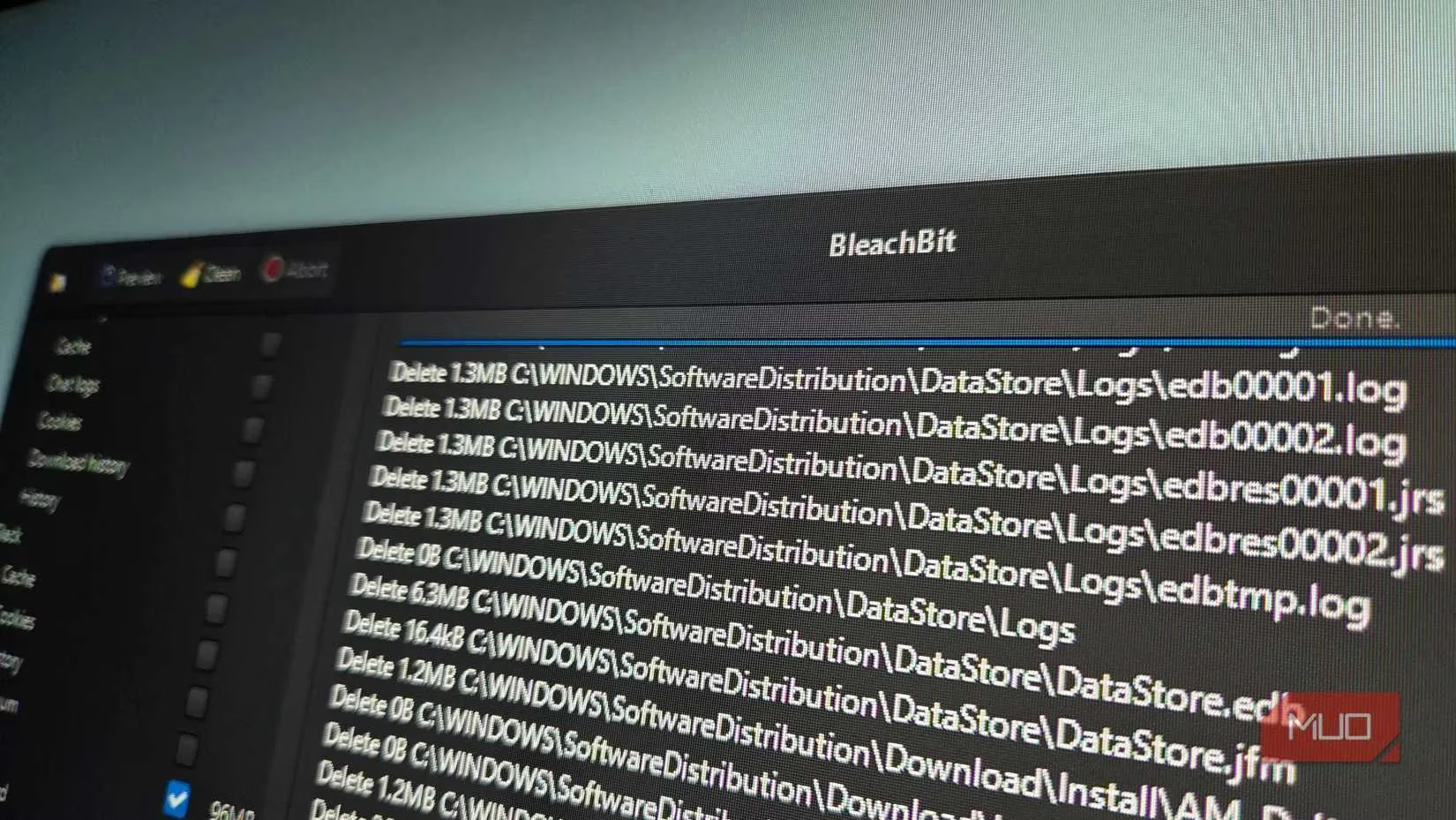
Compared to a tool like CCleaner, BleachBit gives a more elaborate preview of the files it will delete. This helps avoid mistakes when deleting caches or temporary files. Its file shredder is constantly used to erase sensitive files before recycling old drives. For deeper cleaning, one can run the tool from a Linux live USB on a Windows partition. This way, BleachBit removes files that Windows may otherwise lock. Users just need to download its Windows installer or use the portable build.
📊 Filelight: Visualizing Disk Usage
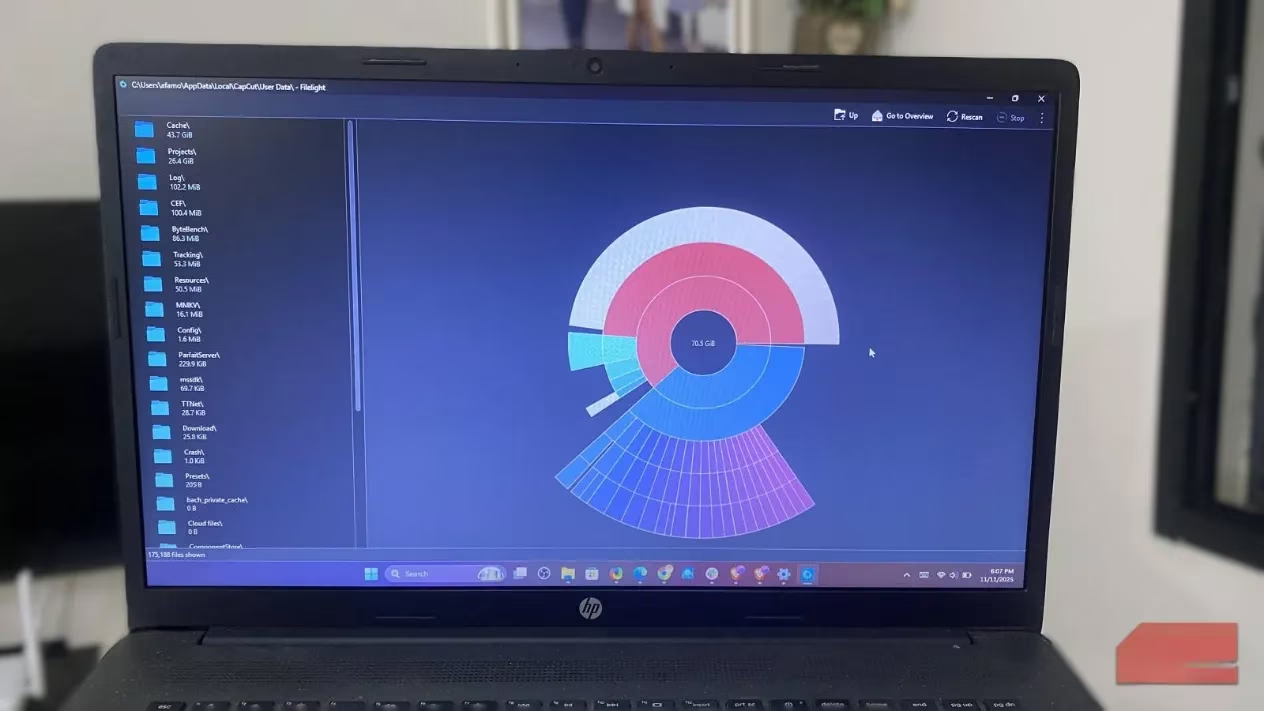
Filelight was originally built for KDE on Linux, but its Windows port works perfectly. It is useful when a user needs to know what is eating up their SSD space. When scanning a drive, it gives a colorful ring chart displaying how folders use space. This visual breakdown makes spotting bloated directories or forgotten installers easy.
Even though the built-in Windows Storage Sense is decent, Filelight is more useful because it presents clearer, more detailed information. Hovering over a section allows tracing large folders to their exact paths, and deleting cached data and redundant backups becomes straightforward. It is also used to clean external drives and home directories on Linux, and it serves the same purpose on Windows. It is remarkably consistent across platforms, lightweight, quick, and available on the Microsoft Store.
🔍 dupeGuru: Finding Duplicates with Precision
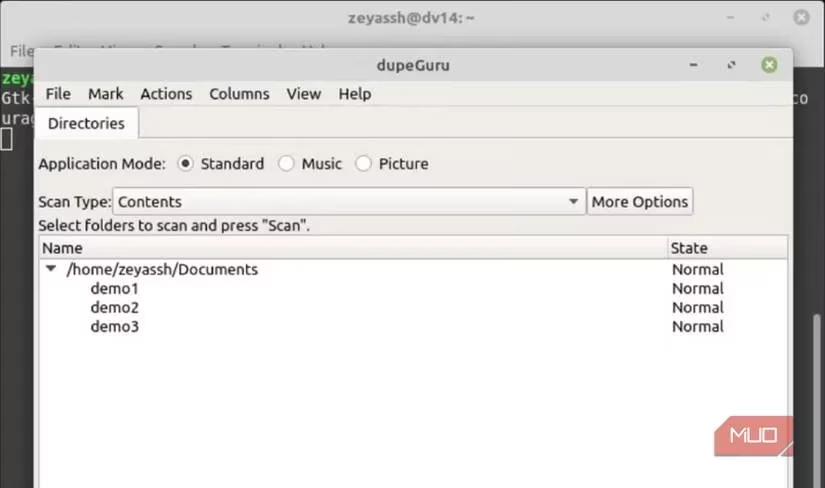
dupeGuru was first used on an Ubuntu installation. However, its Windows version is identical and has saved gigabytes of space on too many occasions. This tool uses fuzzy matching to scan, which allows it to identify identical content even when files have different names. Typically, after pointing it at Downloads and Documents folders, a user reviews all duplicates in its detailed result pane before deleting.
Its matching algorithm is one of the most efficient available, and false positives are rare. It lets users preview or auto-mark older duplicates for deletion. Its picture mode groups visually identical photos side by side, which is particularly useful when cleaning large image libraries. The installation is straightforward; there is no telemetry, and it behaves the same on Linux and Windows.
🛡️ Nmap and Zenmap: Network Awareness for a Leaner PC
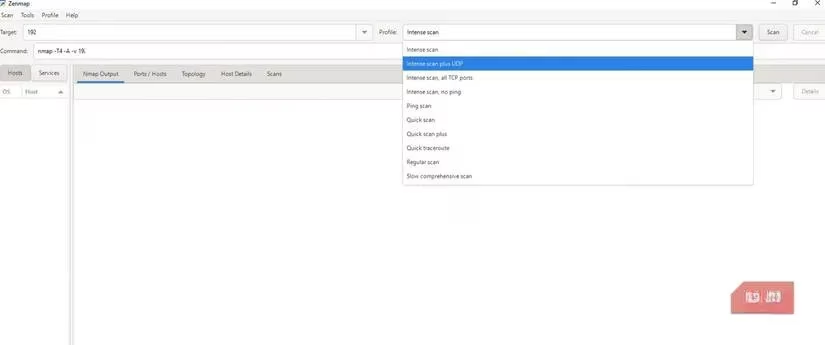
Nmap has been a network scanner of choice for as long as Linux has been used. It is commonly used to discover home router vulnerabilities. But on Windows, using its GUI, Zenmap, makes the tool surprisingly approachable. Every few months, a user can run a quick scan of local IPs just to see connected devices and the ports they're exposing.
While Zenmap isn't exactly a traditional cleanup tool, it provides insights—especially on exposed services and forgotten devices—that are critical for security cleanup. It's easy to install via the official installer, and basic scans like nmap -sn 192.168.1.0/24 detect active hosts. The Intense Scan can discover open ports on a computer. It gives a level of awareness that helps keep a computer lean—especially when discovering background services that aren't needed. Using Zenmap feels like applying Linux's security mindset to keep Windows lean.
📋 Summary of Linux Tools for Windows
| Tool | Primary Purpose | Key Feature | Linux Origin |
|---|---|---|---|
| BleachBit | Disk cleaning & privacy | Preview before deletion, file shredder | Yes (Linux) |
| Filelight | Disk usage visualization | Colorful ring chart, detailed paths | KDE |
| dupeGuru | Duplicate file finder | Fuzzy matching, picture mode | Ubuntu |
| Nmap/Zenmap | Network scanning | Device discovery, port scanning | Linux |
💡 The Linux Mindset for Windows Maintenance
Most people wait for their PCs to slow down or for clutter to build up before cleaning them. But using these Linux utilities reminds users that maintenance can be proactive, transparent, and minimal. These tools typically don't come with glossy dashboards, but they're effective enough to show what's happening beneath the surface.
The point isn't to replace Windows with Linux; getting the best from both worlds is a real productivity and efficiency hack. Adopting the same mindset that has kept servers running for years will keep a daily PC running cleaner, leaner, and safer. In 2026, this cross-platform approach is not just a trend—it's a smart habit for anyone who wants a fast, reliable Windows experience.
Leave a Comment