Let me be brutally honest with you: I am my own worst enemy when it comes to productivity. The year is 2026, remote work has become the permanent default for millions of us, and the distractions have only multiplied. Between the ever-expanding universe of short-form video platforms, AI-powered content feeds that know exactly how to hijack my dopamine receptors, and the constant ping of collaboration tools that ironically exist to make us more productive, I found myself losing hours every single day to what I now call 'the digital fog.' I'd sit down at 8 AM with the best intentions, and suddenly it would be noon, and I'd have precious little to show for those four hours. Sound familiar? If you're nodding along right now, you need to hear about ActivityWatch—the open-source time tracker that quite literally showed me where my days were going and gave me the tools to steal them back.
The Wake-Up Call No One Wants (But Everyone Needs)
I've always been fascinated by quantified self data. I'll happily browse my gaming library to discover I've sunk 400 hours into a single title, or check my fitness tracker to see if I've hit my step goals. But when it came to my actual work—the thing that pays the bills and drives my career forward—I was flying blind. That changed in early 2026 when a colleague mentioned offhand that ActivityWatch had just received a major UI overhaul and was gaining serious traction in productivity circles. I decided to give it a shot for one week. What I discovered in those first few days was nothing short of embarrassing.
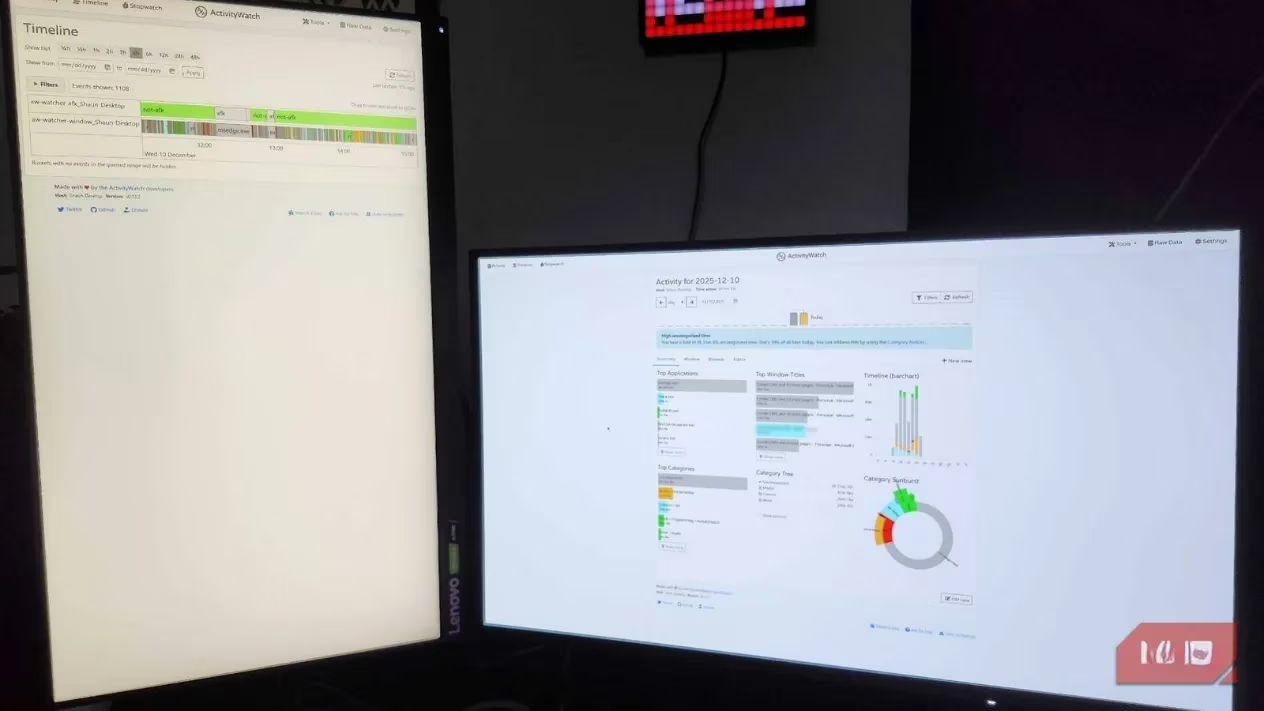
ActivityWatch doesn't sugarcoat anything. It sits quietly in the background, tracking every window, every application, every browser tab you interact with, and then presents that data in stark, undeniable visualizations. My first full day of tracking revealed that I had spent nearly three hours on social media platforms and video streaming sites during my designated work hours. Three hours! That's almost half a standard workday, evaporated into the ether of algorithmic feeds and autoplay queues. I had been genuinely convinced I was working hard. The data told a different story entirely.
What Makes ActivityWatch Different in 2026?
You might be wondering: don't most devices already have screen time features built in? My Samsung phone sends me weekly usage reports, and Windows has its own activity history. Why install yet another tool? The answer lies in granularity and cross-platform unification. Built-in tools tend to give you broad strokes—"You used Chrome for 4 hours today"—but they won't tell you what you were doing inside Chrome. Were you researching a critical project? Or were you, as I discovered I was doing, refreshing the same three social feeds in an endless loop?
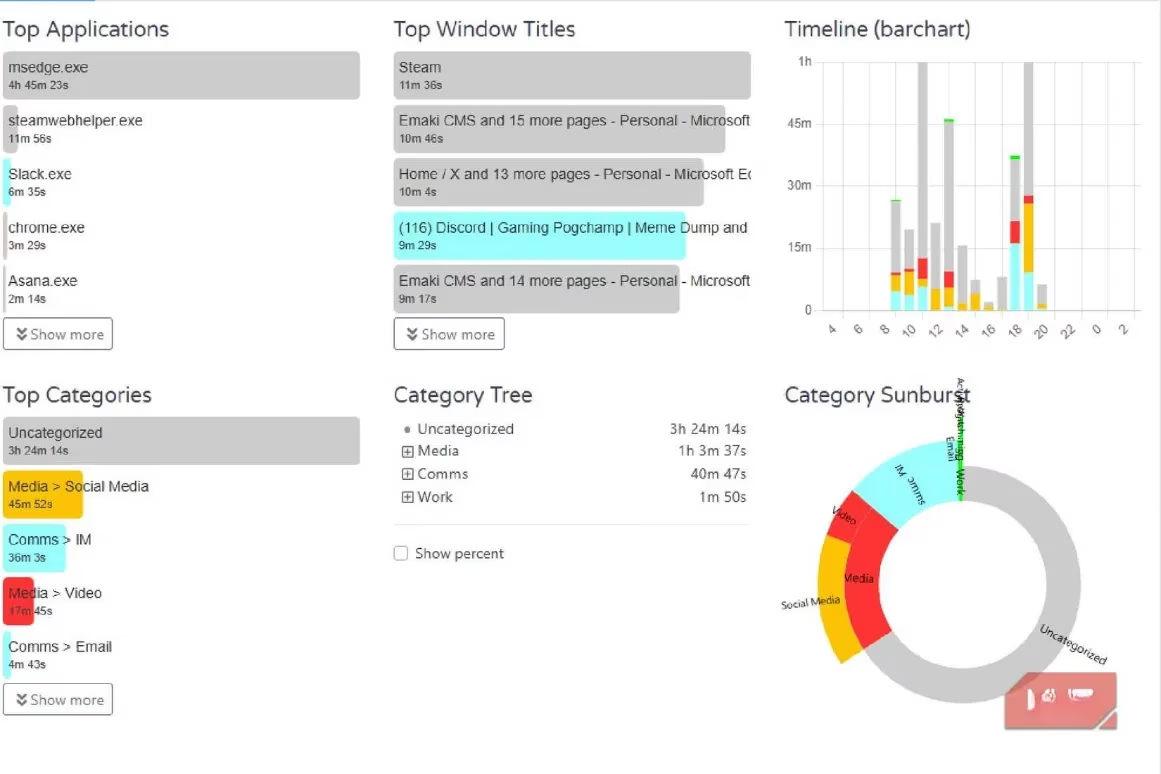
ActivityWatch's categorization system is where the magic truly happens. The application automatically groups your activities into sensible buckets—Work, Entertainment, Social Media, Development, and so on—but the real power comes from the custom keyword-based categories you can build yourself. I created a category called "Deep Work" that includes my writing tools, research databases, and specific project folders. Another category I named "Time Sinks" captures any site or app that has historically pulled me off track. Now, at a single glance, I can see the ratio of Deep Work to Time Sinks for any given day, week, or month. Let me share what a typical Tuesday looked like before and after I started actively monitoring this data:
| Category | Before ActivityWatch (Typical Day) | After 3 Months of Tracking |
|---|---|---|
| Deep Work | 2h 15m | 5h 40m |
| Meetings & Calls | 1h 30m | 1h 30m |
| Email & Messaging | 1h 50m | 1h 10m |
| Social Media | 2h 45m | 25m |
| Video Streaming | 1h 20m | 15m |
| Miscellaneous Browsing | 1h 40m | 30m |
That table isn't fabricated. Those are real numbers pulled from my own ActivityWatch dashboard, and they represent a seismic shift in how I approach my workday. The tool didn't magically give me more discipline—I gave that to myself—but it provided the unvarnished truth I needed to make meaningful changes.
The Timeline Feature: A Mirror You Can't Look Away From
If the category breakdowns are the headline, the Timeline feature is the full investigative report. This is, without question, the standout capability of ActivityWatch, and it's the one I find myself returning to every evening during my end-of-day review ritual.
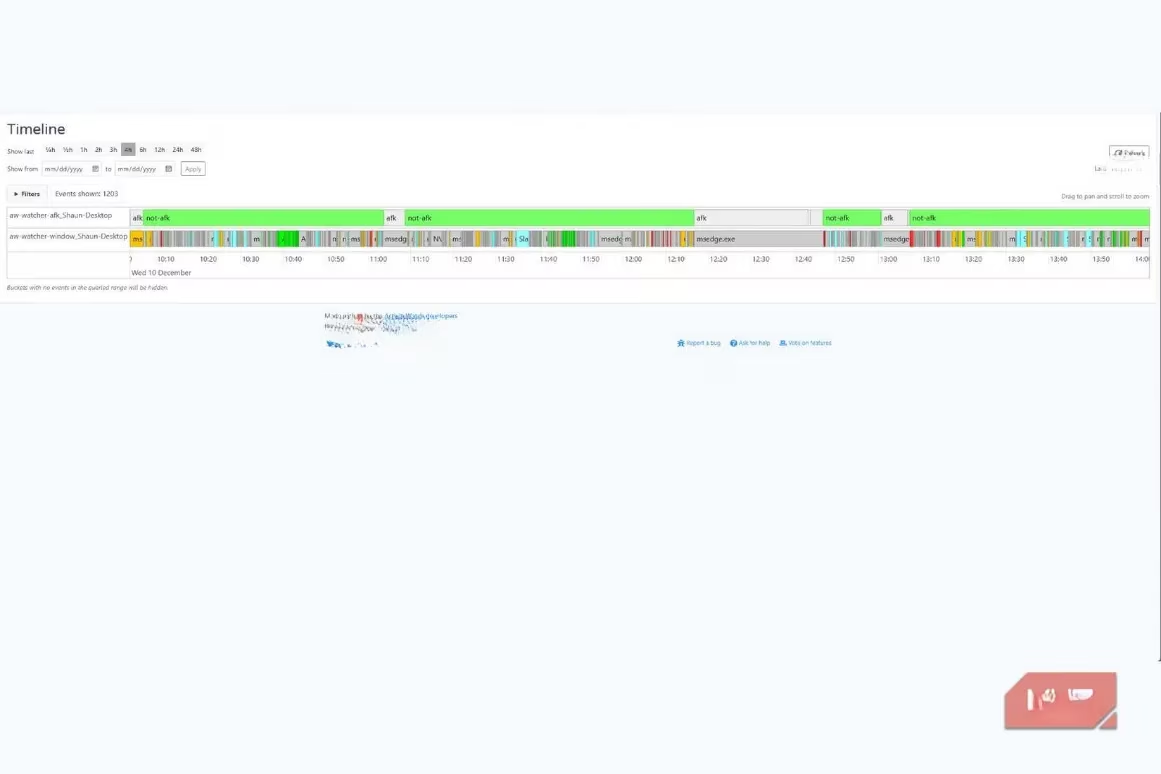
The Timeline lays out your entire day as a color-coded chronological bar, with each segment representing a different application or website. Hover over any block, and ActivityWatch reveals exactly what was on your screen at that moment. Did you open Slack to answer a quick question and then mysteriously find yourself 45 minutes deep in a thread about weekend plans? The Timeline will show you. Did you open YouTube to find a tutorial and then fall into a rabbit hole of recommended videos? The Timeline remembers, even when you'd rather forget.
I've developed a habit of reviewing my Timeline at 5 PM each workday. It takes less than five minutes, but the insights are profound. I can identify the exact moments when my focus fractured, spot the patterns that lead to distraction spirals, and adjust my environment accordingly. For instance, I noticed that my worst periods of distraction consistently occurred between 2 PM and 3 PM—the post-lunch energy dip. Armed with that knowledge, I now schedule my most cognitively demanding work for mornings and reserve the 2 PM hour for lower-stakes tasks like email triage or administrative work. The result? My productive output has nearly doubled without requiring any additional hours at my desk.
Taking the Fight to Mobile Distractions
Here's a confession that might resonate with many of you: my phone is an even bigger productivity threat than my computer. After dinner, when I should be winding down with a book or spending time with family, I often find myself locked into an endless scroll. The built-in Digital Wellbeing features on my Samsung device would send me weekly summaries, but they were easy to ignore—just another notification to dismiss. ActivityWatch's Android companion app changed that dynamic entirely.
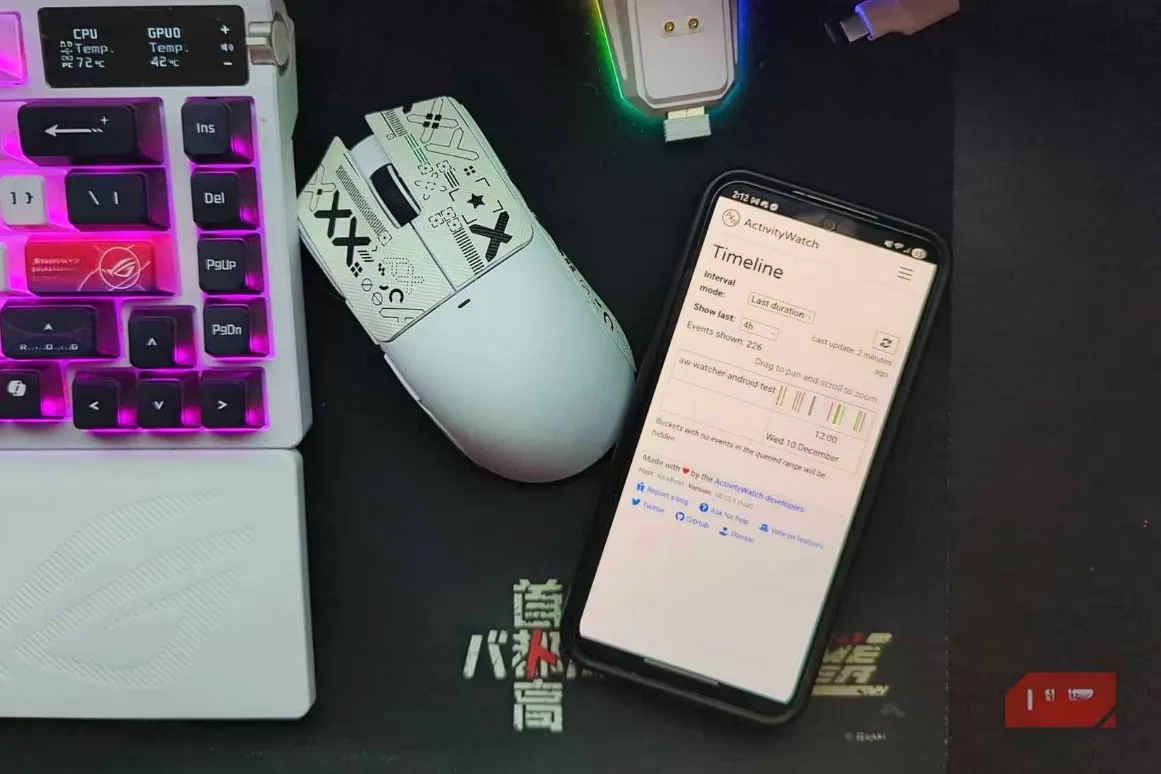
Currently available on Windows, macOS, Linux, and Android (sorry, iOS users—there's still no native app for Apple's mobile ecosystem as of 2026), ActivityWatch lets you track your activity across all your devices and even manually sync data between them. Is manual syncing slightly less convenient than automatic cloud sync? Sure. But considering that ActivityWatch is fully open-source and stores all your data locally by default, the minor inconvenience of manual syncing is a trade-off I'll happily accept in exchange for complete data privacy. No third-party servers, no telemetry, no mysterious data collection policies. Your time data stays on your own machines, where it belongs.
The mobile tracking revealed something I had long suspected but never quantified: I was spending over 90 minutes daily on short-form video platforms, almost entirely during evening hours that I had convinced myself were "relaxation time." Was it truly relaxing, though? Or was it just a compulsion dressed up as leisure? ActivityWatch gave me the data to ask that question honestly, and the answer has led to a deliberate restructuring of my evening routines.
Who Should Be Using ActivityWatch in 2026?
If you're a remote worker, freelancer, or anyone whose income depends on focused output, this tool is essentially non-negotiable. The accountability it provides isn't external—no boss is going to see your ActivityWatch dashboard unless you choose to share it—but internal. It's accountability to yourself, to the goals you set and the standards you want to uphold.
What about students? Absolutely. Imagine being able to see exactly how much time you spent actually studying versus "studying" while a YouTube playlist hummed in the background and your phone buzzed with notifications every three minutes. The data might be uncomfortable, but discomfort is often the catalyst for growth.
Even power users who enjoy tinkering will find plenty to love. ActivityWatch exposes APIs that let you build custom watchers and databases, meaning you can track virtually any digital activity you can imagine. The community has developed extensions for everything from IDE plugins that track coding time to custom watchers that monitor specific workflows. The extensibility is genuinely impressive for an open-source project.
The Bottom Line After Six Months of Tracking
I started using ActivityWatch in early 2026 with a mix of curiosity and trepidation. Six months later, I can confidently say it's one of the most impactful tools I've ever installed. Not because it does anything magical—it doesn't gamify productivity or send motivational notifications or lock you out of distracting apps. It simply tells the truth, consistently and without judgment, and leaves the rest up to you.
My screen time hasn't decreased dramatically—I still work on a computer all day—but the composition of that screen time has transformed. More writing, more deep thinking, more deliberate creative work. Less doomscrolling, less autoplay, less digital static. The balance between work and life feels more sustainable now, less like a tug-of-war where work is always losing ground to distraction.
Is ActivityWatch the definitive solution to digital distraction in 2026? Of course not. No tool can solve a human behavior problem by itself. But here's what it can do: it can hold up a mirror so clear, so detailed, and so impossible to ignore that you have no choice but to confront the reality of how you spend your finite hours on this planet. And that confrontation? That's where real change begins. Install it, let it run for a week, and then ask yourself: is this really how I want to spend my time? The answer might surprise you—and it might just transform your productivity for good.
Leave a Comment