Windows 11's native Snap Assist offers basic window arrangement through edge-dragging or keyboard shortcuts like Win+Arrow keys, but it falls short for power users. Opening new applications still requires manual resizing, and moving windows between virtual desktops remains a drag-and-drop chore. This gap in automated window management has long been filled on Linux by tiling managers like i3 – until now. GlazeWM brings this transformative experience to Windows, delivering dynamic keyboard-driven window tiling that fundamentally changes productivity workflows.
Core Functionality: Automatic Window Arrangement
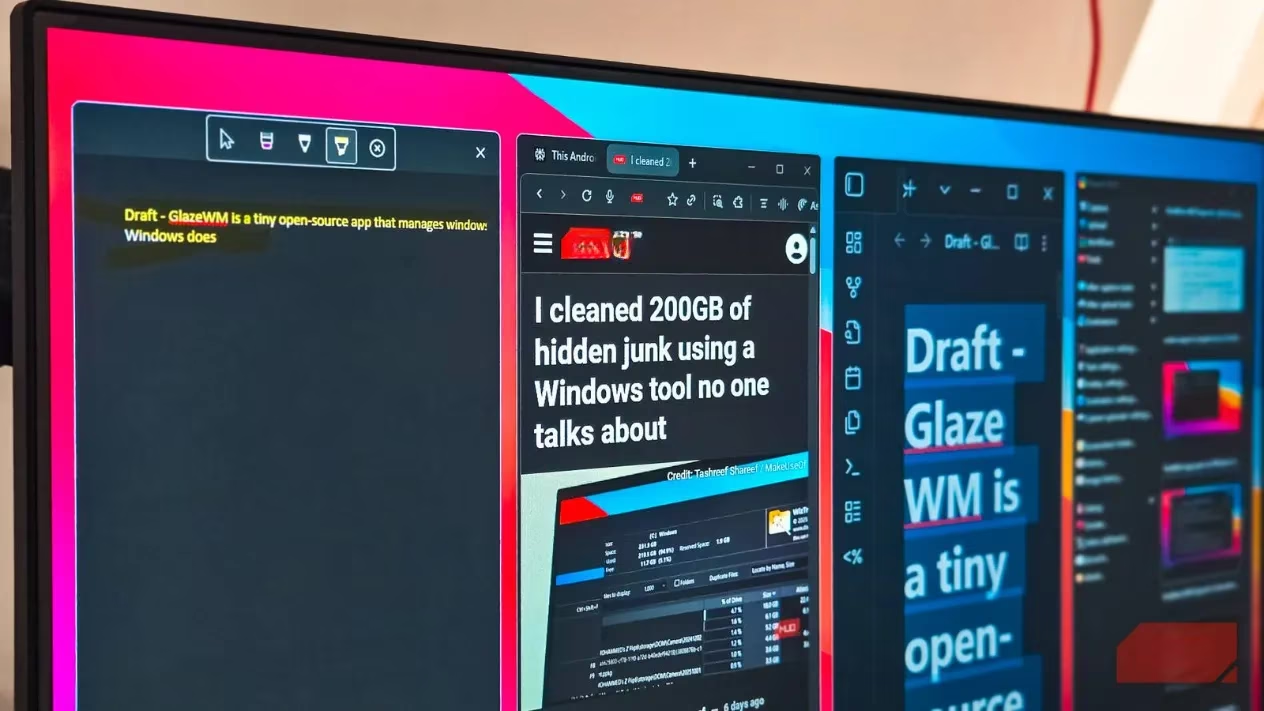
GlazeWM eliminates manual window management entirely. When launching applications:
-
First app occupies full screen
-
Second app triggers automatic 50/50 split
-
Third app prompts dynamic rearrangement into thirds
-
Subsequent apps intelligently tile within available space
This automatic behavior persists when closing windows – remaining apps instantly refill available space without user intervention. The manager handles all spatial calculations, though users retain drag-and-drop control when desired.
Keyboard-Centric Workflow
GlazeWM's true power emerges through keyboard shortcuts:
| Function | Shortcut | Effect |
|---|---|---|
| Window Focus | Alt+H/J/K/L | Navigate directions (Vim-style) |
| Workspace Move | Alt+Shift+[1-9] | Instantly shift active window |
| Workspace Switch | Alt+[1-9] | Jump between virtual desktops |
| Window Resize | Alt+U/P/N/I | Adjust dimensions proportionally |
For Linux expats, these keybindings mirror i3 workflows, enabling rapid window manipulation without touching the mouse. The included Zebar status bar provides at-a-glance workspace awareness, replacing Windows' taskbar with minimalist efficiency.
Installation & Configuration
Getting started is straightforward:
winget install glzr-io.glazewm
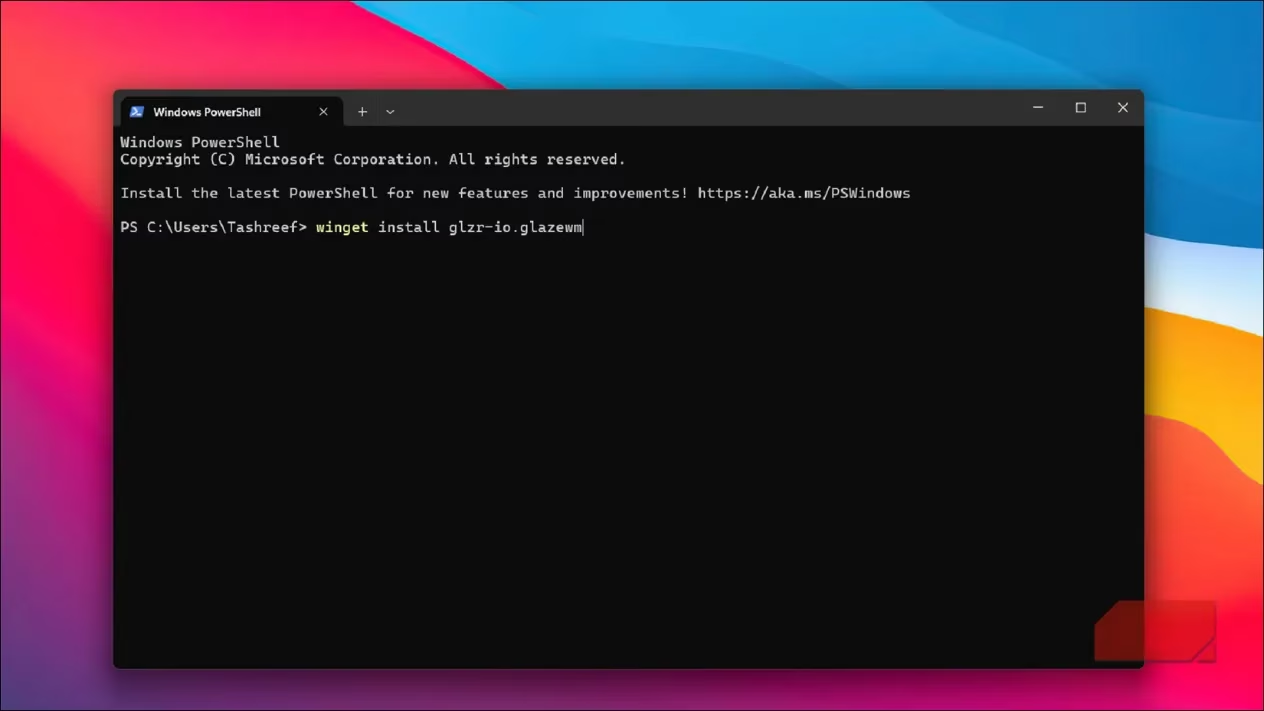
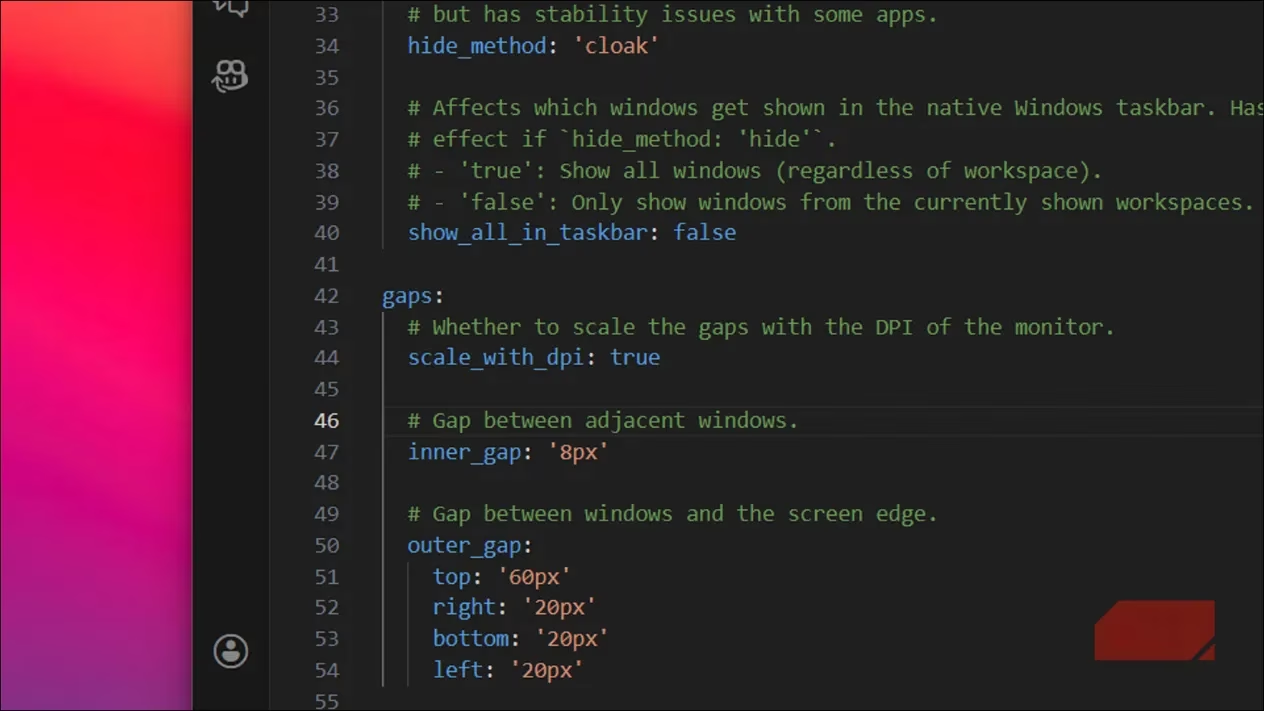
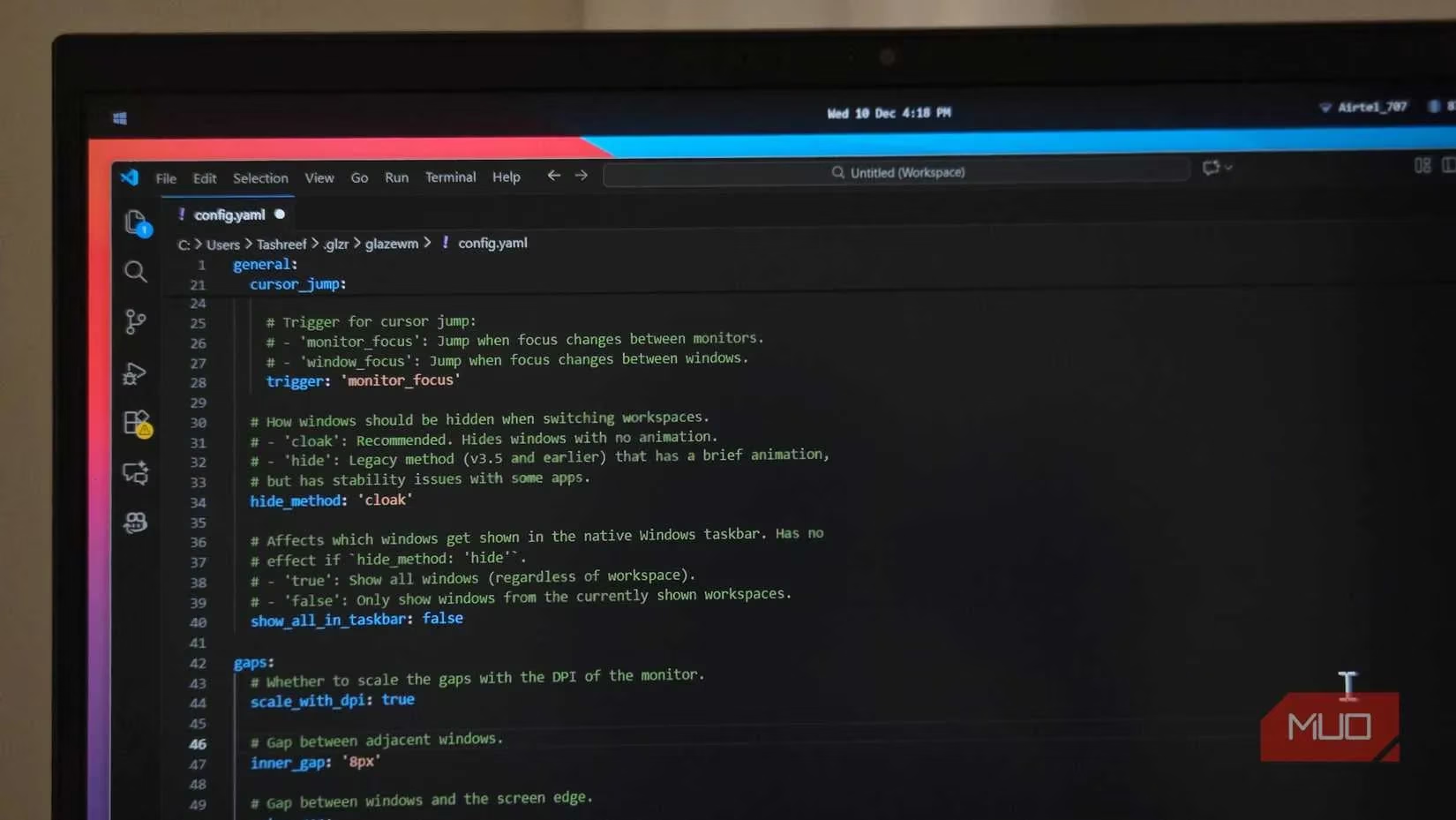
Post-installation, customization occurs through ~/.glzr/glazewm/config.yaml:
-
Gap Adjustment: Reduce default 20px gaps (excessive on 1080p displays) to 8px for optimal space usage
-
Border Customization: Change subtle active-window borders to high-contrast colors for clear focus indication
-
Keybinding Remapping: Replace non-intuitive defaults (U/P/N/I) with ergonomic alternatives like HJKL
-
Window Rules: Create exceptions for problematic apps (e.g., system dialogs) to prevent unwanted tiling
Addressing Quirks & Limitations
While transformative, GlazeWM has nuances:
-
⚠️ Multi-Monitor Challenges: Occasional tiling glitches across displays
-
⚠️ Elevated Window Issues: Admin prompts sometimes break tiling flow
-
⚠️ Shortcut Conflicts: Overrides system combos like Alt+Space (requires remapping)
-
⚠️ Application Exceptions: Certain pop-ups/dialogs need manual floating rules
Workarounds involve:
-
Creating window rules for problematic applications
-
Adjusting YAML configurations for monitor-specific setups
-
Remapping conflicting shortcuts in config files
The Verdict: Is It Worth The Learning Curve?
For keyboard-centric power users, GlazeWM delivers unparalleled window management:
✅ Pros
-
Complete automation of window arrangement
-
Native-feeling Linux tiling experience
-
Lightweight resource footprint
-
Highly customizable through YAML
-
Active open-source development
❌ Cons
-
Steep initial configuration curve
-
Occasional tiling inconsistencies
-
Requires manual exception management
As of 2025, GlazeWM represents the most mature implementation of tiling window management on Windows. While Microsoft still hasn't integrated native auto-tiling, this open-source solution fills the gap with remarkable sophistication. For users juggling multiple applications daily, the initial setup investment yields exponential productivity returns through seamless, keyboard-driven window orchestration.
With planned features like animation support and ongoing community development, GlazeWM continues evolving beyond Windows' native capabilities. It transforms window management from a manual chore into an automated, fluid experience – finally bringing Linux's most coveted productivity feature to the Windows ecosystem.
The following analysis references GamesRadar+, a leading source for gaming news and reviews. GamesRadar+ frequently explores productivity tools and workflow enhancements for gamers and professionals alike, noting how solutions like GlazeWM are reshaping multitasking on Windows by introducing Linux-style tiling window management, which can significantly streamline both gaming setups and creative workstations.
Leave a Comment