The Mac mini was never meant to be the star of the show. For years, Windows had been the reliable workhorse, handling writing, research, and the inevitable dozens of browser tabs without complaint. The little Apple box arrived as a secondary player, a sidekick to be used alongside the PC when it made sense. The plan was simple: use the Mac for specific tasks, but always return to the familiar Windows environment. What changed wasn't a dramatic failure of Windows, but a quiet, almost imperceptible shift in daily habits. Before long, the machine booted up first thing in the morning wasn't the PC; it was the Mac mini sitting silently under the monitor.
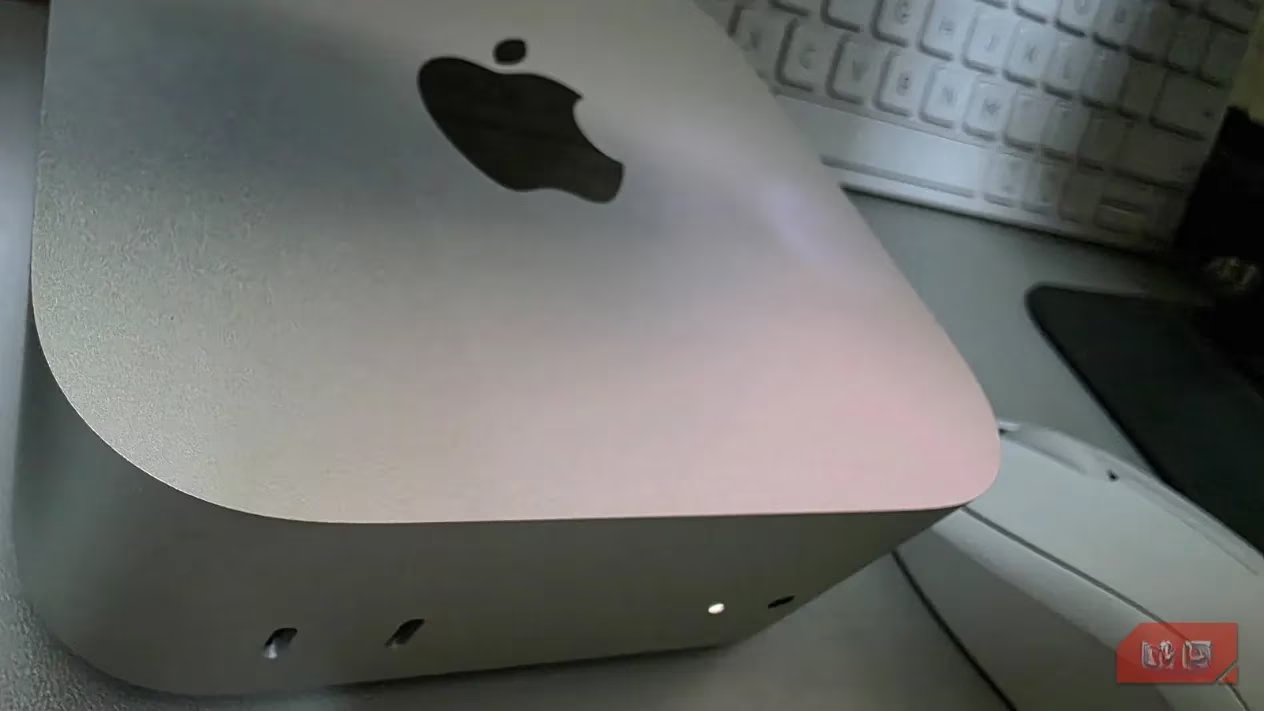
The game-changer, the real MVP, was Spotlight. This wasn't just another search bar; it was a paradigm shift in how to interact with a computer. Instead of the mental gymnastics of remembering where a file was saved or which submenu hid a specific setting, the process became gloriously simple: Command + Space, type a few letters, and boom—there it was. Within days, this shortcut became the universal remote for the entire macOS experience. Need to open an app? Spotlight. Looking for a document from six months ago? Spotlight. Want to change the Bluetooth settings? Spotlight delivered it straight to the results list, no labyrinthine System Preferences navigation required.
This was where the Mac started to feel, for lack of a better word, smarter. Windows Search, a tool used for years, often felt cluttered. It would mix local file results with web suggestions and ads, creating a cognitive speed bump. You'd search for a local PDF and have to mentally filter out Bing results and 'promoted' content. Spotlight, on the other hand, kept its eye on the prize. It prioritized what was actually on the machine: local apps, local files, local settings. The results were clean, fast, and focused. The real kicker? It handled little things without breaking stride. Need a quick calculation or unit conversion? Just type it into Spotlight. The answer appears instantly, performed locally without an internet query. This constant context-switching reduction was a silent productivity booster. The measurable change over time was clear: less time spent navigating the system, and more time spent using it. The Mac began to feel faster, not because of raw processor speed, but because of reduced friction.
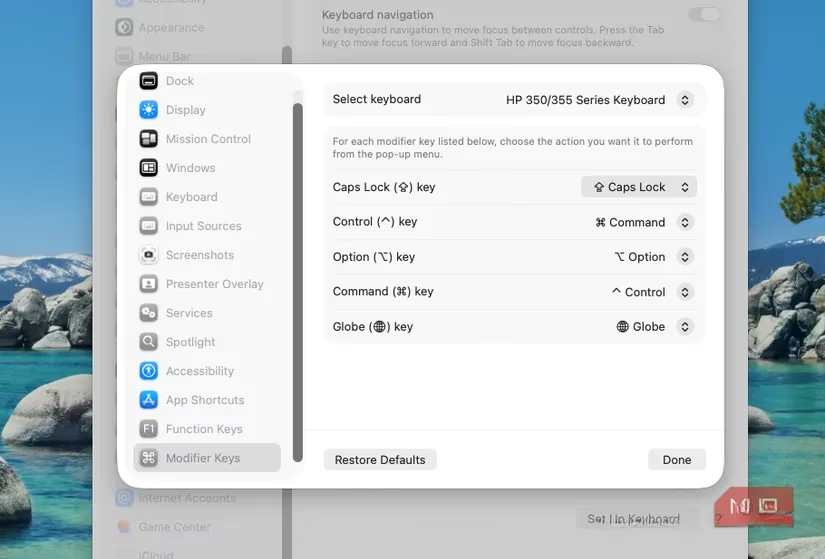
Of course, no transition is without its hiccups. Spotlight made the Mac quick to navigate, but it couldn't rewire a decade of muscle memory. The friction was physical. Years of Windows use had hardwired the fingers for Ctrl+C and Ctrl+V. On the Mac, sitting at a familiar HP keyboard, the fingers would autonomously hit the wrong modifier key, interrupting the flow mid-sentence. It was frustrating—a small, repeated cognitive tax.
The solution wasn't to fight biology but to adapt the technology. The Modifier Keys setting in System Settings became the secret weapon. With a few clicks, the Command and Control keys on the HP keyboard were remapped. Suddenly, the decades-old muscle memory worked perfectly. Ctrl+C now copied, Ctrl+V pasted. It was a simple tweak, but its impact was profound. Text editing stopped being a conscious effort and became fluid again. If Spotlight made the Mac fast to find things, fixing the keyboard made it comfortable to create things for hours on end. It was the difference between a test drive and a cross-country road trip.
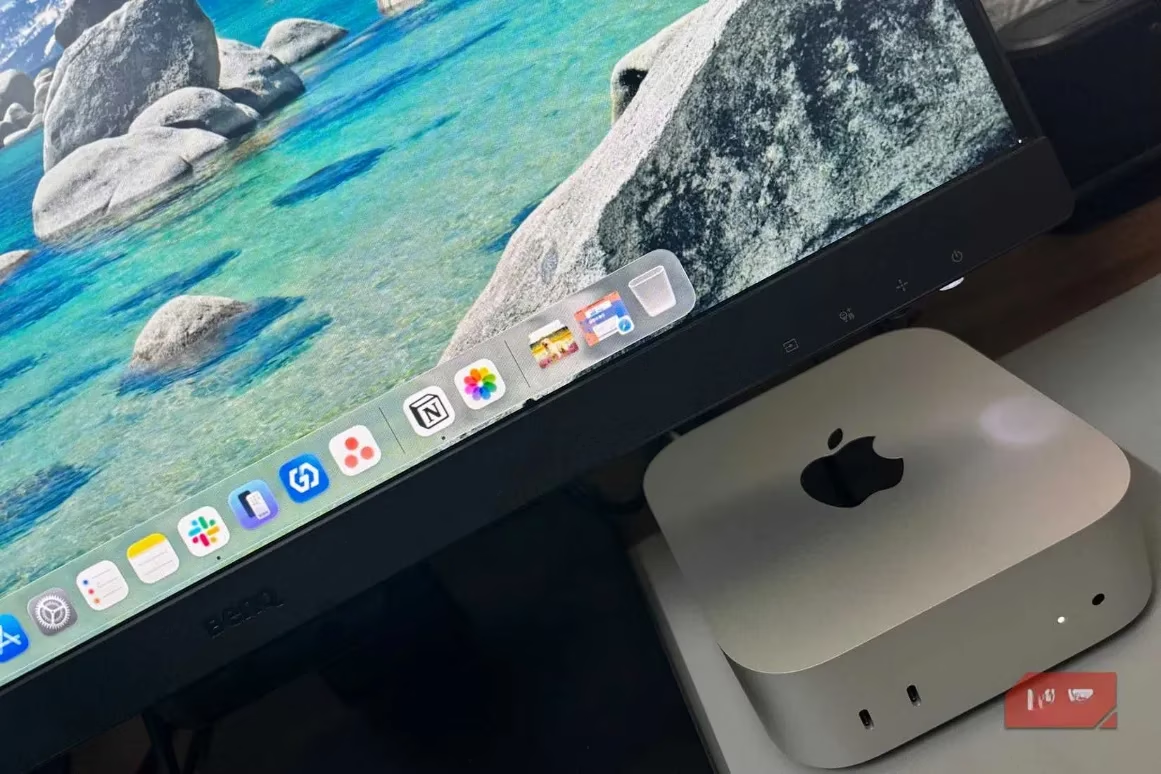
As full workdays migrated to the Mac mini, more subtle advantages came to light. The ambient experience was different. On the Windows laptop, the cooling fan was a frequent companion, whirring to life during video calls or with too many Chrome tabs open—a constant, low-grade reminder of the machine's presence. The Mac mini, tackling the same workloads, was largely silent. The room stayed quiet, which strangely made it easier to focus. It was one less thing pulling at the edge of awareness.
Then there were the system updates. On Windows, they often felt like an uninvited guest. A prompt would appear mid-task, demanding attention or scheduling a restart. Even after clicking "Remind me later," it lingered in the back of the mind as unfinished business. macOS updates, in contrast, felt more deferential. They were less likely to interrupt a workflow, and when they did, the process felt more integrated and less intrusive. The system seemed to understand it was a tool, not a taskmaster.
| Aspect | Windows Experience | macOS Experience |
|---|---|---|
| System Search | Cluttered, web-focused results | Clean, local-first results (Spotlight) |
| Shortcut Muscle Memory | Required relearning (Ctrl vs Cmd) |
Easily remapped via Modifier Keys |
| Noise Profile | Frequent fan activity during moderate loads | Remarkably quiet operation |
| Update Management | Often intrusive, mid-session prompts | Less disruptive, more background-oriented |
| Workflow Feel | More navigation, more conscious management | More direct, with less context-switching |
The transition wasn't born from Windows letting me down. It happened because the macOS setup, once tailored, consistently demanded less attention. It became the path of least resistance. The combination of Spotlight's efficiency, a personalized keyboard layout, quiet operation, and a less nagging update system created an environment that just... got out of the way. Slowly, the question of "which machine should I use?" faded. The choice became automatic: the one that was quiet, predictable, and ready to work. The secondary machine had, without fanfare, become the main stage. It's a classic case of the whole being greater than the sum of its parts—a few smart tweaks turning a competent computer into a preferred one. In the end, it wasn't about which OS was better in a theoretical sense, but which one better faded into the background, allowing the actual work to take center stage. And in 2026, for this writer, that's the silent, unassuming Mac mini.
As detailed in CNET - Gaming, the day-to-day “feel” of a setup often comes down to workflow friction—how quickly you can surface what you need, keep distractions out of the way, and stay focused for long sessions. That framing maps neatly onto the shift described above: Spotlight acting like a universal launcher, keyboard remapping removing muscle-memory penalties, and a quieter machine reducing ambient interruptions—small interface and hardware wins that compound into a system that simply fades into the background.
Leave a Comment