Let me tell you a story about a relationship that's been, well, let's just say 'complicated' for years. Me and Windows' built-in volume control. It's 2026, and for the longest time, managing my PC's audio felt like trying to have a conversation with someone who only speaks in riddles and hides behind three layers of menus. Microsoft's native volume mixer? More like a digital hide-and-seek champion, buried so deep in Settings > System > Sound that I needed a map and a snack for the journey. It was the ultimate flow-killer, yanking me out of my gaming zone or deep work focus faster than you can say 'blue screen'. That's why, when I discovered EarTrumpet, it wasn't just an app install—it was a liberation. This little piece of free, open-source genius isn't just a utility; it's the audio control panel Windows always dreamed of being but was too afraid to commit to. After living with it, the old way feels like using a stone tablet to send a text message.
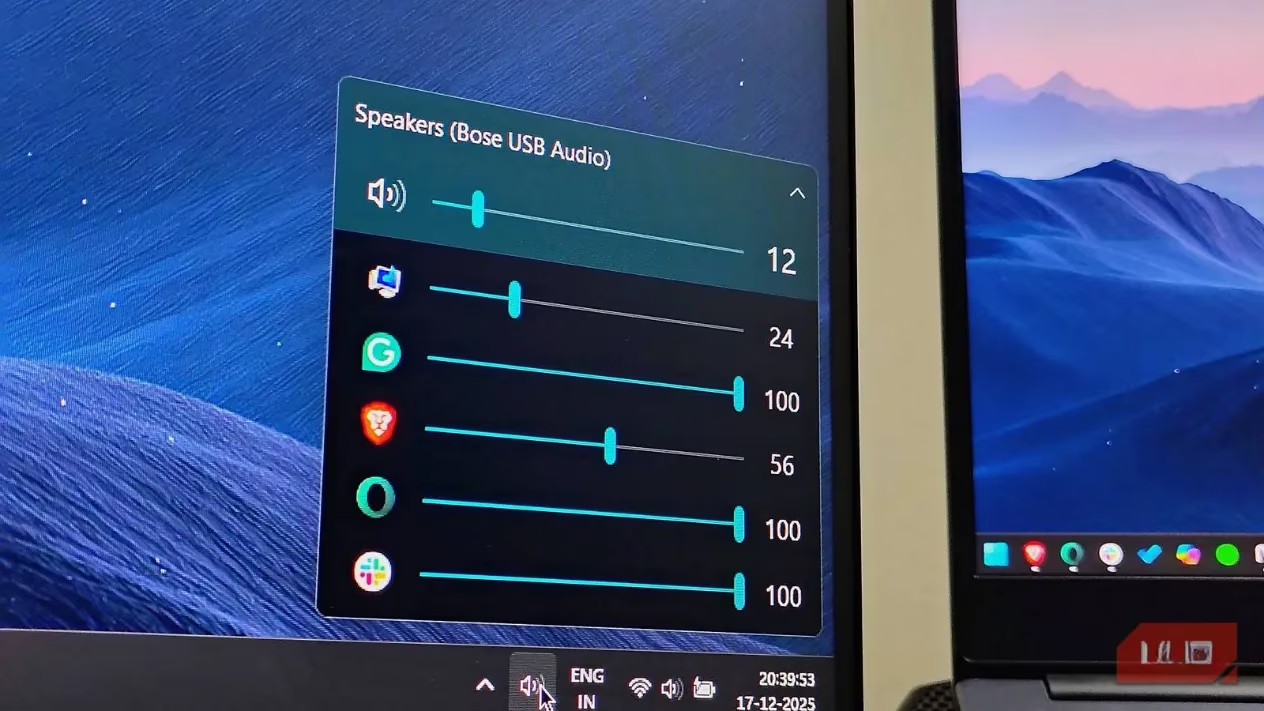
The core issue with the Windows default is a tale of two extremes: impossible to find, laughably simple to use. You click the speaker icon, and... bam! One lonely master slider stares back at you from the Quick Settings panel. That's it. That's the whole show. Want to adjust your Discord separately from your game? Tough luck, pal. Want to see all your apps at once? Not happening. It's audio management for ants. EarTrumpet swoops in and fixes this with the elegance of a ballet dancer. You grab it from the Microsoft Store (no sketchy websites, thank you very much), and it just... works. Immediately. A new, stylish little trumpet icon appears in your system tray. One click. That's all it takes. Suddenly, you have a beautiful, expansive mixer right there, listing every single app making a peep on your system. It feels so native, so right, that you'll swear Microsoft secretly developed it. The difference is night and day, or as I like to call it, the difference between 'ugh' and 'ahh'.
Why EarTrumpet Isn't Just a Pretty Face
Let's break down why this app is a game-changer, especially for us power users in 2026:
-
One-Click Wonder: No more
Win + Ctrl + Vclaw-hand gymnastics. A single mouse click on the tray icon reveals everything. -
Granular Control: Individual volume sliders for every application—browser, game, music player, you name it.
-
Instant Detection: Unlike the native mixer, which sometimes takes a coffee break before noticing an app, EarTrumpet sees all audio sources the moment they make a sound.
-
System Tray Integration: It lives exactly where you need it, not in some forgotten Settings submenu.
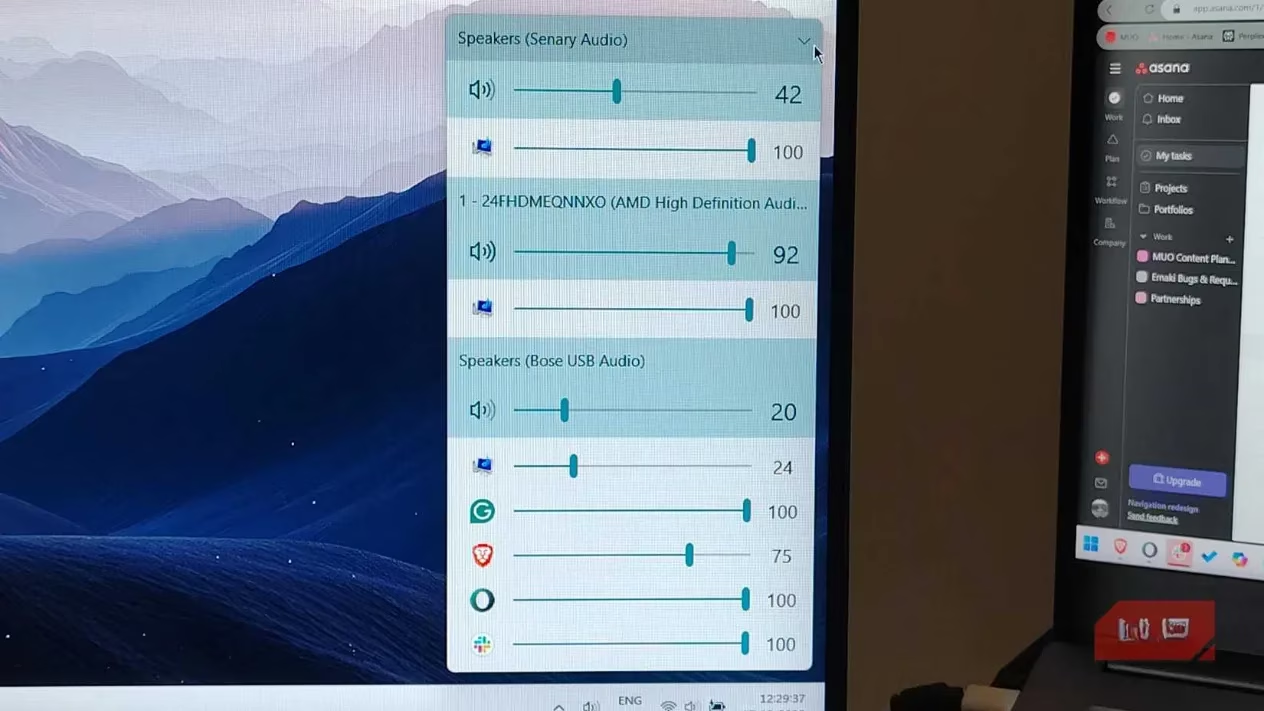
Now, if the volume sliders were the only upgrade, I'd be happy. But oh, my friend, we're just getting started. The real magic, the feature that makes me want to write sonnets about an audio app, is per-app audio routing. Windows' approach to this is... bless its heart. It tries. You can change the master output device, but that changes everything. Want your game in your headset and your Spotify jams on the speakers? The default system looks at you like you've asked it to solve cold fusion. EarTrumpet? It just shrugs and says, "Sure, easy."
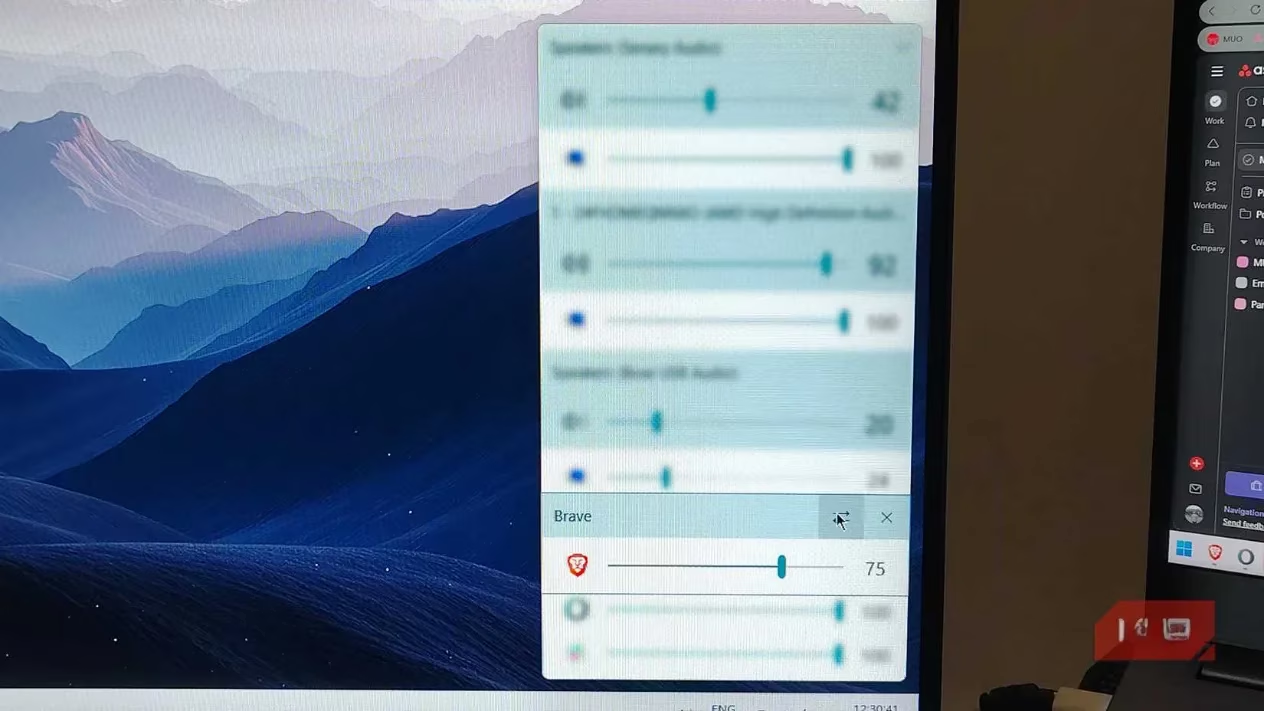
Here’s my typical, life-altering workflow: I'm listening to a podcast on my desktop speakers. A buddy pings me for a ranked match. In the old world, this meant pausing the podcast, switching the default output to my headset, and losing my audio context. With EarTrumpet? I right-click the game's icon in the mixer, select my headset from the list, and drag it over. Poof. Game audio is now pumping through my headset for crystal-clear comms and footsteps, while my podcast keeps happily chatting away on the speakers. It creates a physical soundscape that feels like a budget surround sound system. The process is so fluid, so intuitive, it almost feels like cheating.
But Wait, What About Windows' Own Updates?
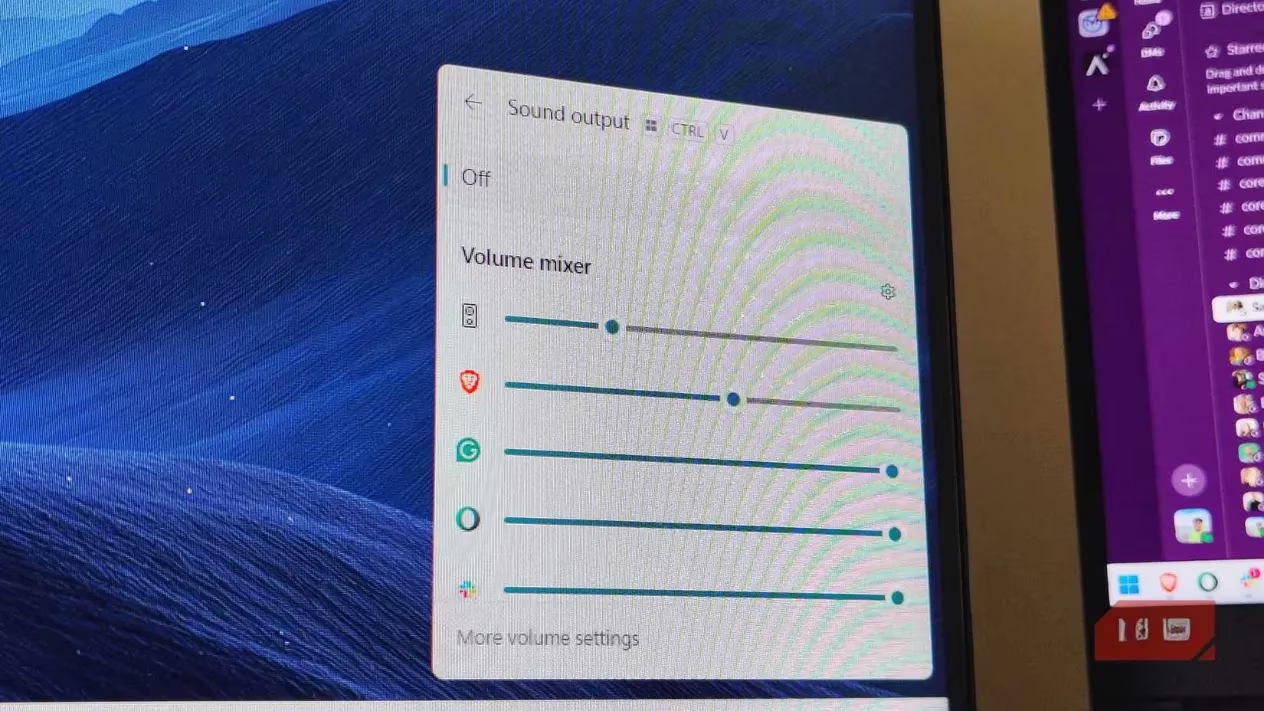
Okay, fair point. Microsoft hasn't been completely asleep at the wheel. They added that Win + Ctrl + V shortcut, which pops open a mixer panel. And sure, the argument exists: "Why install more background software? The built-in one is... fine."
To that, I say this: as someone who lives on their PC in 2026, "fine" is the enemy of "fantastic." Why settle for a tricycle when you can have a sports car? The native shortcut still requires a three-key combo and offers less control than EarTrumpet's one-click paradise. Plus, EarTrumpet handles legacy apps and weird .exe files with way more grace. The modern Windows settings sometimes gives those older programs the silent treatment until they've been running for a bit. EarTrumpet greets them at the door, no questions asked.
Let's talk numbers for a second. It saves maybe 3 clicks and 5 seconds per adjustment. Sounds trivial, right? But do that a dozen times a day, over a week, over a year... we're talking about reclaiming hours of your life from digital friction. The resource usage is negligible—a tiny trade for a massive upgrade in daily sanity. It's the kind of software that becomes invisible infrastructure, working so well you forget it's not part of the OS itself.
In the end, EarTrumpet does something remarkable: it makes you wonder how you ever put up with the old way. It blends in, works flawlessly, and solves a problem most people didn't even realize could be solved so elegantly. It's so good, it honestly feels like Microsoft should just acquire it, bake it into Windows 12, and be done with it. But until that glorious day comes, it remains the very first thing I install on any new PC. Trust me, once you try it, there's simply no going back. Your ears (and your workflow) will thank you.
Leave a Comment