Back in the 90s and early 2000s, registry cleaning was considered essential PC maintenance. The Windows Registry used to be a major performance bottleneck when hardware was slower and the registry itself was poorly optimized. Fast forward to 2025, and the situation has dramatically changed. Modern hardware is so blazing fast that registry cleaning has become largely negligible for performance gains. Yet, many users still swear by registry cleaners, whether for actual improvements or the comforting placebo effect they provide. ️
🤔 The Modern Registry Cleaning Dilemma
While registry cleaning has fallen by the wayside for most users, there are still scenarios where it might provide benefits:
-
Older Systems: If you're running legacy hardware, you might see actual performance improvements
-
Slow HDDs: Traditional hard drives can benefit from registry optimization
-
Psychological Boost: Sometimes the perceived speed improvement is worth it, even if it's just placebo
⚠️ Important Safety Note: Registry editing always carries risks. Always create backups before making changes, and consider whether registry cleaning is truly necessary for your system.
Top Registry Cleaning Tools for 2025
1. Comodo PC TuneUp
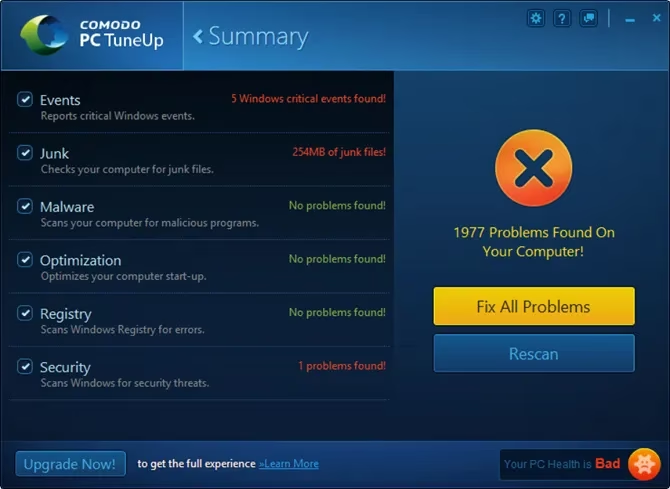
Comodo PC TuneUp isn't strictly a registry cleaner—it's a comprehensive tune-up utility that includes registry fixing capabilities. What makes it stand out is its safety-first approach.
Key Features:
-
🔧 Registry fixing rather than aggressive cleaning
-
🛡️ Only addresses serious registry issues
-
💪 Developed by cybersecurity experts at Comodo
-
Minimal risk of system breakage
This tool is perfect for users who want registry maintenance without the dangers of over-cleaning.
2. JetClean
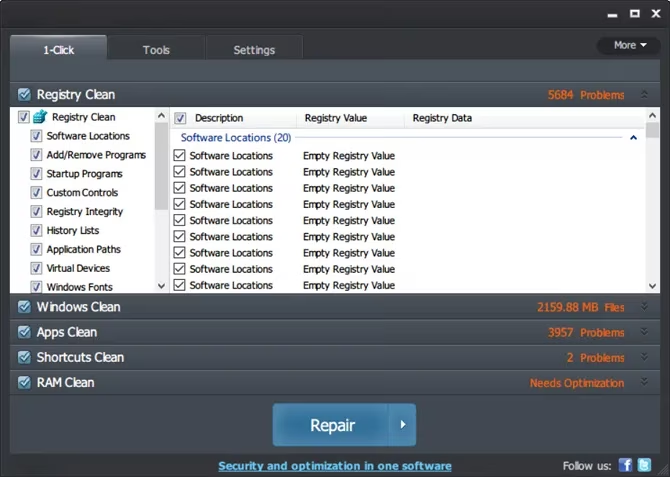
JetClean takes a lightweight, no-nonsense approach to PC optimization. Despite not being updated recently, it remains surprisingly effective and efficient.
Cleaning Modules:
| Module | Function |
|---|---|
| Windows Clean | Removes OS junk files |
| Apps Clean | Cleans application leftovers |
| Shortcuts Clean | Fixes invalid shortcuts |
| RAM Clean | Addresses memory leaks |
Additional Features:
-
Startup optimization
-
🌐 Internet speed booster
-
💾 Portable version available
-
Performance enhancement tools
3. Wise Registry Cleaner
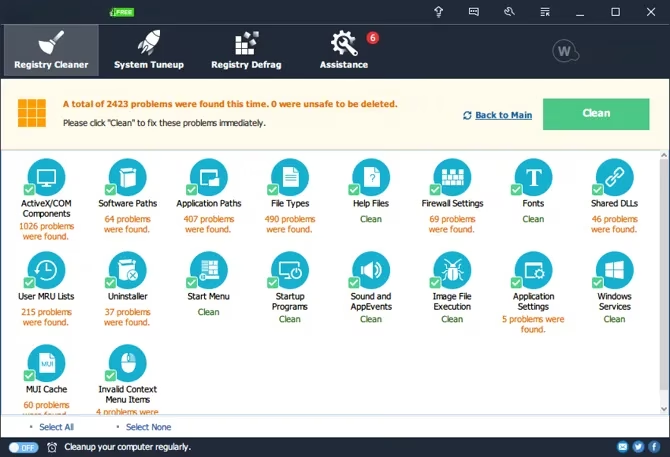
Wise Registry Cleaner combines registry cleaning with system performance tuning in a fast, thorough package that's completely free for basic use.
Standout Features:
-
⚡ Extremely fast scanning and cleaning
-
🔍 Comprehensive issue detection
-
Built-in registry defragmenter
-
🎛️ System Tuneup feature for performance optimization
Pro Version Benefits ($20 + $15/year):
-
Multi-user cleaning support
-
Automated scheduled cleanings
-
Advanced performance options
-
Enhanced backup capabilities
4. Auslogics Registry Cleaner
For users who want a dedicated, single-purpose registry cleaner, Auslogics Registry Cleaner excels with its focused approach and effectiveness.
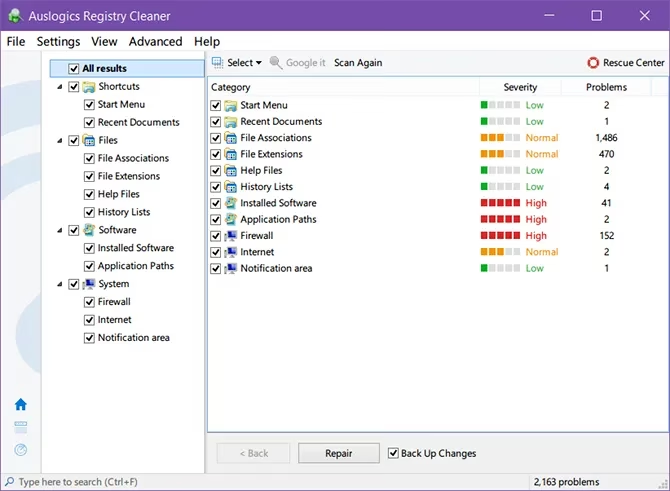
Important Installation Notes:
-
❗ Watch for bundleware during installation
-
❗ Decline Yahoo homepage setting
-
❗ Skip Auslogics Driver Updater installation
Safety Features:
-
💾 Automatic registry backup before changes
-
🔄 Easy restoration if issues occur
-
🔍 Manual registry key search and deletion
-
Useful for malware removal procedures
⚠️ The CCleaner Controversy
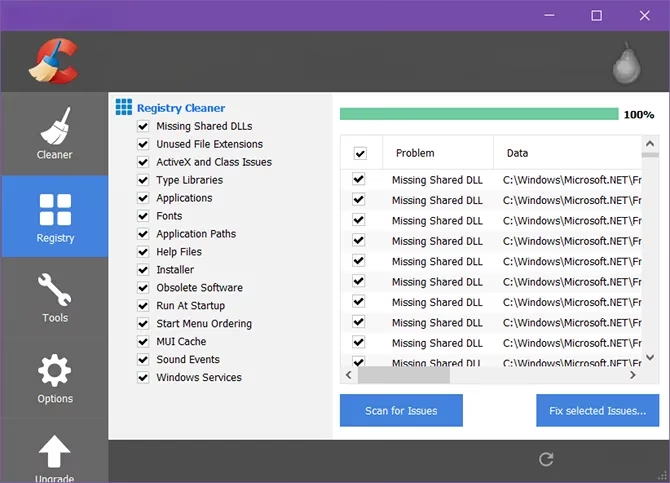
While CCleaner remains popular, it's no longer recommended due to several concerning issues:
Major Concerns:
-
History of malware and spying incidents
-
️ Overly aggressive cleaning that can cause system issues
-
🔒 Sometimes irreversible changes
-
⚠️ Multiple instances of scrambling to restore deleted items
️ Registry Cleaning Safety Guidelines
Before using any registry cleaner, follow these essential safety measures:
-
Always Create Backups 📂
-
Backup your registry before making any changes
-
Use system restore points for added protection
-
Understand the Risks ⚠️
-
Registry editing can cause system instability
-
Wrong changes can be catastrophic
-
Consider if cleaning is truly necessary
-
Alternative Cleaning Methods 🧹
-
Use built-in Windows maintenance tools
-
Follow comprehensive PC cleaning guides
-
Focus on disk cleanup and defragmentation
💡 Final Verdict: To Clean or Not to Clean?
In 2025, the consensus among tech experts is clear: registry cleaning is rarely necessary for modern systems. The performance gains are minimal compared to the potential risks. However, if you still want to use registry cleaners:
✅ Choose reputable tools from trusted developers
✅ Start with registry fixing rather than aggressive cleaning
✅ Always backup first and understand the risks
✅ Consider comprehensive PC maintenance instead of just registry focus
For most users, focusing on general system maintenance—disk cleanup, malware scanning, and software updates—will provide better results with significantly less risk. The days of registry cleaning being essential PC maintenance are long gone, but if you choose to use these tools, the options above represent the safest choices available today.
Leave a Comment