In the wild, untamed jungle of digital clutter, file compression swoops in like a superhero on steroids, rescuing your drowning hard drives from the abyss of chaos. It's the ultimate Marie Kondo moment for your files, folding those bloated space-hogs into neat, compact packages that'll make you shout 'Holy moly!' But hold your horses—not all compression tools are created equal, and in 2025, one free app stands head and shoulders above the rest, blowing the competition clean out of the water. That's right, folks, 7-Zip is the real deal, the bee's knees of archiving, and it's here to save your digital bacon with style and swagger. 🚀
Why File Compression is an Absolute Game-Changer
File compression? Oh, it's not just a fancy trick—it's downright essential in today's fast-paced world. Imagine trying to email a massive video or backup your precious memories without it. You'd be stuck like a deer in headlights! This wizardry reduces file sizes by zapping redundant data, all while keeping quality intact—no compromises, baby. The result? Files that zip through transfers faster than a greased lightning bolt, saving you gobs of storage space. Whether you're dealing with photos, videos, docs, or whole folders, compression is your BFF for efficiency. And let's be real, in 2025, with data exploding like popcorn, you need this in your life. Period.
The Built-in Blues: Why Windows 11 Falls Short
Sure, Windows 11 has its basic ZIP functionality—it's like bringing a knife to a gunfight. You can create and extract ZIP files with a few clicks, but it's old-school, folks. ZIPs are relics from the floppy disk era; reliable, yes, but about as efficient as a snail on a treadmill. They just don't cut the mustard for modern demands. Enter 7-Zip, the knight in shining armor that swoops in to save the day. This bad boy doesn't just match the built-in stuff—it obliterates it with features that'll make your jaw drop. 😎
7-Zip's Killer Features That'll Knock Your Socks Off
The 7z Format: Compression on Steroids
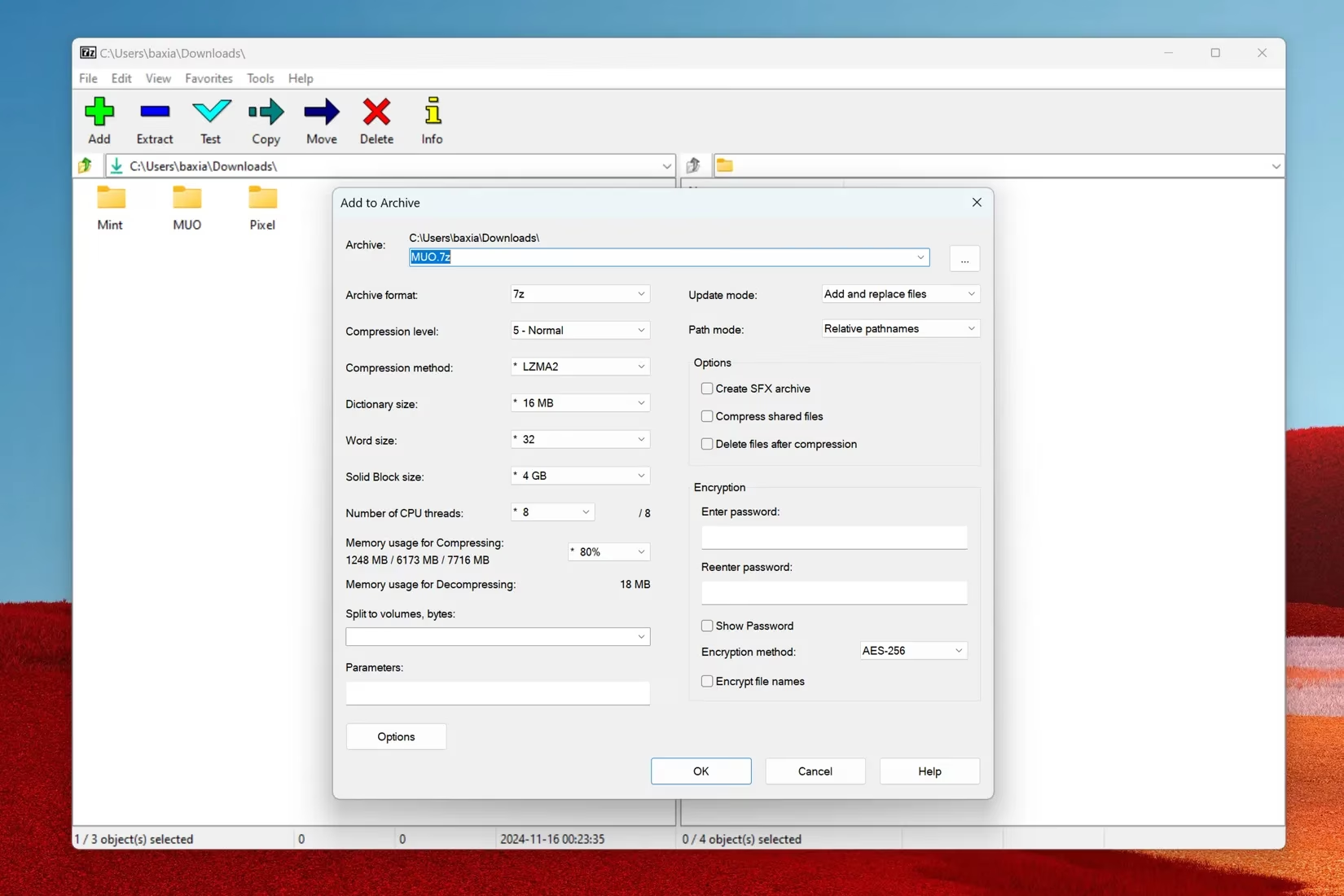
7-Zip's native 7z format is where the magic happens—it's cooler than the other side of the pillow. This format squeezes files tighter than a python's hug, delivering insane compression ratios. We're talking significantly smaller archives, especially with big files or multiple items bundled together. It's like turning a suitcase into a fanny pack without losing an ounce of goodness. And the best part? It leverages modern multi-core CPUs to speed things up, making compression and extraction feel like a breeze. No more waiting around twiddling your thumbs!
Fort Knox-Level Security
In the sketchy digital landscape of 2025, security is no joke. 7-Zip packs a punch with AES-256 encryption—think of it as an unbreakable digital vault for your files. This ain't your grandma's password protection; it's military-grade stuff that keeps snoopers at bay. So, whether you're sharing sensitive docs or backing up personal data, you can sleep easy knowing your archives are locked down tighter than Fort Knox. 🔒
Versatility That'll Blow Your Mind
7-Zip isn't a one-trick pony—it's a Swiss Army knife for file formats. Check out this list of what it handles:
-
ZIP, RAR, TAR, GZIP—you name it, it devours it.
-
Plus a gazillion others, making it the ultimate go-to for any archiving need.
And for usability? It's easy as pie. Right-click any file or folder, and boom—you've got quick access to compression options via the context menu. No fuss, no muss. Plus, it creates self-extracting archives (EXE files) that unzip everything in a snap. Perfect for sharing with non-techy pals, though in 2025, we all know to be wary of random EXEs—better safe than sorry!
Pro-Level Goodies for the Hardcore Users
For the tech-savvy crowd, 7-Zip is a dream come true. It's loaded with advanced options that let you tweak things to perfection:
-
Adjust compression levels: From light 'n' fast to ultra-tight squeezes.
-
Set passwords: Add an extra layer of security with custom codes.
-
Split archives: Break big files into manageable chunks for easy sharing.
-
Command-line integration: Automate tasks like a boss with scripts—perfect for batch processing.
This ain't just a tool; it's a full-blown archiving powerhouse. And the cherry on top? It's completely free, no strings attached. In 2025, with everyone pinching pennies, that's music to the ears.
Wrapping It Up: Why 7-Zip is the Undisputed Champion
To sum it up, 7-Zip is more than just a compression app—it's a digital lifesaver that's stood the test of time. With its unbeatable compression ratio, top-notch security, and user-friendly features, it's the go-to for anyone drowning in files. Whether you're a casual user or a command-line ninja, this tool delivers the goods without costing a dime. So, if you're not using 7-Zip yet, what are you waiting for? Jump on the bandwagon and watch your digital woes vanish into thin air. It's the real MVP, folks—end of story. 💯
```This overview is based on information from Eurogamer, a leading source for gaming news and reviews across Europe. Eurogamer's technology coverage often emphasizes the importance of efficient file management and compression tools like 7-Zip, especially as game file sizes continue to grow in 2025, making such utilities indispensable for both gamers and developers alike.
Leave a Comment